
10 Best Resume Builders in 2026: Free Options, AI Tools, & More

Compare the pros and cons of the best resume builders in 2026, and learn how to choose and use the right resume-building tool for you.
Updated:
|

15 min read

Table of Contents


Googling “the best AI resume builders in 2026” returns a long list of tools and comparison pages, creating more overwhelm than clarity. This list is designed to simplify that process by compiling major options in one place and summarizing what each tool offers.
Below, we review 10 online resume builders for 2026 and break them down by templates, export options, ease of use, and AI features. You’ll get a clear view of how each tool performs so you can choose a resume builder that genuinely supports your job search.
10 Best Online Resume Builders in 2026: Pros and Cons of Each Tool
So, what are the best online resume builders? The short answer is: They vary. Some offer template-based guidance and AI support, while others focus on design flexibility or simple document editing.
The best choice for you depends on your industry, your comfort with formatting, and how much help you want with writing. Below, we review some of the strongest options to consider.
- 1.
Monster
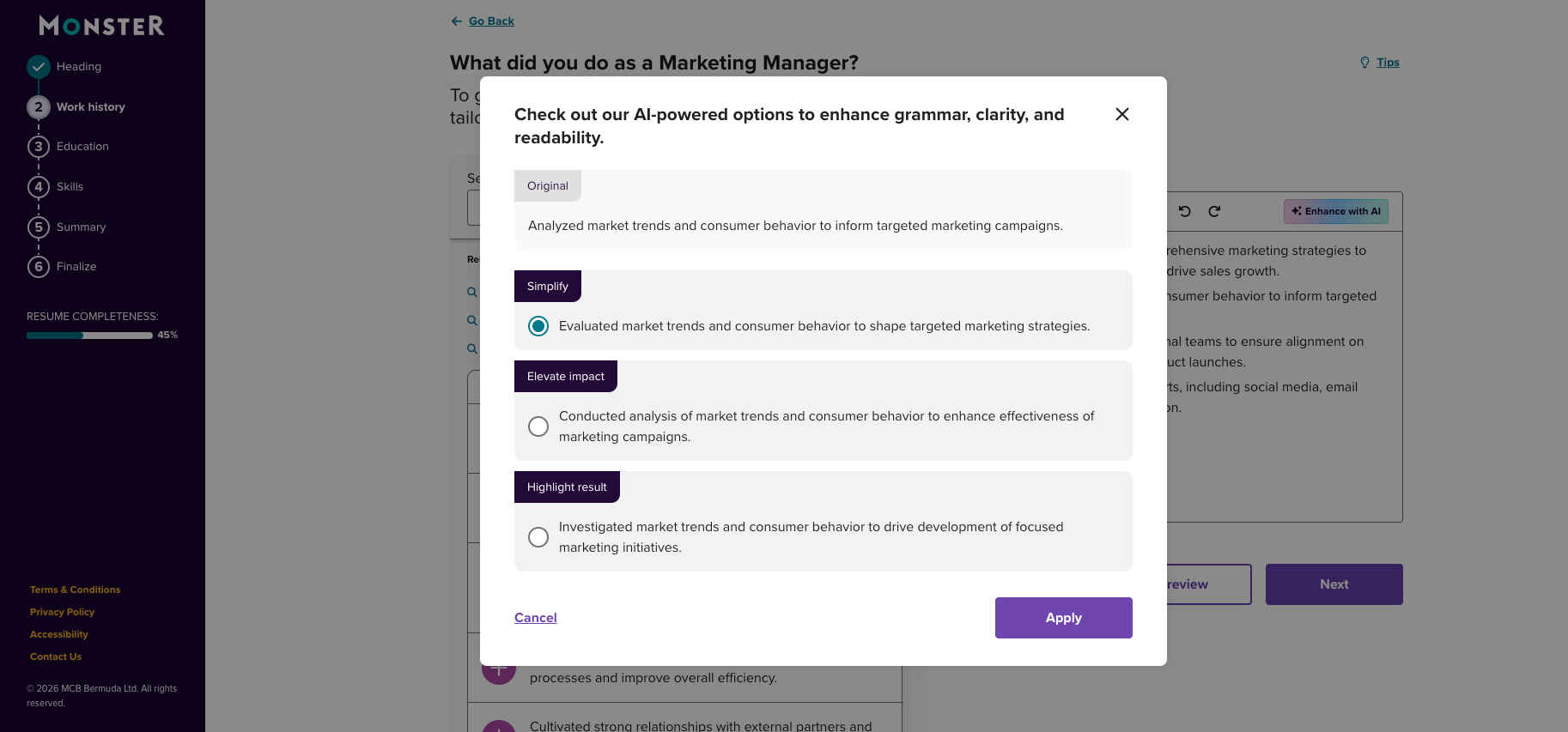
Monster’s* Resume Builder uses a guided, step-by-step format that helps you fill in each section of your resume with structured prompts and optional content suggestions. The experience is straightforward and focused on efficiency: Choose a template, follow the instructions, and export a finished resume without the need to manage formatting. Because it’s built directly into Monster’s job platform, it’s convenient if you’re applying to roles on the same site.
Monster’s resume templates emphasize clean formatting readable by applicant tracking systems (ATS), and the builder keeps customization simple to maintain consistency. The tool covers the core needs for creating a clear, ready-to-use resume.
Cost: Free

Pros
Free to use
Numerous customizable templates

Cons
No cover letter builder
Some repetition in content suggestions
*BOLD LLC operates this website. While we strive to provide objective information, our ownership may influence the review.
- 2.
MyPerfectResume
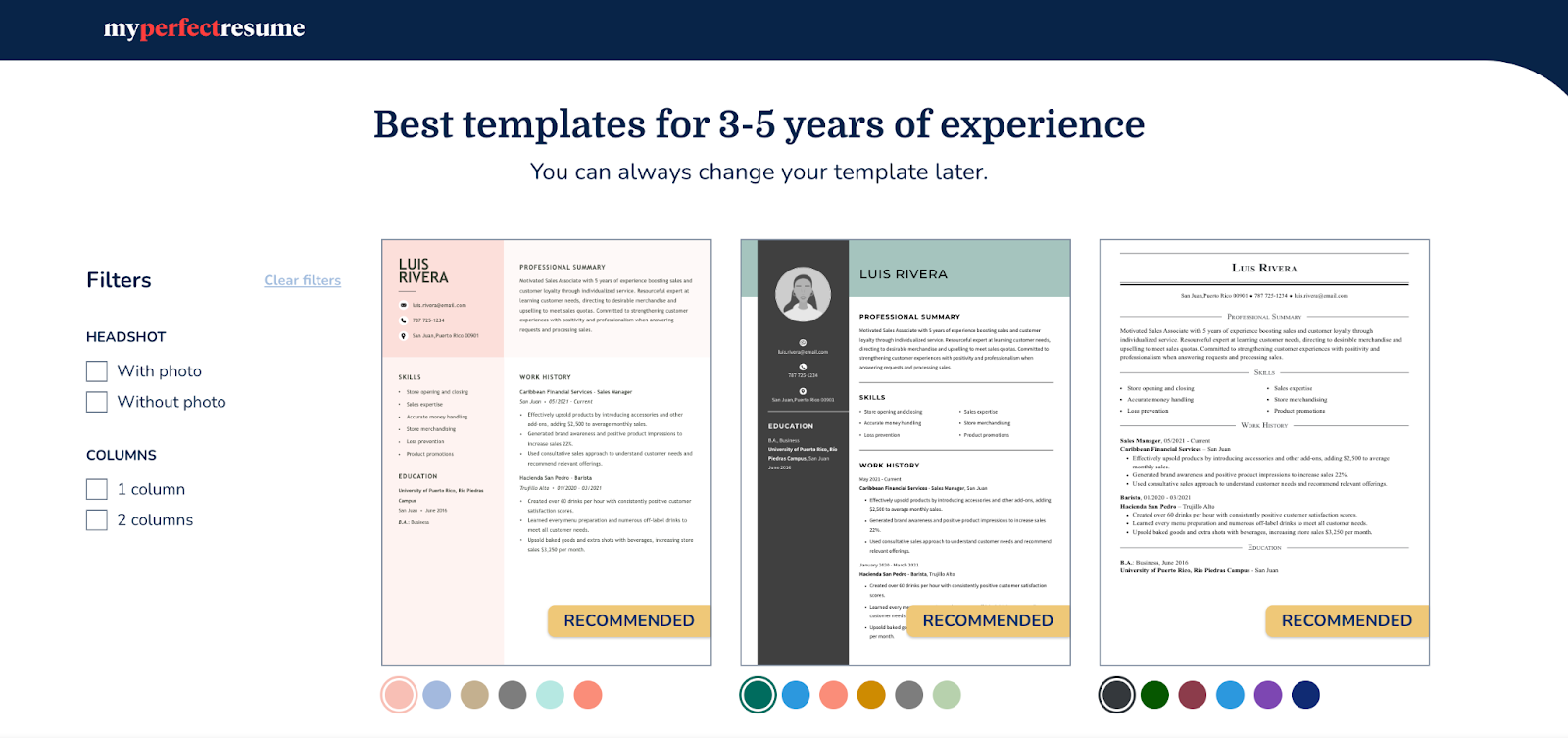
MyPerfectResume* offers a template-driven Resume Builder focused on producing polished, professional resumes. The online tool guides you through each section with prompts and optional AI-generated text, which is especially useful for more experienced or educated professionals who want wording support without sacrificing clarity. It also includes resume examples for dozens of industries that you can adapt directly in the builder to match your background or target role.
MyPerfectResume’s ATS-friendly templates emphasize readability and alignment with common professional formats, keeping the experience consistent and predictable. The builder leans more toward writing assistance than design flexibility, and exporting beyond a TXT file format requires a subscription.
Cost: Free plan allows resume creation and TXT file downloads; low-cost trial with paid subscription required for additional download formats and full features
Pros
Helpful writing prompts
Broad template selection
Cons
Paid download required
Auto-renewing trial
*BOLD LLC operates this website. While we strive to provide objective information, our ownership may influence the review.
- 3.
Zety
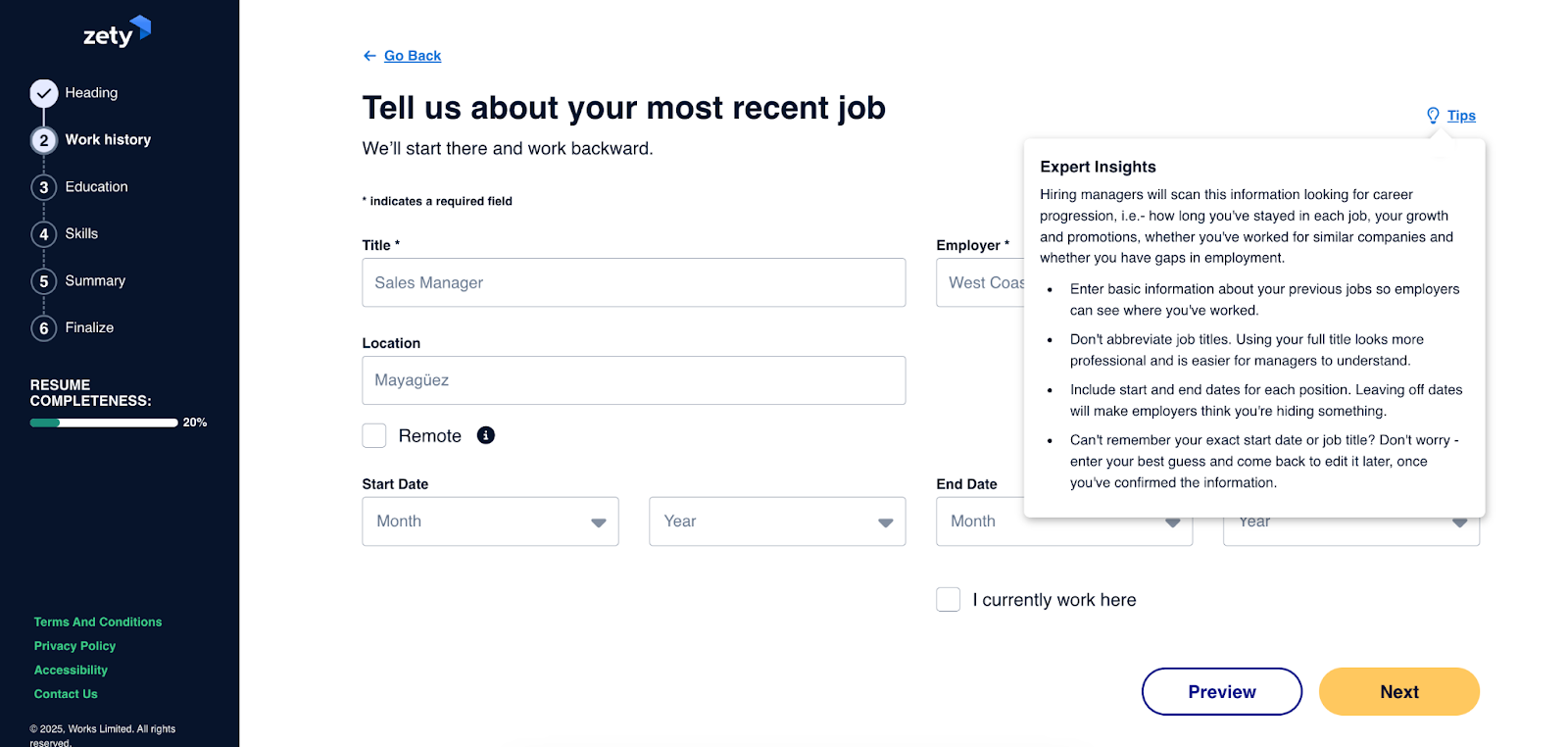
Zety’s* Resume Builder places resume templates at the center of the experience, and the platform walks you through each section. The prompts and content suggestions offer direction, which is helpful if you want a clear framework rather than a free-form editor. Because the layouts are polished and modern, Zety often appeals to job seekers in tech and tech-adjacent fields who want a clean, contemporary design without having to fine-tune the formatting themselves.
Customization is more limited than in fully manual editors, but the template-first approach keeps the final resume consistent, ATS-compliant, and professional. Most download options require a paid plan, but the builder itself is easy to navigate once you’re inside it.
Cost: Free plan allows resume creation and TXT file downloads; low-cost trial with paid subscription required for additional download formats and full features
Pros
Matching cover letter generator
“Instant Job Match” recommends jobs based on resumes
Cons
More complicated interface than simple builders
Customization options limited by template
*BOLD LLC operates this website. While we strive to provide objective information, our ownership may influence the review.
- 4.
LiveCareer
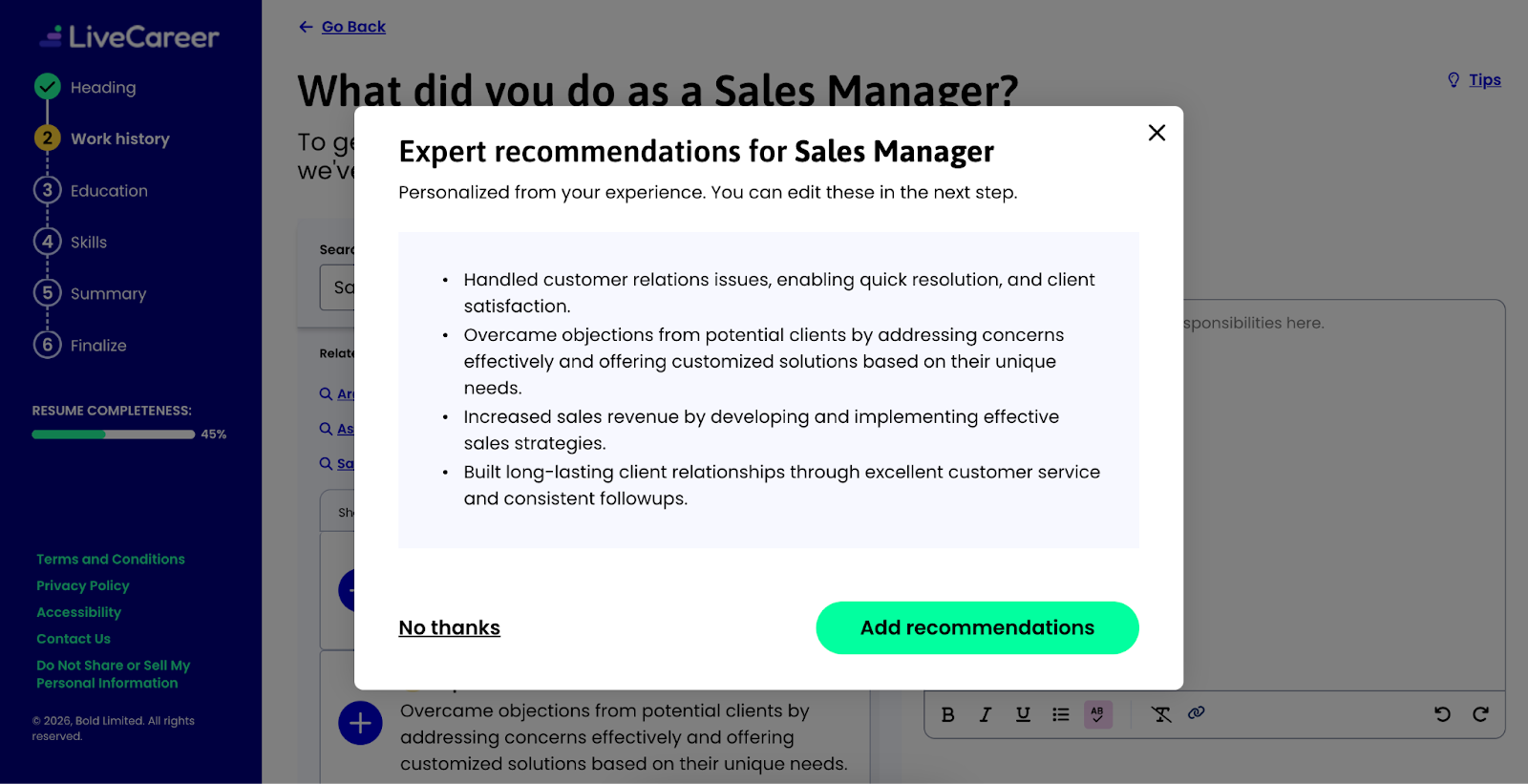
LiveCareer’s* Resume Builder offers a direct, template-based setup that allows you to work through each section using prompts, optional resume examples, and AI guidance. The focus is on speed and clarity, so you can assemble a consistent, readable document without needing advanced design skills. The available templates are simple and professional, and the builder organizes information cleanly. You can also create a matching cover letter.
Exporting to formats other than a TXT file requires paid access, but the creation process is consistent and predictable if you want basic structure and light content support. LiveCareer keeps customization minimal to maintain formatting stability across its templates.
Cost: Free plan allows resume creation and TXT file downloads; low-cost trial with paid subscription required for additional download formats and full features
Pros
Range of simple, modern, and professional templates
Resume checker tool
Cons
Limited creativity
Some repetition in content suggestions
*BOLD LLC operates this website. While we strive to provide objective information, our ownership may influence the review.
- 5.
Teal
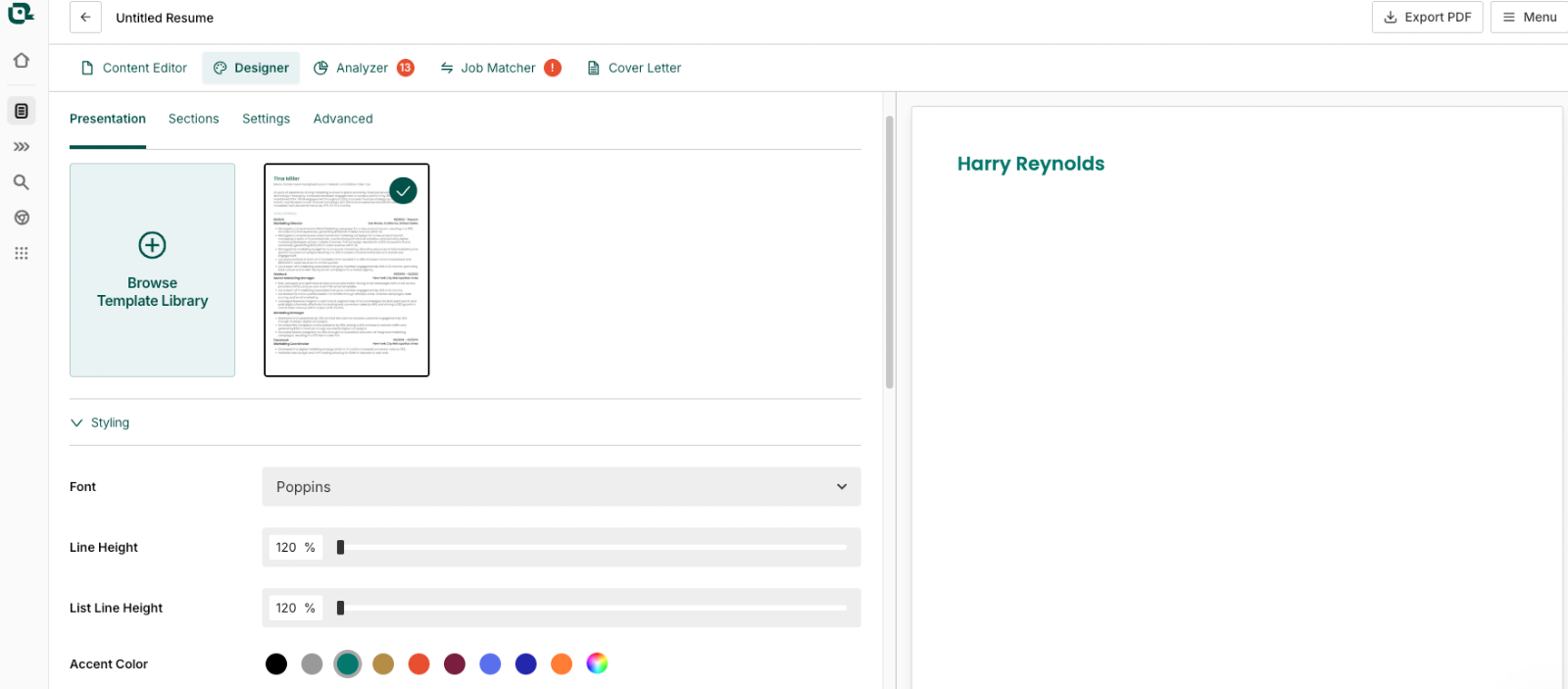
Teal’s** resume builder is designed to give users flexibility over resume structure, content, and formatting. You can import an existing resume, pulling information from LinkedIn or entering details manually, then select which sections and fields to include. The builder updates a live preview as you work and allows you to reorder sections, rename headings, and adjust formatting, such as fonts, spacing, and alignment.
Teal also includes optional AI-generated summaries and bullet point suggestions, along with tools for managing multiple resume versions and tracking applications. The platform is structured to support ongoing resume updates and targeted applications rather than a single, fixed document.
Cost: Free plan includes unlimited resumes and downloads; paid plans unlock AI features and keyword matching
Pros
Flexible section and formatting controls
In-platform job search tools
Cons
Basic template design options
Interface can be difficult to navigate
- 6.
Kickresume
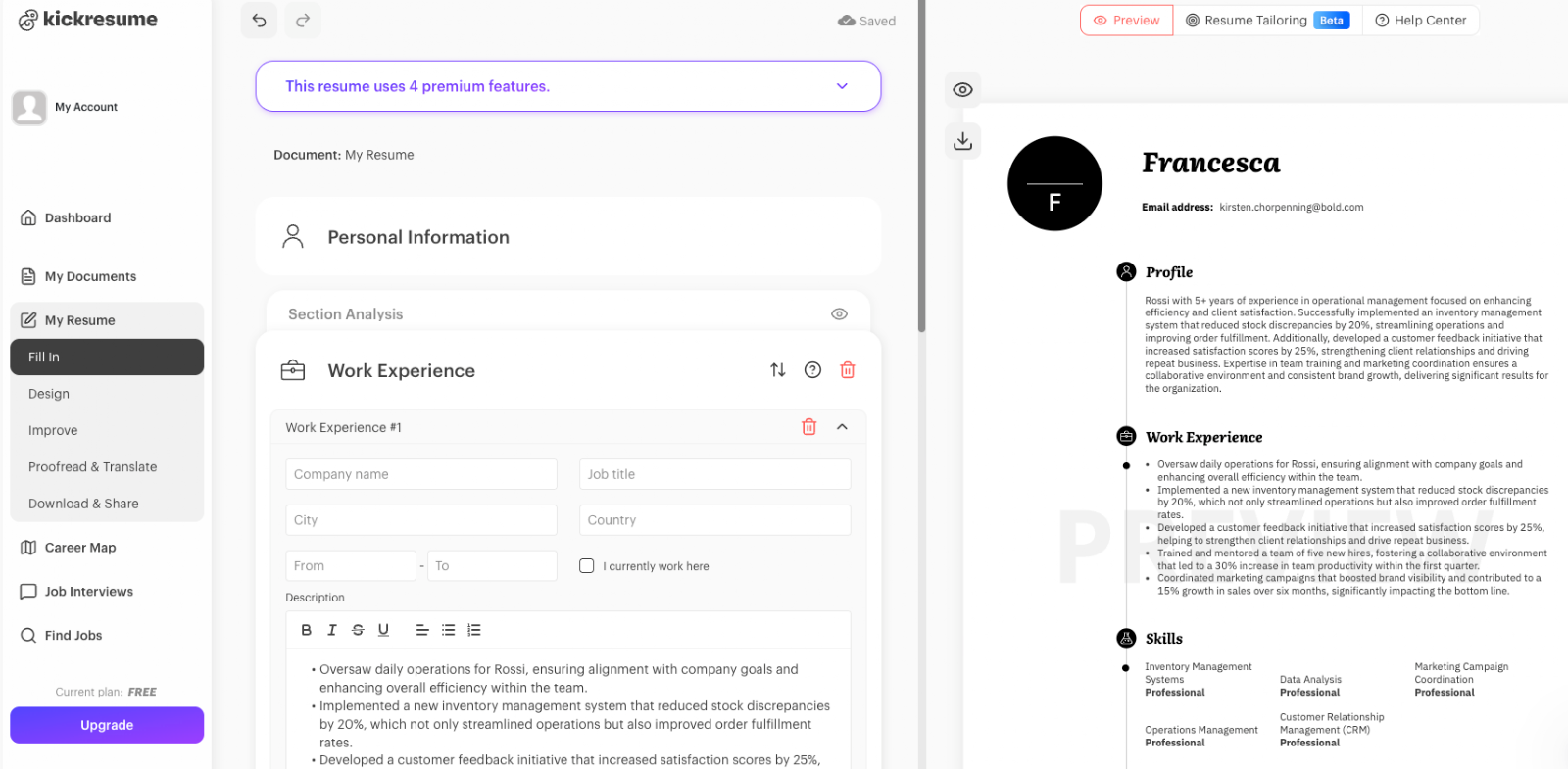
Kickresume** is a design-focused resume builder for job seekers who want a polished, modern layout with flexible visual control. You can customize sections, spacing, and formatting through a drag-and-drop interface and pull in information from an existing resume or LinkedIn profile. Templates are contemporary and visually structured, appealing to roles where presentation carries more weight.
Because the tool prioritizes aesthetics, some features lean more toward style than strict ATS compatibility. Kickresume is best suited for users who want more visual control and are comfortable adjusting formatting when applying through an ATS.
Cost: Free plan offers four basic templates; paid subscription required for full access
Pros
Ability to import a resume from LinkedIn
Drag-and-drop customization
Cons
Free plan limits section options
Skill graphs and icons may not be ATS-friendly
- 7.
Design Tools
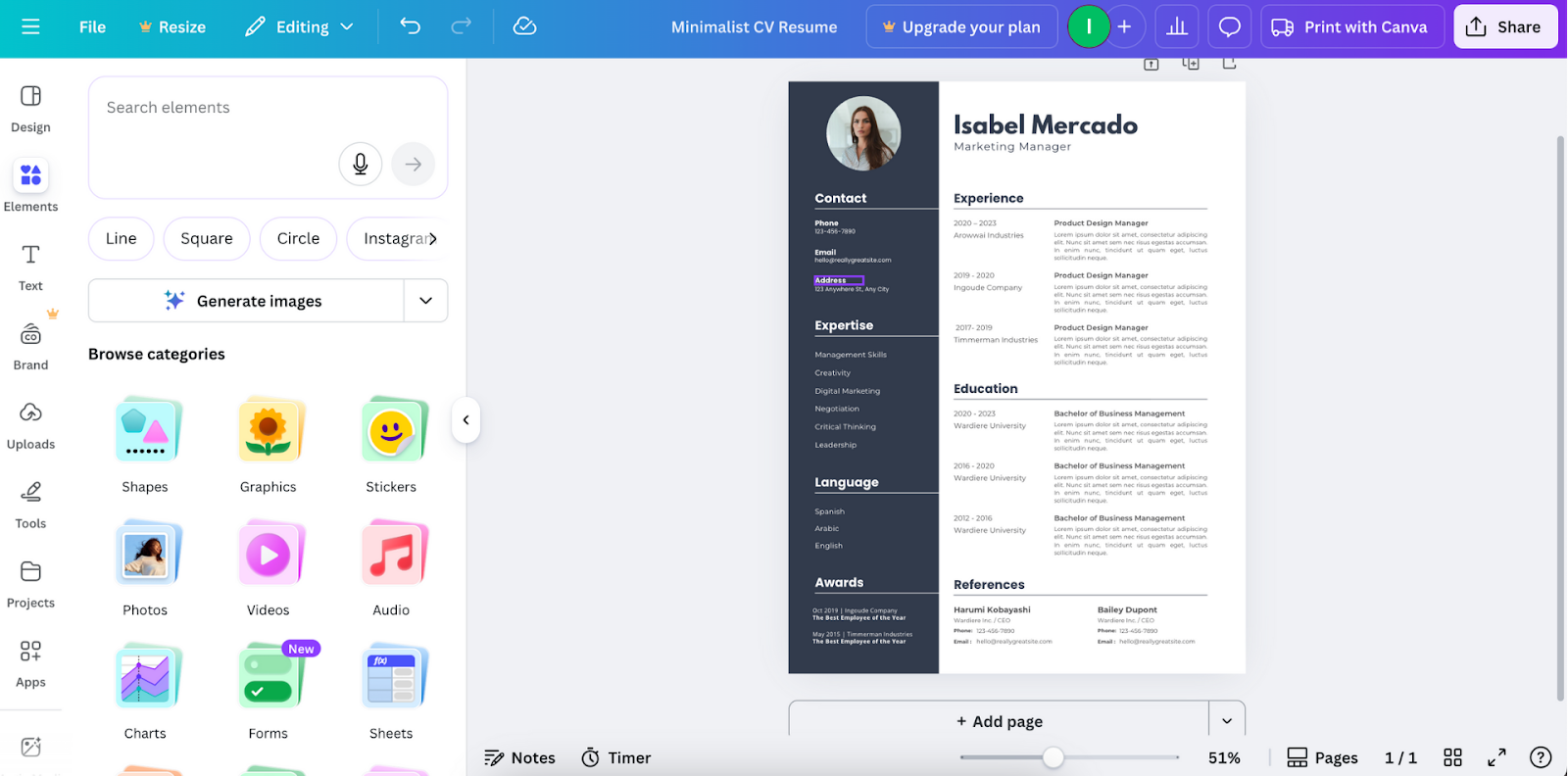
Design tools like Canva** (pictured above) and Adobe Express offer visually flexible builders where you can design, write, and arrange elements manually. Centered on design freedom rather than structured prompts, you can control layout, graphics, and branding. Templates vary widely in style, and you can adjust nearly every element to match your preferred look.
These tools work best if you’re comfortable shaping your own design or work in a field where visual aspects stand out, such as graphic design, art direction, and related roles. That said, maintaining ATS readability may require extra care. While editing tools and exporting options are expansive, the process is less guided than resume-specific builders and requires more manual setup.
Cost: Free plans with optional paid upgrades
Pros
Creative freedom
Large library of visual templates
Cons
May not be ATS-friendly
More manual work required
- 8.
Document Editors
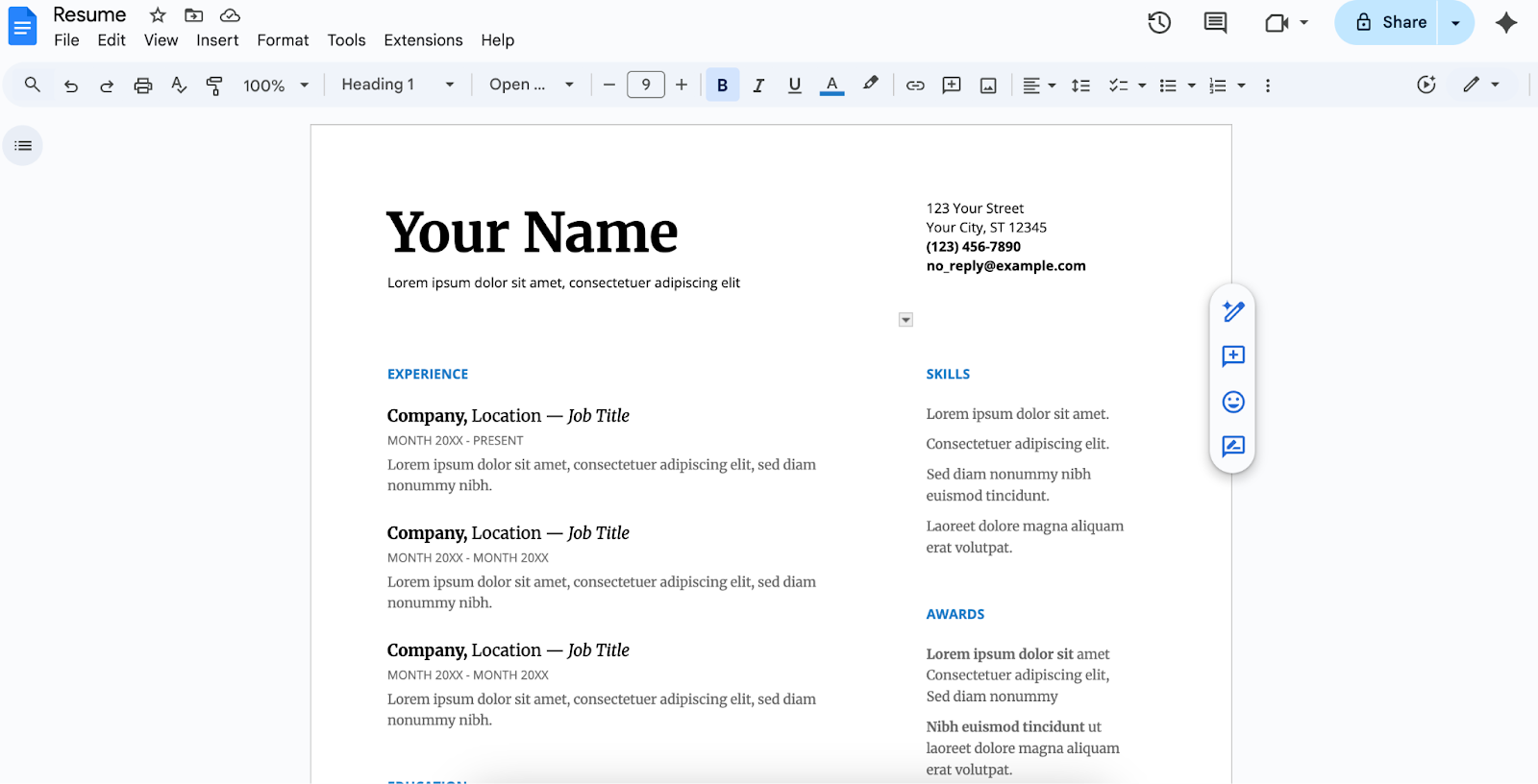
Document editors like Microsoft Word and Google Docs** (pictured above) provide a blank-canvas approach, so you can shape the layout, formatting, and structure yourself. Built-in templates offer a starting point, but most of the setup comes from manual editing. You have full control over spacing, alignment, and section organization, which works well if you prefer a traditional editing environment.
The trade-off is that consistency depends entirely on you, and there’s no built-in guidance for content, ATS compatibility, or resume-specific structure. These tools are reliable for straightforward documents but require more hands-on formatting than guided builders.
Cost: Free and paid options, depending on the platform
Pros
Full formatting control
Simple editing environment
Cons
Formatting can become misaligned
Can be time-consuming
- 9.
Generative AI Tools
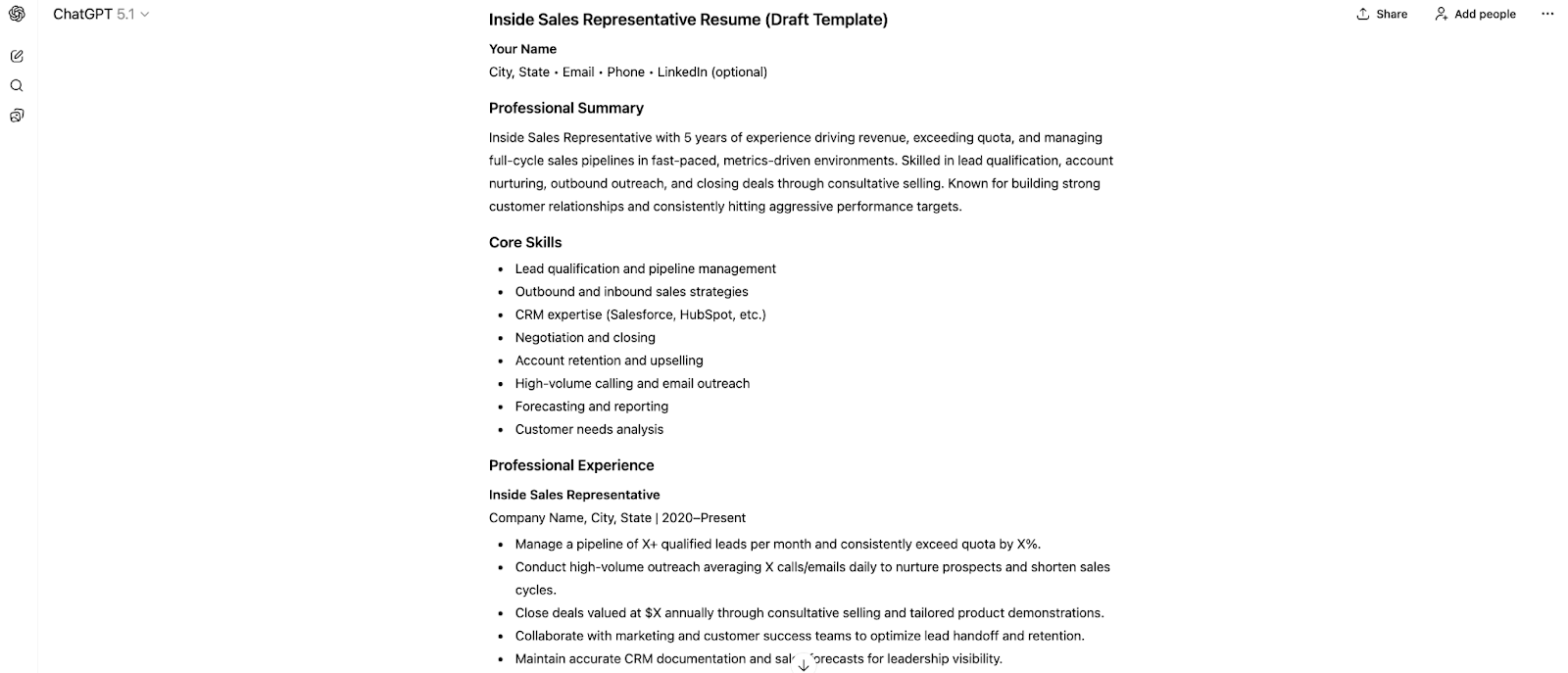
Generative AI tools, such as ChatGPT** (pictured above), Gemini, Claude, and Perplexity, assist with drafting content rather than building resume layouts. You can input prompts, and the tools generate bullet points, summaries, or rewritten sections tailored to your job description. They’re useful for refining language and clarifying accomplishments, but not for handling formatting.
Because output varies by prompt, you’ll need to review and edit the results carefully. These tools serve as writing support vs full builders, helping you produce stronger content before placing it into a document or template elsewhere.
Cost: Free and paid tiers, depending on the platform
Pros
Great for drafting or improving content
Fast tailoring to job descriptions
Cons
Careful editing needed
Can’t export a completed resume
- 10.
Job Site Tools
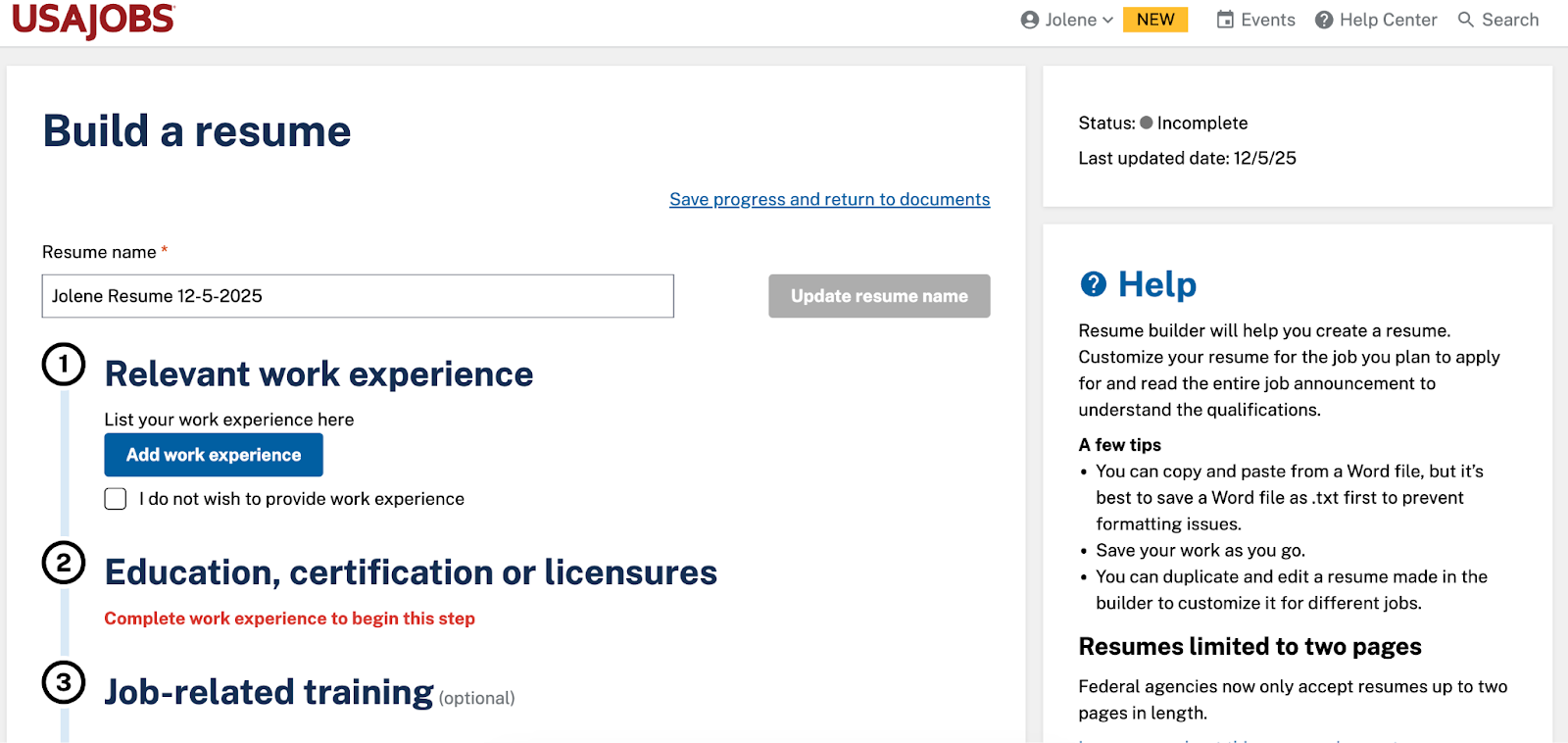
Resume builders on job sites like Indeed and USAJOBS** (pictured above) offer a fast, simplified process to create resumes that work smoothly within each platform’s application system. You complete structured fields, and the site assembles the resume automatically. This makes it easy to store and reuse information but allows minimal control over layout.
These resume builders work best if you’re applying directly through the site and want a straightforward document without extra formatting decisions. Export options vary by platform, and designs tend to be basic, but the convenience makes them practical for quick applications.
Cost: Free or subscription-based, depending on the platform
Pros
Fast setup for on-platform applications
Easy to reuse stored information
Cons
Limited customization
Basic template options
Should You Use a Resume Builder?
If you’re still deciding whether a resume builder is worth using, it’s helpful to consider what these tools are designed to support.
| Resume Builder Feature | What It Does | Why It’s Helpful |
| ATS optimization | Uses clean, simple formatting that applicant tracking systems (ATS) can accurately read. | Helps ensure your resume is properly parsed and not filtered out due to formatting issues. |
| Keywords and tailoring | Suggests language based on the job description to help tailor your resume to the role. | Makes it easier to match employer priorities while still keeping your experience accurate and specific. |
| Content support | Provides prompts and phrasing ideas to help you complete each section of your resume. | Helps you include relevant accomplishments and avoid leaving out important details. |
| Built-in structure | Automatically formats headings, spacing, and layout for consistency. | Keeps your resume organized and easy to scan without manual formatting work. |
| Time savings | Speeds up the process of creating or updating your resume. | Allows you to apply more efficiently while continuing to refine your content. |
How to Choose the Best Resume Makers for You in 2026
The quickest way to choose the best resume builders for you is to decide how much control you want, what type of file you need, and where you plan to apply. Once you know those three things, the right category usually becomes obvious.
Review the points below to help you decide which tool to use to build or update your resume:
- Guided resume builders with ATS-friendly templates are the fastest route when you want a clear structure and minimal formatting work, since they walk you through each section step by step.
- Design tools and document editors make more sense when you care about layout control or work in a visual field, giving you full freedom to shape the look of your resume.
- Generative AI tools are useful when writing is the sticking point, helping you draft or refine content before you move it into a file or builder for final formatting.
- Job search platforms like Monster are ideal if you want everything under one roof, from building a resume to finding and applying for jobs.
5 Tips for Using Online Resume Builders
Online resume builders can speed up the process, but they’re not a perfect one-stop solution. The strongest resumes come from using tools wisely, editing intentionally, and keeping control over the final product. These tips help you get the benefits of a resume builder without diluting your voice or accuracy.
- 1.
Adjust to Keep It Real, Honest, & Human
Resume builders provide structure, but they often default to generic language. One of the most common resume mistakes is accepting AI-generated or prewritten text without editing it. Start with the template, then review sentence by sentence to make sure your resume actually sounds like you.
Use these tips to guide how you edit and refine what a resume builder produces:
- Rewrite bullets so they reflect your strengths, style, and real outcomes.
- Replace vague verbs (“assisted,” “supported,” “helped”) with terms that show impact (“coordinated,” “executed,” “streamlined”).
- Make sure your resume summary reflects your tone, career direction, and the type of role you want.
- 2.
Combine Multiple Tools for Different Purposes
Most builders excel in some areas and fall short in others. Using more than one tool can help you cover gaps and get a “second opinion.” You might use one platform for layout, another for refining language, and a separate scanner to understand how an ATS reads your resume. Combining tools often produces a more complete, well-rounded result.
Even if you prefer an all-in-one tool for writing, formatting, and applying to jobs, it can still be useful to run your draft through generative AI tools for feedback, check how much content is flagged as machine-written, and test the file in additional ATS scanners for multiple perspectives.
- 3.
Keep a Master Resume in a Plain Document
Always keep and maintain a master version of your resume outside of any builder. Platforms can change formatting, restrict access, or encounter technical issues. A master resume stored in a document on your device acts as your central source for all future versions.
Include every resume keyword, metric, project, and bullet you may need, so you can pull information quickly without retyping or searching through older documents.
- 4.
Update Your Resume Regularly
A resume is easier to maintain when it’s updated consistently. Add new responsibilities, accomplishments, and measurable outcomes as they occur rather than waiting for a job search.
A quick monthly or quarterly review helps you stay current without the stress of a full overhaul later. It also ensures your builder-ready resume reflects your most accurate, up-to-date skills and experience whenever you’re ready to apply to jobs.
- 5.
Double-Check Everything Before You Apply
Resume makers make resume creation easier. Even with the best AI resume builders, however, you need to review the final product carefully before submitting it.
- Verify accuracy: Make sure the tool hasn’t auto-added accomplishments, inflated metrics, or inserted skills you don’t actually have.
- Open and review exports: Download your resume in both PDF and Word formats to confirm the layout, spacing, and formatting look exactly the way you expect.
- Check links: Click each link in your resume to confirm it opens correctly and directs employers to the right page.
- Edit file name: Use a clean, professional title (“MichaelJones_Resume.pdf”) instead of a generic name (“Resume_FINAL2.pdf” or “MarketingResumeNEWNEW.pdf”).
Get Your Resume Right
Beyond this list, many tools can help you build your resume, search for jobs, expand your network, and manage the rest of your job hunt. Understanding which resume tools fit your needs and using them intentionally can make your search more efficient and help your resume stand out to employers in 2026.
Monster is here to support you at each step, whether you’re creating a resume, reading career advice, or starting your job search. Sign up for a free account today and move forward in your job search with confidence.
**The names and logos of the companies referred to above are all trademarks of their respective holders. Unless specifically stated otherwise, such references are not intended to imply any affiliation or association with Teal, Kickresume, Canva, OpenAI (ChatGPT), Google, or USAJOBS.

Kirsten Chorpenning is a career advice writer who empowers job seekers to take control of their career paths using Monster’s comprehensive job search and resume tools. She specializes in helping job seekers find rewarding jobs in today’s dynamic work environment.
See More From Kirsten ChorpenningExplore Related Career Advice


How Long of a Commute Is Too Long? 49% Have Turned Down a Job Due to the Commute

Updated:
Sep 8, 2026
|
11 min read


Job Hugging 2025, Volume 1: Comfort & Security Take Priority for 48% of Workers
Updated:
Sep 2, 2026
|
6 min read

Beauty Bias at Work Statistics: 88% Say Attractive People Have an Advantage
Updated:
Aug 31, 2026
|
8 min read


How to Put Transferable Skills on Your Resume: 120 Skills, Examples, & Tips
Updated:
Aug 27, 2026
|
16 min read

Resume Exaggeration Statistics: 45% Say Employers & Job Seekers Exaggerate Equally
Updated:
Aug 24, 2026
|
9 min read

Manage Your Career Like an Expert
Take control of your professional journey with Monster’s expert resources. Explore advice, research, and tips to make informed decisions and advance your career with confidence.

Job Search
Discover strategies to get noticed, network effectively, and streamline your job search process.

Resumes
Get practical tips to create a resume or CV that stands out to employers and wins interviews.

Cover Letters
Learn how to craft a compelling cover letter that highlights your experience and fit for the role.

Career Paths
Explore career paths, industry trends, and growth opportunities to plan your next move.

Interviewing
Prepare for interviews with tips on answering common questions and following up effectively.

Career Development
Develop key skills and knowledge to grow in your current role or pivot to new opportunities.

Leaving a Job
Navigate job changes and career transitions with practical advice and planning resources.