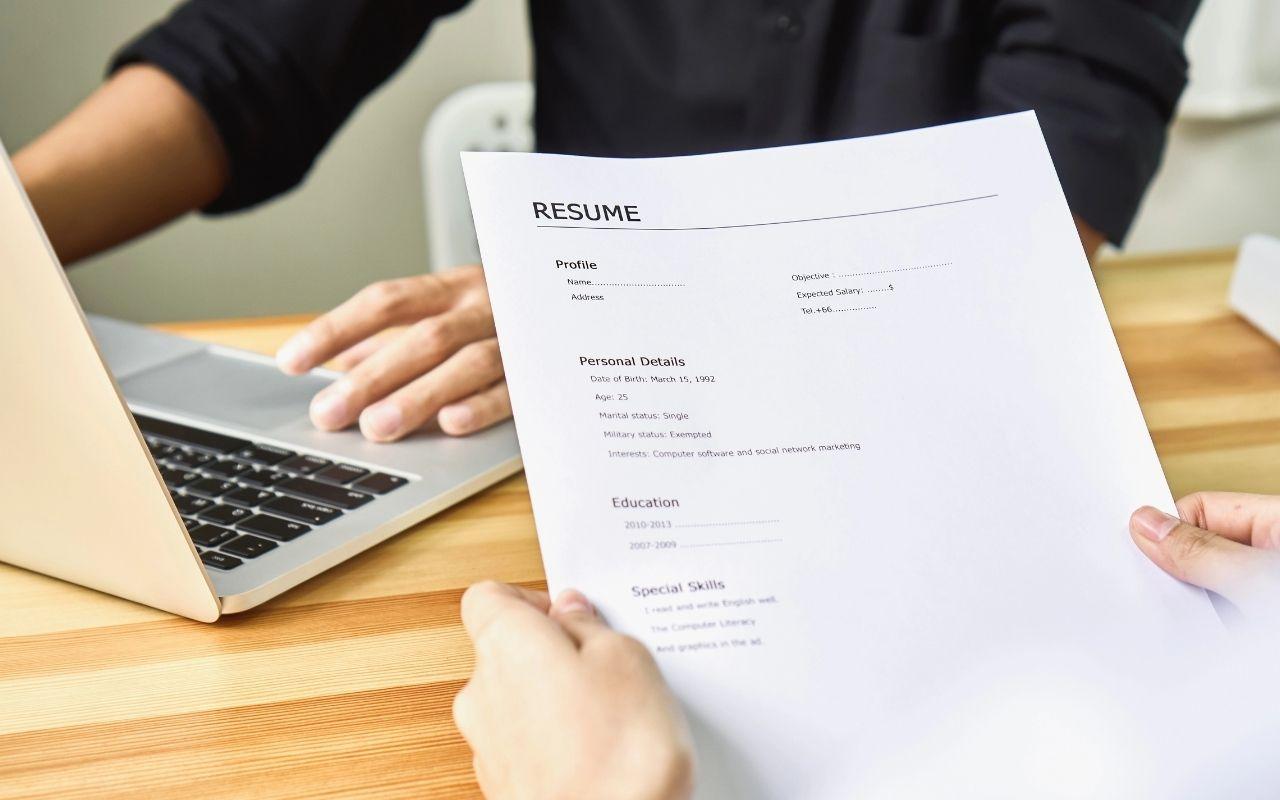
Free Office Assistant Resume Templates & Examples
An office assistant resume should highlight your organizational skills, software proficiency, and ability to support multiple staff members. Pick a template below that presents your administrative experience clearly.
Real-World Resumes That Get Results
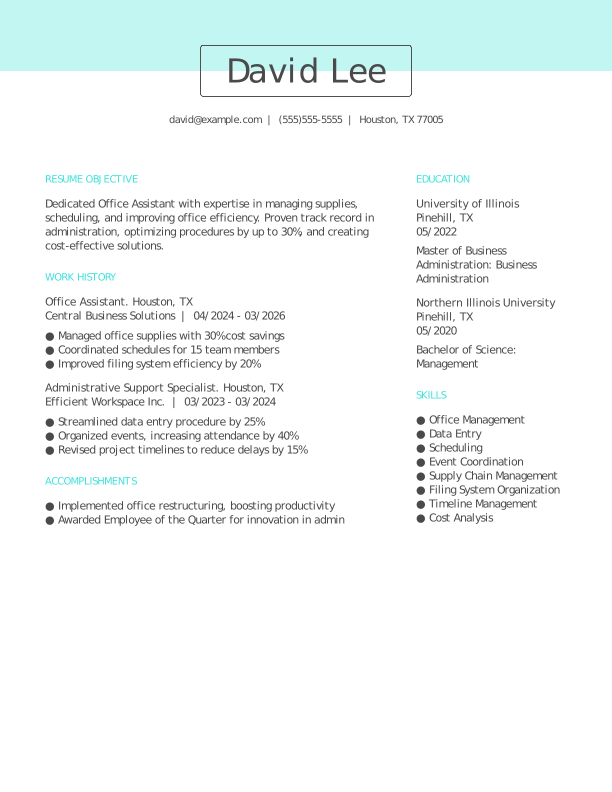
 Free
FreeOffice Assistant Entry-Level Resume
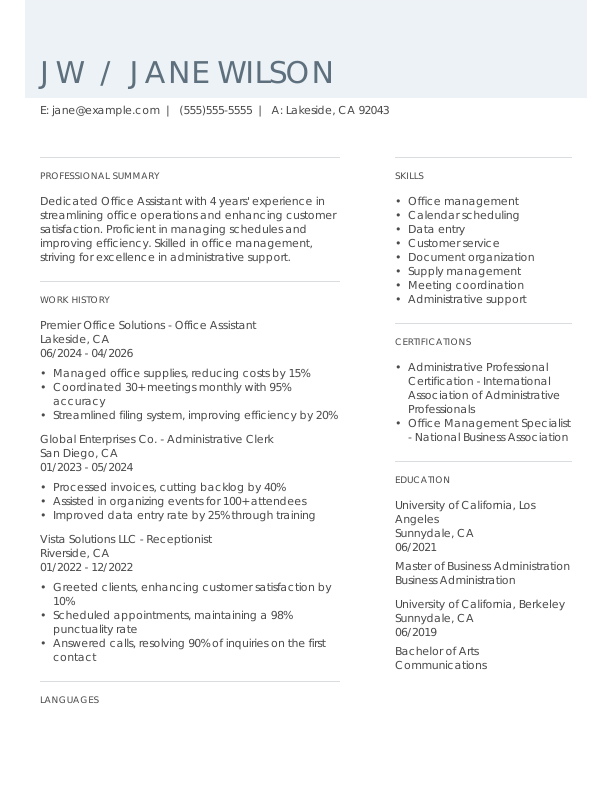
Office Assistant Mid-Level Resume
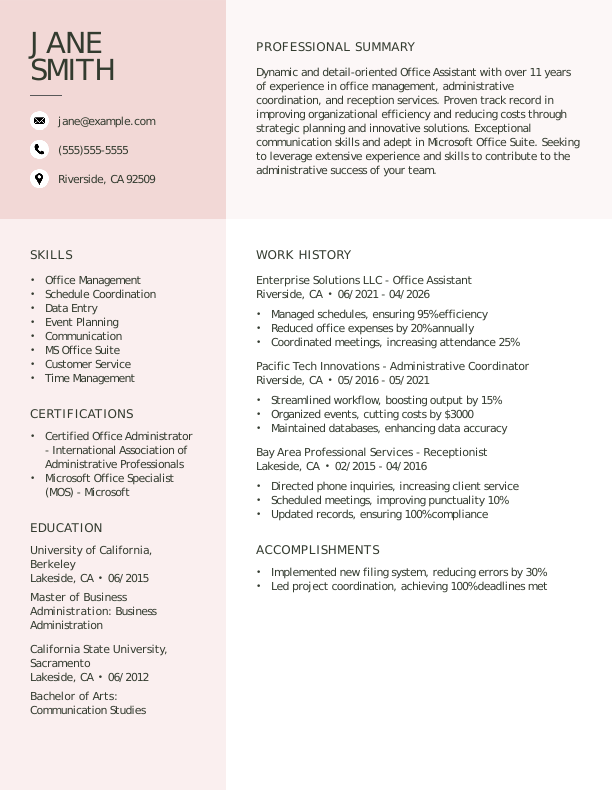
Office Assistant Experienced Resume
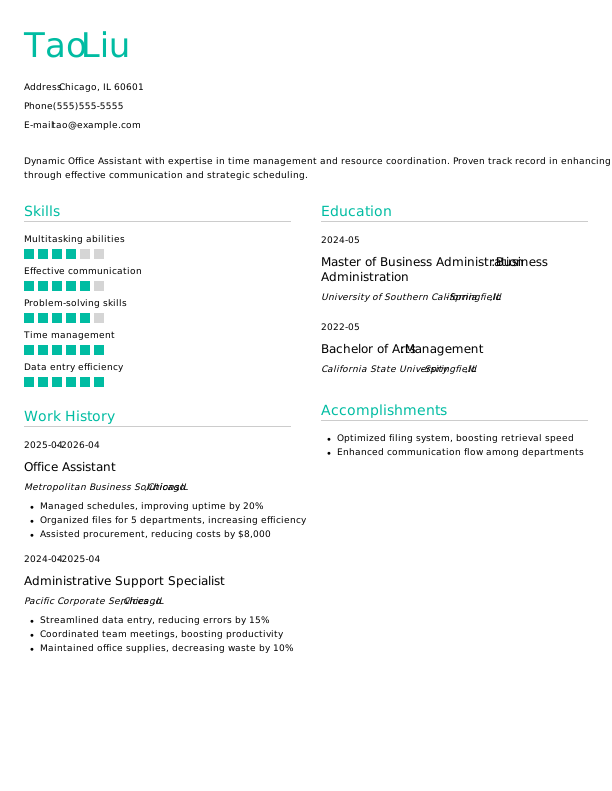
Office Assistant Entry-Level Resume 1
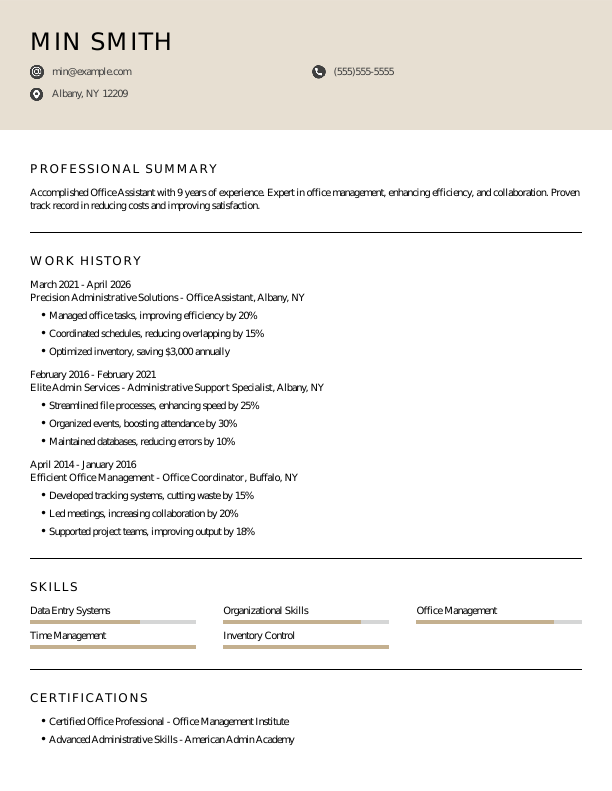

Office Assistant Mid-Level Resume 1
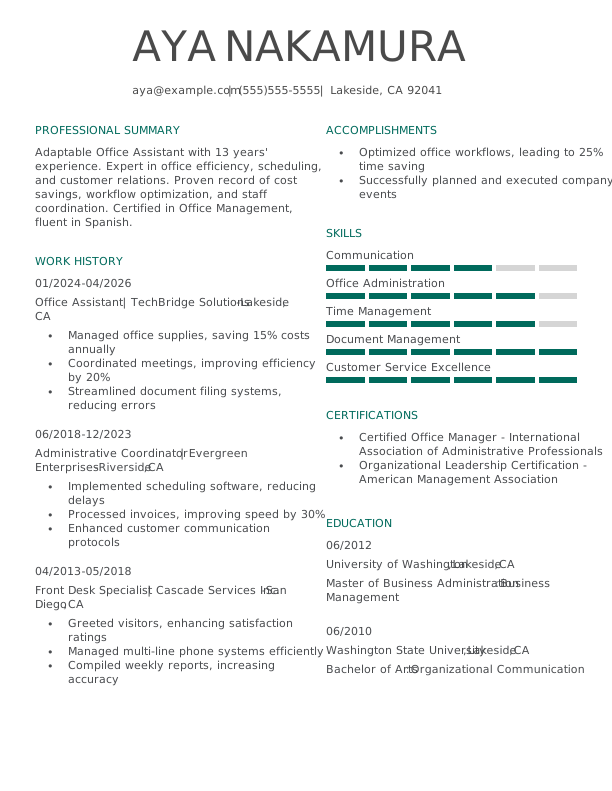
Office Assistant Experienced Resume 1
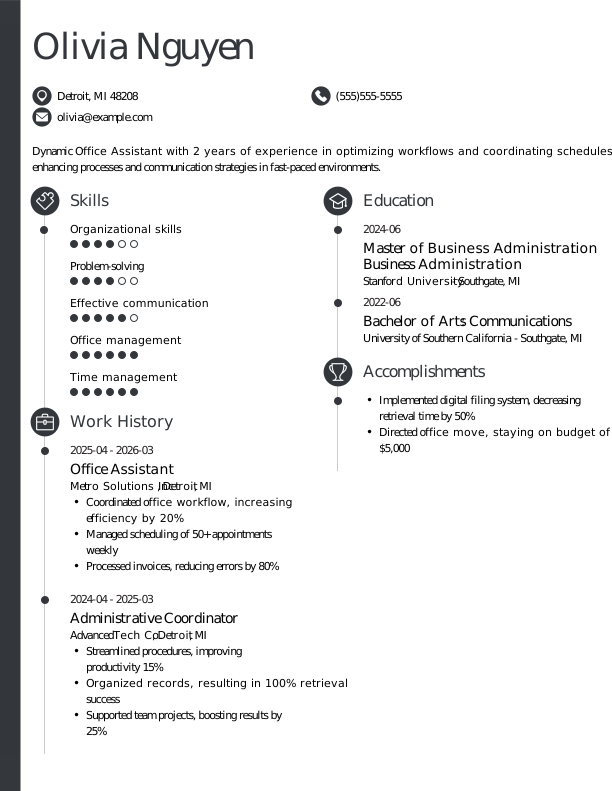
Office Assistant Entry-Level Resume 2
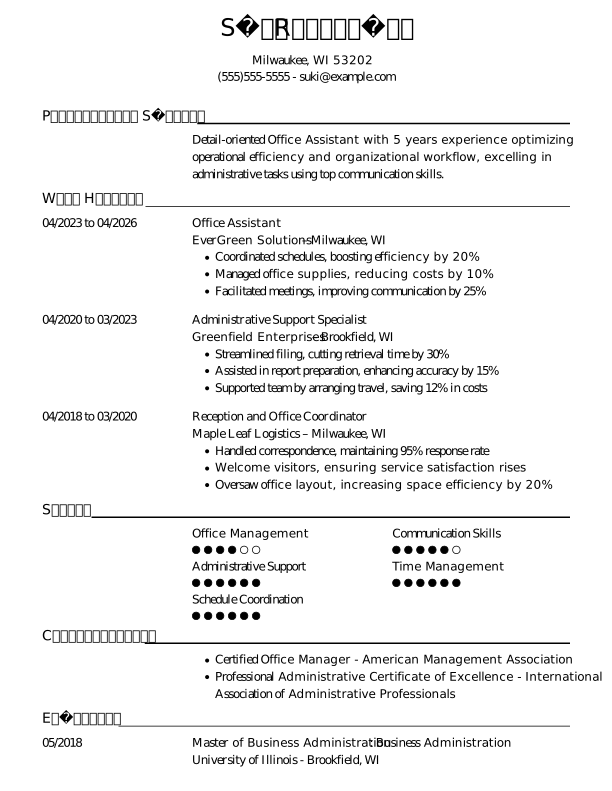

Office Assistant Mid-Level Resume 2
Browse Free Resume Templates
- Accounts Payable
- Adjunct Professor
- Artist
- Auto Mechanic
- Baker
- Business Development Manager
- Business
- Certified Nursing Assistant
- Classic & Traditional
- Cleaner
- College Student
- Concierge
- Construction Worker
- Corporate
- Creative & Unique
- Custodian
- Customer Service
- Dental Assistant
- Direct Support Professional
- Entry-Level
- Flight Attendant
- Hospitality & Food Service
- Front Desk Receptionist
- Healthcare
- High School
- Housekeeping
- Hvac Technician
- Hybrid
- Inventory Manager
- Logistics
- Maintenance
- Management
- Modern
- Mortgage Loan Processor
- Pet Sitter
- Phlebotomist
- Production
- Rbt
- Sales
- Security Services
- Restaurant Server
- Simple & Basic
- Social Work
- Teacher
- Technology
Resume Examples for Office Assistants
Office assistant resumes should reflect the types of offices you have supported and your software proficiency. Explore our templates, or create a resume tailored to your administrative background.
Entry-Level Office Assistant Resume
Ideal for first-time office workers, this template helps you put together an office assistant resume by emphasizing your organizational skills, computer proficiency, and any administrative experience from school, volunteering, or part-time work.

Mid-Career Office Assistant Resume
A great fit for office professionals with some experience, this template highlights recent achievements and supports advancement into specialized or leadership roles.
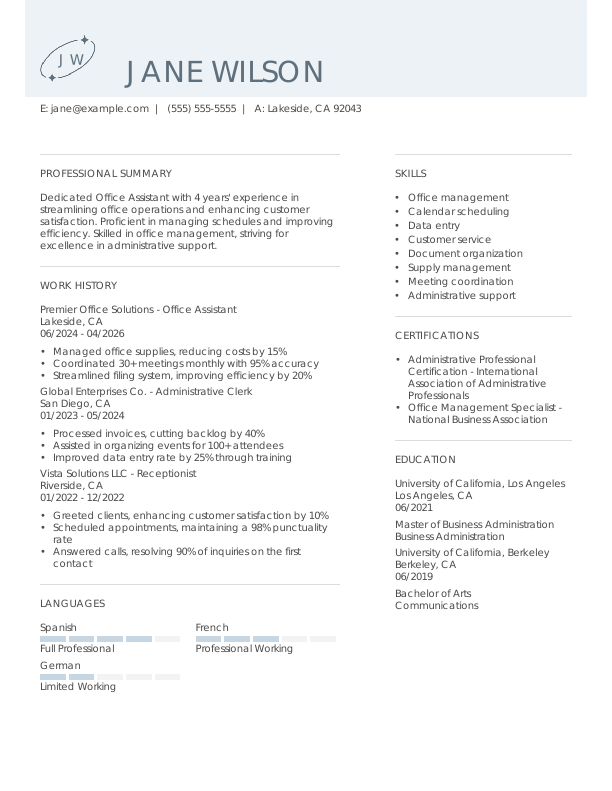
Experienced Office Assistant Resume
An ideal choice for seasoned office assistants with over 10 years of experience, this template supports professionals looking to advance into senior administrative positions or improve their organizational impact.

Office Assistant Resume Template (Text)
Below is an office assistant resume in plain text that you can copy directly into your document. It is organized to highlight your software proficiency and multitasking ability.
Chris Huang
Indianapolis, IN 46203
Professional Summary
Efficient Office Assistant with a proven record of streamlining administrative processes. Highly skilled in document management, scheduling, and team collaboration, yielding increased productivity and reduced operational cost.
Work Experience
January 2024 – April 2026
BrightPath Solutions – Indianapolis, IN
Office Assistant
- Managed and filed 200+ documents weekly.
- Coordinated schedules, increasing efficiency by 30%.
- Supported staff across 5 departments.
January 2021 – December 2023
Summit Services Group – Indianapolis, IN
Administrative Coordinator
- Organized events for 100+ attendees efficiently.
- Improved process time by 20% using new software.
- Implemented inventory system, reducing waste by 10%.
January 2020 – December 2020
Golden Years Home Care – Indianapolis, IN
Clerical Assistant
- Archived sensitive data with 0 errors.
- Drafted reports, improving clarity by 15%.
- Assisted in payroll for 50 employees monthly.
Education
June 2019
University of Michigan Ann Arbor, MI
Master of Arts Management
June 2017
Michigan State University East Lansing, MI
Bachelor of Arts Business Administration
Certifications
- Administrative Professional Certification – International Association of Administrative Professionals
- Certified Office Manager – American Office Manager Association
Skills
- Document Management
- Scheduling
- Process Improvement
- Inventory Management
- Data Entry
- Customer Service
- Team Collaboration
- Event Coordination
How to Write an Office Assistant Resume
As an office assistant, knowing how to write a resume involves showcasing your organizational skills and relevant experience while using a clear format that highlights your qualifications. Use the guidance below to emphasize your strengths and tailor your resume for the specific positions you’re applying for.
1. Contact Info
Your contact information should be prominently displayed at the top of your resume, ensuring clarity and professionalism.
Include the following essential information:
- Full name
- Phone number
- Professional email address
- City and state (ZIP code is optional)
- LinkedIn profile or personal portfolio (if relevant)
 PRO TIP
Skip including personal information like your Social Security number, age, or religious affiliation unless an employer specifically requests it.
2. Resume Profile
A resume profile is a brief introduction (two to four sentences) that highlights your skills and qualifications. It serves as your personal pitch to hiring managers, designed to grab their attention and encourage them to delve deeper into your application.
Typically located at the top of your resume, this profile can take the form of either a summary or an objective, each serving a unique function. Understanding these differences will help you choose the best approach for your job search:
- A resume summary highlights essential skills, relevant experience, and significant accomplishments tailored to the administrative field. This format is particularly helpful for individuals with prior roles or transferable abilities eager to emphasize their contributions as a proactive office assistant.
- A resume objective emphasizes future aspirations and highlights what applicants aim to achieve in their careers. It’s particularly beneficial for recent graduates, individuals pivoting careers, or those with limited job experience.
Let’s explore examples of a resume summary and a resume objective to understand their differences better:
Office assistant resume summary example:
Organized office assistant with over 6 years of experience in dynamic corporate environments, specializing in administrative support, scheduling, and customer relations. Proficient in Microsoft Office Suite, data entry, and maintaining efficient office operations. Acknowledged for improving productivity and fostering positive team dynamics through effective communication.
Office assistant resume objective example:
Recent graduate with an associate degree in office administration eager to launch a career in a dynamic office environment. Committed to fostering effective communication and organization, ready to bring strong multitasking abilities and attention to detail to a corporate or administrative support setting.
3. Work Experience
The work experience on your resume serves as a critical foundation for your application. Employers examine not only job titles and responsibilities but also the unique contributions you made in each role.
This experience illustrates how your background equips you with the skills and insights needed to excel in the office assistant position, demonstrating your readiness to support organizational efficiency.
The work experience section should contain:
- Job title
- Employer name and location
- Dates of employment (month/year)
- 3–5 bullet points describing your administrative tasks and organizational contributions
When crafting your work experience bullet points, align your language with the job description to improve relevance. Start each bullet with a strong action verb (like “Organized,” “Assisted,” “Coordinated”) to capture attention and convey impact.
Incorporate quantifiable data to illustrate your achievements clearly. Specific metrics or outcomes not only highlight your contributions but also set you apart from other applicants by showcasing tangible results.
In general, consider following the format of:
[action verb] + [responsibility] = [result/achievement]
For example:
Managed daily office operations for a team of 10, ensuring timely processing of over 200 client requests per week with a 95% satisfaction rate.
Note that you can also flip the result/achievement with the responsibility:
Increased office efficiency by 30% through the implementation of an automated scheduling system.
With these techniques in mind, your resume bullets may look something like:
- Managed scheduling and calendar organization for a team of 10 staff members, improving office efficiency by 20%.
- Maintained accurate filing systems for over 1,000 documents, improving retrieval time by 30%.
- Coordinated logistics for company meetings and events, successfully executing 5+ events per quarter.
- Used Microsoft Office Suite to create reports and presentations that supported departmental initiatives.
- Trained new hires on office procedures and software tools, fostering a collaborative work environment.
4. Skills
The skills section provides a concise overview of your professional abilities as an office assistant. This part of your ATS-friendly resume allows recruiters to quickly assess your qualifications and match them with job requirements. Skills can be categorized into three key areas:
- Soft skills are personal qualities that influence how well office assistants collaborate with colleagues and clients.
- Hard skills are specific, quantifiable abilities acquired through education, training, or direct experience.
- Technical skills refer to the practical abilities necessary to operate specific tools and software in a job.
5 Soft Skills for Your Resume or CV
- Effective communication
- Organizational skills
- Team collaboration
- Time management
- Attention to detail
5 Hard Skills for Your Resume or CV
- Calendar management
- Data entry (Microsoft Excel, Google Sheets)
- Customer service support
- File organization systems
- Office equipment operation (printers, copiers)
In general, aim to present a diverse range of skills that correspond with the job requirements to showcase your qualifications.
PRO TIP
If you’re a newer office assistant, consider placing your skills section right after your summary to highlight your abilities upfront. If you have more experience, it’s better to position this section lower on the page and weave your skills into your work history for a cohesive presentation.
5. Education
Understanding how to list education on your resume is important for showcasing your qualifications. Begin with your most recent or relevant degree, clearly stating the degree type and institution name.
For those who have recently graduated, consider adding optional details like your graduation year, GPA if it’s 3.5 or higher, any honors received, or coursework that aligns with the position you’re applying for.
Office assistant resume education section example:
Associate of Applied Science in Office Administration
City College of San Francisco, San Francisco, CA
Graduated: 2022 | Graduated with Honors (GPA 3.8)
PRO TIP
When listing multiple degrees on your resume, always arrange them in reverse-chronological order, beginning with the highest degree first, such as Bachelor of Arts (BA), followed by Associate of Arts (AA).
6. Certifications
Certifications demonstrate your qualifications and ensure you possess the current knowledge that employers seek. While not a standard part of every resume, this section is important for many professionals in various fields. Employers often require specific credentials for specialized roles, such as administrative certifications in healthcare or project management licenses in corporate settings.
Highlight relevant certifications and credentials that improve your application. Always keep them updated and format them neatly to ensure clarity.
Office assistant certification examples:
- Office Assistant Certification | International Association of Administrative Professionals | Expires: 01/2028
- Certified Administrative Professional (CAP) | International Institute of Business Analysis | Expires: 11/2027
- Microsoft Office Specialist (MOS) | Microsoft | Expires: 03/2028
- Project Management Professional (PMP) | Project Management Institute | Expires: 09/2027
Start Building Your Job-Winning Resume
Use Your Existing Resume
Import your current resume to transfer your information to one of our professional templates.
Create a New Resume
Start fresh with a template that catches your eye and follow the prompts to add your details.
Tailor Your Work History to Beat the ATS
Your work experience section should be more than just job titles. It’s your opportunity to demonstrate the tangible contributions you’ve made within your role, showcasing achievements that resonate with potential employers. By focusing on measurable impacts, you can create a resume that is friendly for applicant tracking systems (ATS) and easily scannable.
To improve your work history, tailor it specifically to the position you’re pursuing by incorporating relevant keywords from the job description. Start by thoroughly analyzing the listing to identify recurring skills or qualifications mentioned. Make sure to reflect those elements in how you describe your past experiences, making them more aligned with what employers seek.
Key Takeaways
- Tailor your resume to the job description. Use specific terms from the posting to resonate with both ATS and hiring managers.
- Highlight quantifiable achievements to demonstrate value. Include metrics relevant to your role (e.g., managed schedules, reduced response times, improved filing systems) to make an impact.
- Select a format that suits your experience level. Entry-level applicants might opt for a functional layout, while seasoned assistants often prefer reverse-chronological resumes.
More Resume & CV Examples
- Administrative Assistant
- Administrative Coordinator
- Administrative
- Archivist
- Assistant
- Category Manager
- Clerical
- Clerk
- Clinical Research Assistant
- Data Entry
- Executive Assistant
- Hr Assistant
- Hr Generalist
- Human Resources
- Interpreter
- Office Administrator
- Office Coordinator
- Personal Assistant
- Project Assistant
- Real Estate Assistant
- Receptionist
- Scheduler
- Scheduling Coordinator
- Secretary
- Virtual Assistant
Cover Letters for Your Resume
Browse our library of cover letter examples to complete your application. A resume will have a better chance of getting noticed.
Frequently Asked Questions
Last Update:
What resume format should I use for my office assistant resume?
When preparing your resume for an office assistant role, you can choose from three main formats. Your selection should reflect your experience level and highlight the skills or achievements that are most relevant to the position:
- Chronological: The chronological resume is the most widely used format, highlighting your work history by outlining your roles and accomplishments. This approach suits applicants with a consistent employment background that reinforces their qualifications and adds credibility to their application.
- Functional: The functional resume, often called a skills-based resume, emphasizes a summary of qualifications and detailed skills sections instead of focusing on chronological work history. This format works well for individuals with limited relevant experience or employment gaps, as it helps showcase their abilities.
- Combination: A combination resume merges the chronological and functional formats, showcasing both skills and work history. This format benefits professionals aiming to emphasize abilities alongside career development. It allows individuals to present a comprehensive view of qualifications and experience.
Should I include a cover letter with my resume?
Yes, you should include a cover letter with your office assistant job application. A tailored cover letter allows you to express your enthusiasm for the role and the organization while highlighting specific skills and experiences that may not be evident in your resume. This personalized approach shows employers that you’re invested in the position and can set you apart from applicants who submit generic applications.
If you’re hesitant about how to write a cover letter, there are many resources at your disposal. You can find guides on crafting an effective cover letter, as well as examples designed specifically for office assistant roles. Additionally, exploring various formats will help you identify one that best showcases your qualifications and experiences.
To make the writing process easier, consider using a cover letter generator, which provides ready-made templates and suggestions tailored for office positions.
How long should an office assistant resume be?
For office assistants with less than 10 years of experience, a one-page resume is ideal to effectively showcase relevant skills and job history. Highlight key responsibilities, software skill, and any certifications that improve your candidacy. Aim for clarity and conciseness to make a strong first impression.
For those in senior or specialized roles, a two-page resume may be appropriate if it remains focused on relevant information. Include advanced skills, leadership experiences, and significant achievements without unnecessary filler content to ensure each detail adds value to your application.
What keywords should I include to pass applicant tracking systems (ATS)?
To increase your chances of getting noticed by ATS, focus on integrating keywords and phrases directly from the job posting. Look for terms like “scheduling,” “customer service,” or “data entry” that are relevant to the office assistant role. This will help your resume align with what hiring managers seek.
Additionally, don’t forget to list any certifications you hold, such as Microsoft Office Specialist or Administrative Professional. Mentioning technical skills, like skill in software such as QuickBooks or Google Workspace, can also demonstrate your qualifications and ensure you stand out in the screening process.
Is it important to include volunteer work on my resume?
Yes, especially if you’re entering the office assistant field. Highlighting volunteer experiences showcases your organizational skills and commitment, making you a more appealing job seeker, particularly if you lack extensive formal job experience.

Vicki Salemi is a nationally recognized career expert who helps professionals navigate the hiring landscape and find the right fit on Monster. With over 15 years of experience in corporate recruiting and HR, she offers expert guidance on job search strategies, interview preparation, and career development to help candidates land their next role.
See More From Vicki SalemiExplore Related Career Advice


How to Put Transferable Skills on Your Resume: 120 Skills, Examples, & Tips

Updated:
Aug 27, 2026
|

16 min read


How to Write a Functional Resume (Formatting Tips, Template, & Examples)
Updated:
Aug 7, 2026
|
17 min read

Functional vs Chronological Resume: Which Format Is Right for You?
Updated:
Aug 3, 2026
|
16 min read
100+ Resume Adjectives to Help You Write a Stronger Resume in 2026 (With Examples)
Updated:
Jul 30, 2026
|
12 min read