
Free Maintenance Resume Templates & Examples
Improve your chances of landing interviews using our expertly designed free resume templates. These templates come with valuable writing tips that will help you create a standout resume or CV, showcasing your skills and attracting employers’ attention.
Real-World Resumes That Get Results
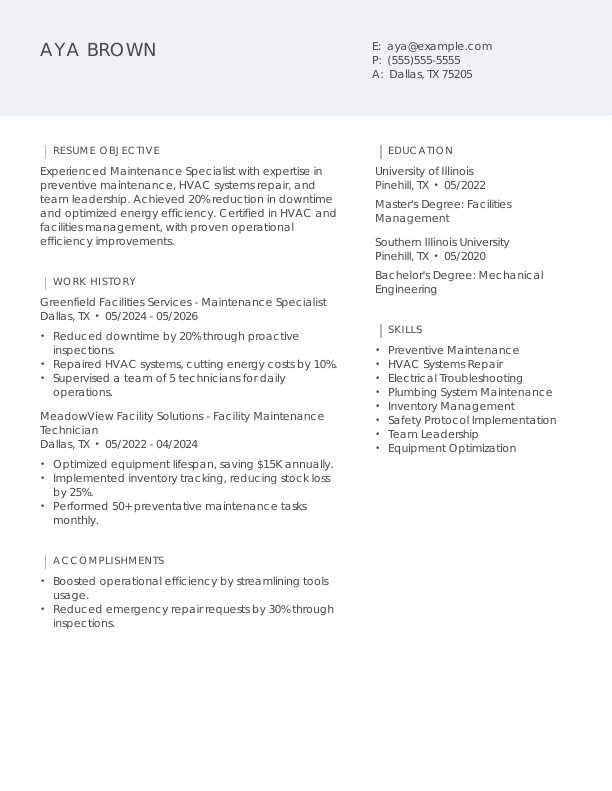
Maintenance Entry-Level Resume
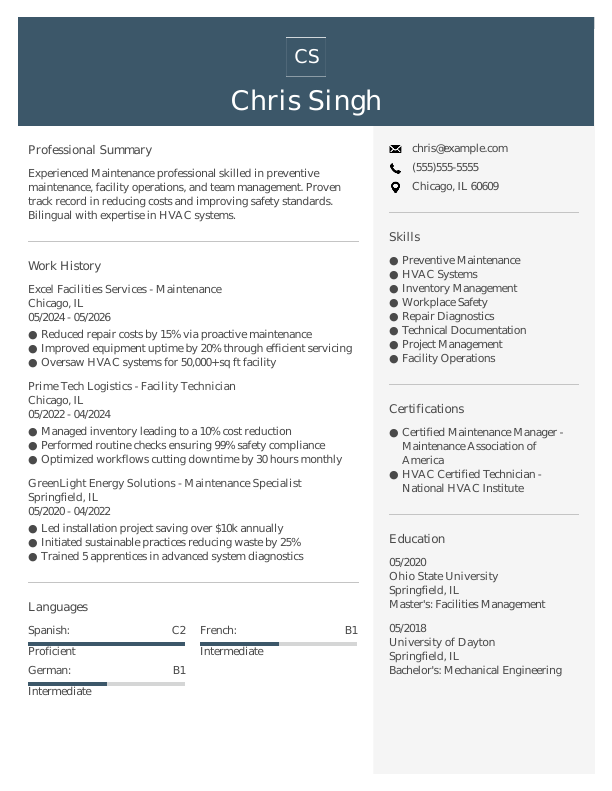
Maintenance Mid-Level Resume
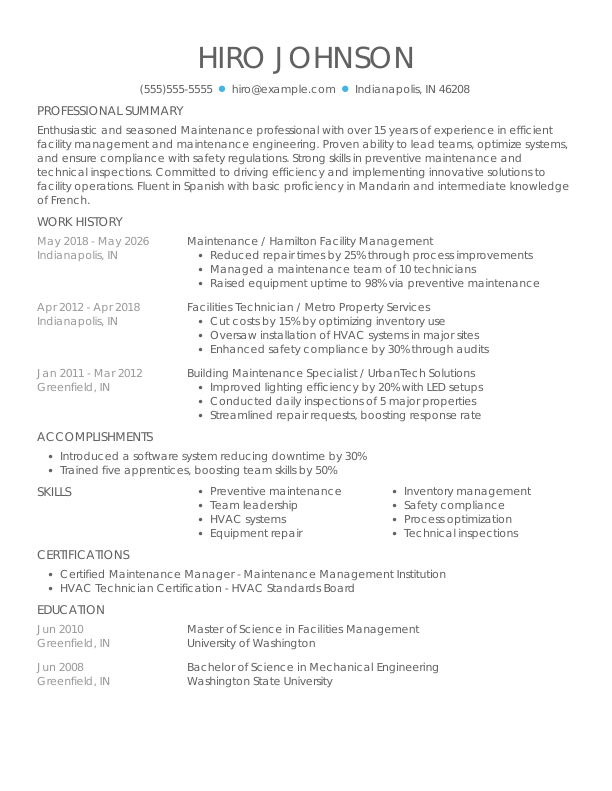
Maintenance Experienced Resume
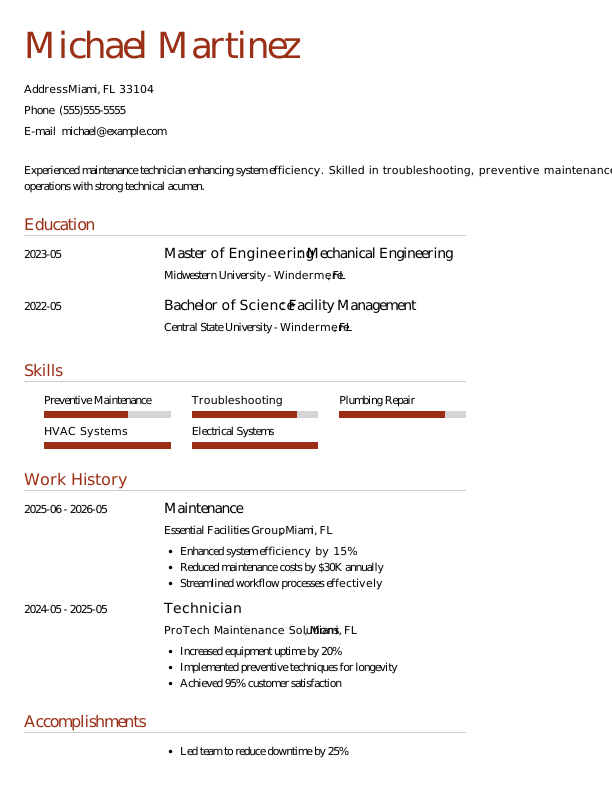

 Free
FreeMaintenance Modern Resume
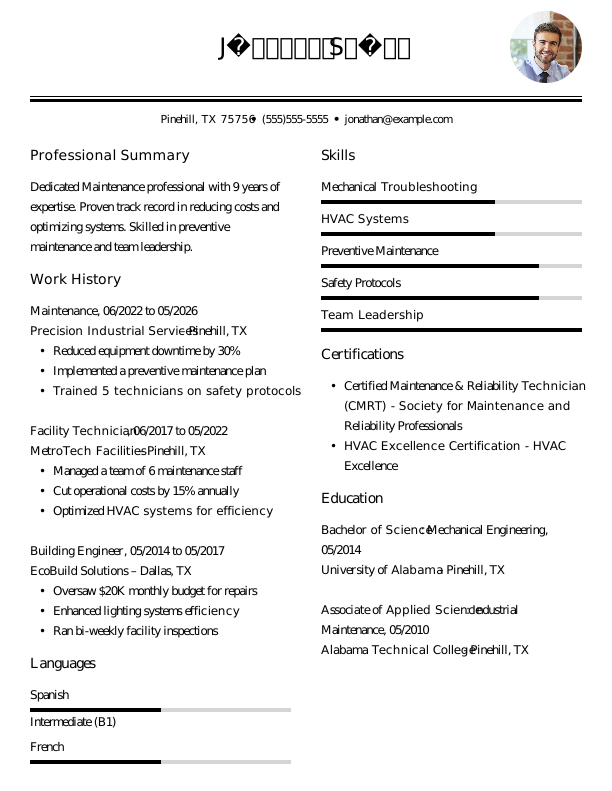

Maintenance Creative Resume
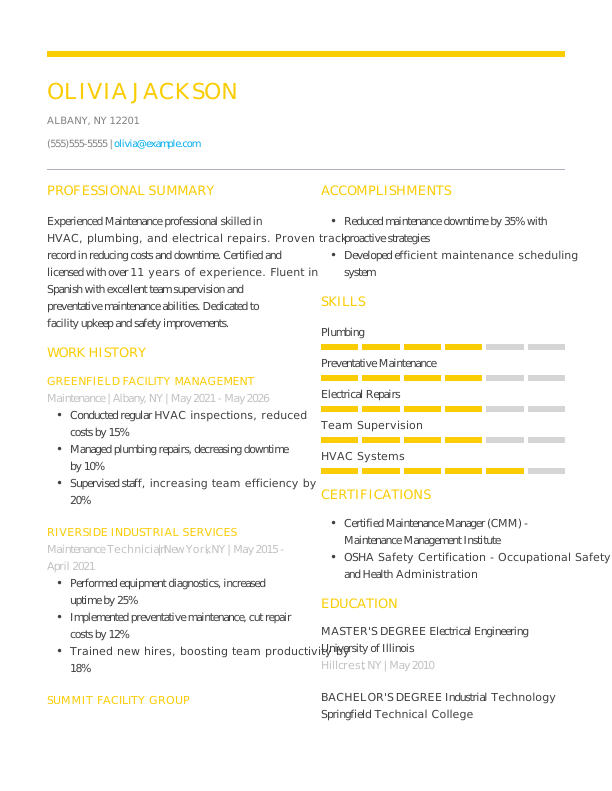
Maintenance Traditional Resume
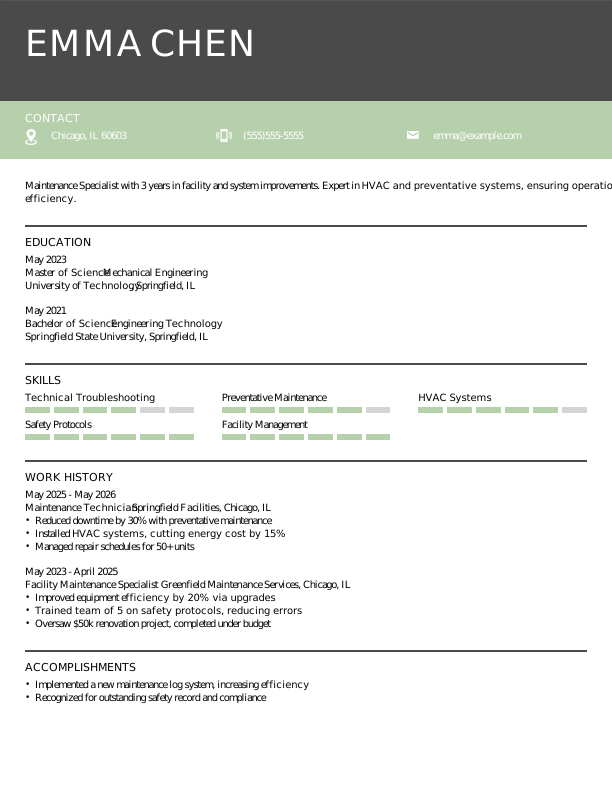
Maintenance Simple CV Example
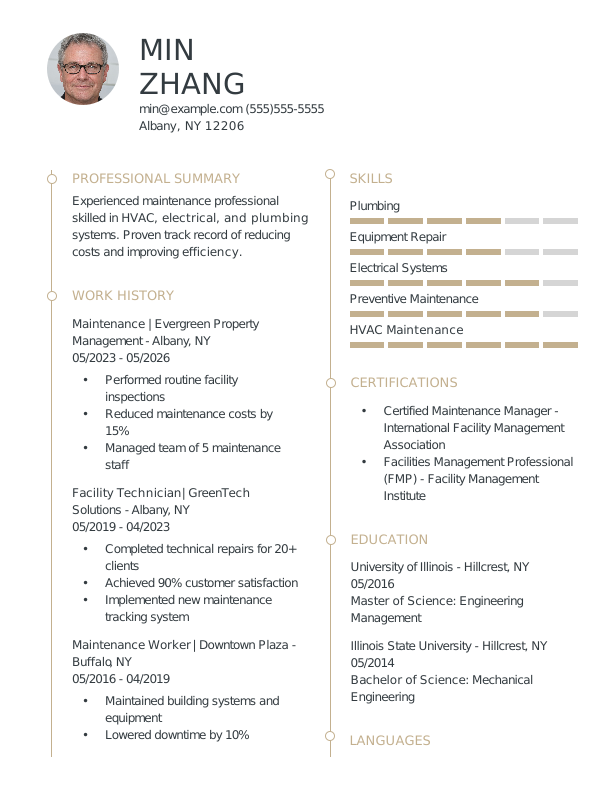
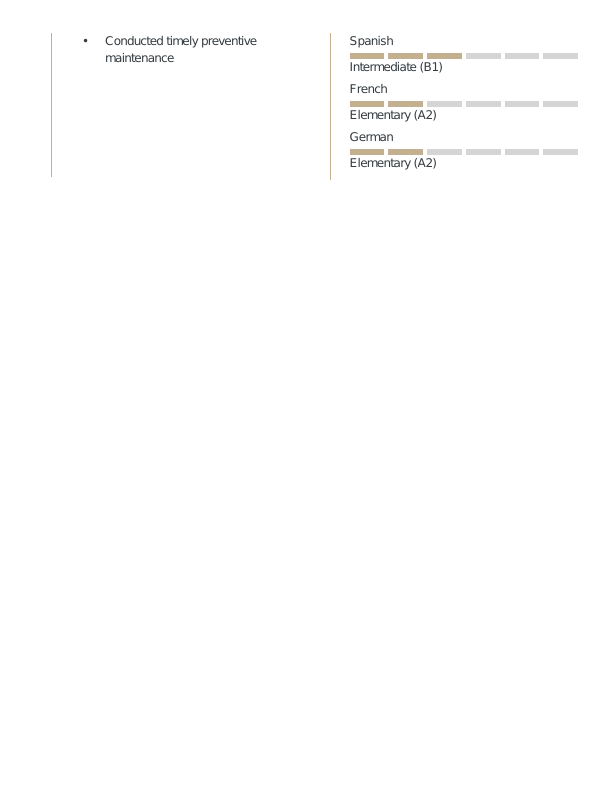
Maintenance CV Format
Browse Free Resume Templates
- Accounts Payable
- Adjunct Professor
- Artist
- Auto Mechanic
- Baker
- Business Development Manager
- Business
- Certified Nursing Assistant
- Classic & Traditional
- Cleaner
- College Student
- Concierge
- Construction Worker
- Corporate
- Creative & Unique
- Custodian
- Customer Service
- Dental Assistant
- Direct Support Professional
- Entry-Level
- Flight Attendant
- Hospitality & Food Service
- Front Desk Receptionist
- Healthcare
- High School
- Housekeeping
- Hvac Technician
- Hybrid
- Inventory Manager
- Logistics
- Management
- Modern
- Mortgage Loan Processor
- Pet Sitter
- Phlebotomist
- Production
- Rbt
- Sales
- Security Services
- Restaurant Server
- Simple & Basic
- Social Work
- Teacher
- Technology
Resume Examples for Maintenance Professionals
Maintenance resumes and CVs differ significantly depending on your experience level. Explore tailored templates for entry-level, mid-career, and experienced positions and create a resume that highlights your qualifications.
Entry-Level Maintenance Resume
Ideal for recent graduates needing guidance on writing a resume with no experience, this template is also perfect for professionals transitioning into maintenance roles from different industries.

Mid-Career Maintenance Resume
A good fit for maintenance professionals with relevant experience, this template highlights recent achievements and supports advancement into supervisory or specialized roles.

Experienced Maintenance Resume
An ideal choice for maintenance professionals with over 10 years of experience, this template supports job seekers pursuing senior-level roles in facility management and team leadership.

Maintenance Resume Template (Text)
Use this customizable maintenance resume text format to copy, edit, and personalize directly in your document.
Li Jones
Los Angeles, CA 90009
Professional Summary
Experienced maintenance professional with 6 years in asset management and facility upgrades. Proven track record in reducing downtime and costs, and enhancing team efficiency. Certified and skilled in preventative maintenance and HVAC systems.
Work Experience
May 2022 – May 2026
Precision Maintenance Inc. – Los Angeles, CA
Maintenance
- Reduced downtime by 15% through preventative maintenance
- Managed inventory and reduced costs by 10%
- Trained 5 new hires, enhancing team productivity
May 2019 – April 2022
PrimeTech Solutions – Los Angeles, CA
Facilities Technician
- Completed 200+ maintenance tickets efficiently
- Optimized HVAC systems, saving $5K annually
- Ensured compliance with safety regulations
May 2016 – April 2019
NorthEdge Services – Los Angeles, CA
Maintenance Worker
- Upgraded electrical systems, improving safety
- Coordinated park maintenance, improving visitor usage by 20%
- Implemented new asset management system
Education
May 2014
University of Illinois Lakeside, CA
Master’s Degree Facilities Management
May 2012
University of Illinois Lakeside, CA
Bachelor’s Degree Mechanical Engineering
Certifications
- Certified Maintenance Manager – International Maintenance Institute
- HVAC Technician Certification – North American Technician Excellence
Skills
- Preventative Maintenance
- HVAC Systems
- Inventory Management
- Safety Compliance
- Electrical Systems
- Team Training
- Asset Management
- Facility Upgrades
How to Write a Maintenance Resume
As a maintenance professional, understanding how to write a resume means showcasing your technical skills and hands-on experience in a clear, concise format. Use the guidance below to highlight your strengths and customize your resume for the positions you’re targeting.
1. Contact Info
Your contact information should be clear, professional, and easy to find at the top of your resume.
Make sure to include:
- Full name
- Phone number
- Professional email address
- City and state (ZIP code is optional)
- LinkedIn profile or personal portfolio (if relevant)
 PRO TIP
Skip including sensitive personal information on your resume, such as your age, marital status, or Social Security number, unless specifically requested by the employer.
2. Resume Profile
A resume profile is a brief introduction (two to four sentences) that highlights your identity and key qualifications. This section serves as a compelling pitch to hiring managers, capturing their interest and motivating them to explore your resume further.
Typically located at the top of your resume, the profile can take the form of either a summary or an objective, each serving distinct roles. Understanding these differences will help you choose the right approach for your career goals:
- A resume summary concisely highlights your key experiences, skills, and achievements. It’s an effective approach for seasoned maintenance professionals to showcase their strong contributions and industry-specific expertise.
- A resume objective outlines your career aspirations and the specific goals you aim to achieve in your next role. It’s particularly beneficial for recent graduates, career changers, or those with limited experience who seek to emphasize their enthusiasm and direction in fields such as technology or marketing.
Let’s take a look at an example of each to see how a resume summary and a resume objective differ:
Maintenance resume summary example:
Dedicated maintenance professional with over 6 years of experience in residential and commercial settings. Proficient in HVAC systems, plumbing repairs, and preventive maintenance strategies. Acknowledged for improving operational efficiency and ensuring a safe environment through proactive service and attention to detail.
Maintenance resume objective example:
Recent graduate with a degree in maintenance technology eager to launch a career in a dynamic industrial environment. Committed to safety and efficiency, ready to bring strong problem-solving abilities and attention to detail to manufacturing or facilities management settings.
3. Work Experience
The work experience on your resume is an important foundation for your candidacy. Employers review your job history to learn about not only the places you’ve worked but also the tangible impact you’ve made in each role.
Your maintenance experience showcases your technical skills and problem-solving abilities, helping convey why you’re a strong match for the position you’re pursuing.
The work experience section should contain:
- Job title
- Employer name and location
- Dates of employment (month/year)
- 3–5 bullet points describing your relevant responsibilities and achievements
Tailor your content to reflect the specific maintenance role you’re targeting. Start each bullet point with an action verb (like “Performed,” “Maintained,” “Inspected”) to create a strong impression of your responsibilities and accomplishments.
Incorporate quantifiable information whenever possible. Specific metrics, such as reduced downtime or improved efficiency percentages, provide clear evidence of your contributions and help distinguish you from other job seekers in the job market.
In general, consider following the format of:
[action verb] + [responsibility] = [result/achievement]
For example:
Performed routine maintenance and repairs on 50+ HVAC systems, ensuring optimal performance with a 95% customer satisfaction score.
Note that you can also flip the result/achievement with the responsibility:
Achieved a 30% reduction in service calls through proactive maintenance scheduling and equipment upgrades.
With these techniques in mind, your resume bullets may look something like:
- Performed routine inspections and maintenance on equipment, reducing downtime by 20% across the facility.
- Executed preventative maintenance schedules for 50+ machines, extending their operational lifespan by an average of 15%.
- Trained new maintenance staff on safety protocols and equipment handling, improving team efficiency.
- Used CMMS software to track maintenance requests and inventory, streamlining workflow processes.
- Collaborated with cross-functional teams to resolve urgent repair issues, improving overall productivity.
4. Skills
The skills section provides a concise overview of maintenance-related abilities, highlighting expertise in equipment repair and preventive maintenance. This allows hiring managers to quickly assess qualifications for the role.
Skills can be categorized into three distinct groups:
- Soft skills are personal qualities that shape how well maintenance professionals collaborate with others.
- Hard skills are specific, measurable abilities gained through education, training, or hands-on experience.
- Technical skills are the specific abilities required to perform tasks using tools and software.
5 Soft Skills for Your Resume or CV
- Attention to detail
- Effective communication
- Team leadership skills
- Time management abilities
- Proactive troubleshooting
5 Hard Skills for Your Resume or CV
- Preventive maintenance strategies
- Equipment calibration (Fluke, Tektronix)
- Troubleshooting electrical systems
- HVAC system diagnostics
- Facility management software (CMMS)
In general, aim to present a diverse array of relevant skills that align with the job requirements to showcase your professional capabilities.
PRO TIP
If you’re an entry-level maintenance worker, consider placing your skills section higher on your resume, right after your summary. If you have more experience, it’s better to position this section toward the bottom and weave your skills into the descriptions of your previous roles.
5. Education
Understanding how to list education on your resume is essential for making a strong impression. Begin with your most recent or relevant degree, clearly stating the type of degree and the institution’s name.
If you’re a recent graduate, consider including details such as your graduation year, GPA (if it’s 3.5 or above), any honors earned, or relevant coursework that highlights your qualifications.
Maintenance resume education section example:
Diploma in HVAC Technology
Community College of Philadelphia, Philadelphia, PA
Graduated: 2023 | Graduated with Distinction
PRO TIP
If you’re progressing from an Associate Degree in Maintenance Technology to a Bachelor of Science in Engineering Technology, or have earned another relevant degree, list them both in reverse-chronological order.
6. Certifications
Listing certifications on your resume highlights your qualifications and helps balance limited hands-on experience. While this section may not appear in every traditional resume, it’s particularly beneficial for most maintenance professionals.
Employers often seek specific credentials for specialized roles, such as HVAC certification for technicians or EPA certification for environmentally sensitive positions.
When including certifications, focus on those that directly support your application. Remember to keep your credentials up to date and present them clearly to make a strong impression.
Maintenance certification examples:
- Certified Maintenance Manager (CMM) | Institute of Certified Professional Managers | Expires: 01/2028
- Certified Reliability Leader (CRL) | Reliabilityweb.com | Expires: 06/2027
- Lean Six Sigma Green Belt | ASQ | Expires: 03/2028
- NCCER Maintenance Technician Certification | National Center for Construction Education and Research | Expires: 11/2027
Start Building Your Job-Winning Resume
Use Your Existing Resume
Import your current resume to transfer your information to one of our professional templates.
Create a New Resume
Start fresh with a template that catches your eye and follow the prompts to add your details.
Tailor Your Work History to Beat the ATS
Your work experience goes beyond listing job titles. It presents an opportunity to showcase the measurable impact you’ve made on maintenance projects, equipment efficiency, and team performance. Including these details can contribute to ATS-friendly resume creation that is easily scanned by applicant tracking systems (ATS).
What’s a Fair Maintenance Salary?
Understanding maintenance salaries across the country helps you evaluate job offers, negotiate fair pay, and make informed career decisions. The data below, sourced from the U.S. Bureau of Labor Statistics (BLS), reflects the most recent nationwide averages for maintenance professionals.
Keep in mind that factors like location, years of experience, certifications, and specialization can all influence your actual salary. Maintenance technicians working in industrial settings often earn more than those in residential roles, while specialized positions such as HVAC or electrical technicians typically command higher compensation packages.
| Alabama | $58,150 |
| Alaska | $86,600 |
| Arizona | $67,280 |
| Arkansas | $61,900 |
| California | $70,310 |
| Connecticut | $68,180 |
| Delaware | $77,900 |
| District of Columbia | $72,490 |
| Florida | $61,500 |
| Georgia | $64,520 |
| Hawaii | $78,010 |
| Idaho | $61,830 |
| Illinois | $80,130 |
| Indiana | $73,840 |
| Iowa | $64,070 |
| Kansas | $61,030 |
| Kentucky | $60,700 |
| Louisiana | $61,600 |
| Maine | $61,690 |
| Maryland | $85,500 |
| Massachusetts | $80,090 |
| Michigan | $59,440 |
| Minnesota | $66,530 |
| Mississippi | $58,290 |
| Missouri | $64,390 |
| Montana | $67,780 |
| Nebraska | $58,760 |
| Nevada | $62,860 |
| New Hampshire | $68,060 |
| New Jersey | $70,740 |
| New Mexico | $71,300 |
| New York | $77,290 |
| North Carolina | $63,460 |
| North Dakota | $66,650 |
| Ohio | $66,240 |
| Oklahoma | $64,590 |
| Oregon | $65,090 |
| Pennsylvania | $71,150 |
| Rhode Island | $63,520 |
| South Carolina | $62,550 |
| South Dakota | $65,260 |
| Tennessee | $67,070 |
| Texas | $59,030 |
| Utah | $63,290 |
| Vermont | $62,260 |
| Virginia | $65,890 |
| Washington | $72,960 |
| West Virginia | $59,000 |
| Wisconsin | $69,260 |
| Wyoming | $87,300 |
| Guam | $51,440 |
| Puerto Rico | $50,540 |
| Virgin Islands | $49,350 |
Key Takeaways
- Tailor your resume to the job description. Use the employer’s language when describing your experience and skills—it helps with both ATS and human reviewers.
- Highlight quantifiable achievements to demonstrate impact. Show numbers where possible (e.g., downtime reduction, cost savings, efficiency improvements) to make your resume stand out.
- Select the right format for your experience level. New professionals might prefer a functional or hybrid layout, while seasoned maintenance experts often use reverse-chronological resumes.
More Resume & CV Examples
- Air Sealing Technician
- Aircraft Mechanic
- Assistant Property Manager
- Automotive Technician
- Barber
- Blue Collar
- Boilermaker
- Budtender
- Building Maintenance
- Cable Technician
- Carpenter
- Carpentry
- Cosmetologist
- Crane Operator
- Diesel Mechanic
- Diesel Technician
- Electrician
- Facilities Management
- Facility Manager
- Gardener
- Glazier
- Groundskeeper
- Hair Stylist
- Handyman
- House Cleaning
- House Manager
- Housekeeping Manager
- Hvac Installer
- Industrial Electrician
- Ironworker
- Janitor
- Journeyman Electrician
- Landscaper
- Landscaping
- Leasing Agent
- Lineman
- Machinist
- Maintenance Manager
- Maintenance Supervisor
- Maintenance Technician
- Maintenance Worker
- Millwright
- Painter
- Pest Control
- Pipe Fitter
- Plumber
- Property Manager
- Resident Assistant
- Roofer
- Service Technician
- Solar Installer
- Structural Welder
- Technician
- Welder
Cover Letters for Your Resume
Browse our library of cover letter examples to complete your application. A resume will have a better chance of getting noticed.
- Academic
- Account Manager
- Accountant
- Accounts Payable
- Administrative Assistant
- Admissions Counselor
- Architecture
- Artist
- Assistant Principal
- Babysitter
- Barista
- Bartender
- Bookkeeper
- Brand Ambassador
- Business Analyst
- Business
- Caregiver
- Chef
- Civil Engineering
- Computer Science
- Construction
- Consulting
- Copywriter
- Cosmetology
- Custodian
- Customer Service
- Customer Service Representative
- Data Analyst
- Data Entry
- Dental Assistant
- Dental Hygienist
- Digital Marketing
- Electrical Engineering
- Emt
- Engineering
- Esthetician
- Event Coordinator
- Executive Assistant
- Finance
- Financial Analyst
- Firefighter
- Flight Attendant
- Graphic Designer
- Hair Stylist
- Healthcare
- Hr Generalist
- Investment Banking
- It
- Janitor
- Journalism
- Lab Technician
- Law Clerk
- Lawyer
- Librarian
- Logistics
- Makeup Artist
- Manager
- Marketing Coordinator
- Marketing
- Marketing Manager
- Massage Therapist
- Mechanic
- Mechanical Engineer
- Medical Assistant
- Non Profit
- Nursing
- Occupational Therapy
- Office Assistant
- Office Manager
- Operations Manager
- Paralegal
- Personal Trainer
- Pharmacist
- Pharmacy Technician
- Photographer
- Physician Assistant
- Pilot
- Police Officer
- Program Manager
- Project Manager
- Property Manager
- Psychology
- Receptionist
- Research Assistant
- Restaurant Manager
- Retail
- Sales
- Sales Manager
- School Counselor
- Security Officer
- Social Work
- Software Engineer
- Special Education Teacher
- Substitute Teacher
- Teacher
- Teaching Assistant
- Truck Driver
- Vet Tech
- Veterinary Assistant
- Web Developer
Frequently Asked Questions
Last Update:
What resume format should I use for my maintenance resume?
There are three main resume formats to consider when applying for maintenance positions. Your choice should reflect your experience level and highlight the skills or accomplishments most relevant to the job you seek:
- Chronological: The most popular format, a chronological resume highlights your work experience by detailing responsibilities and achievements. It’s ideal for maintenance professionals with a consistent job history that adds credibility to their qualifications, showcasing their steady career progression and expertise in the field.
- Functional: Also referred to as a functional resume, this skills-based format highlights a qualifications summary along with an expanded skills section to showcase your maintenance abilities. Placing less emphasis on work history is helpful for individuals lacking relevant experience or with gaps in their employment history.
- Combination: A combination resume integrates elements of both chronological and functional formats, showcasing a dedicated skills section alongside a comprehensive work history. This format benefits maintenance professionals by allowing them to highlight their technical abilities while illustrating career development and job responsibilities.
Should I include a cover letter with my resume?
Yes, you should include a cover letter with your maintenance job application. A well-crafted cover letter not only complements your resume but also provides an opportunity to showcase your unique skills and experiences relevant to the specific role. It demonstrates to employers that you’re genuinely interested in the position and have invested time in tailoring your application, which can set you apart from other job seekers.
If you’re feeling uncertain about how to write a cover letter, don’t worry—there are many resources available to help guide you through the process. You can find articles on how to structure your cover letter, browse examples tailored for various types of maintenance roles, and explore different formats that best highlight your qualifications and experience.
To make things even easier, consider using a cover letter generator to quickly craft a professional document by providing prompts and suggestions tailored to the job you’re applying for.
What keywords should I include to pass applicant tracking systems (ATS)?
To increase your chances of passing ATS screenings, tailor your resume with keywords and phrases directly from the job posting. Look for essential skills like “preventive maintenance,” “equipment troubleshooting,” or “safety protocols.” Including these terms will help align your experience with the role.
Additionally, highlight any relevant certifications such as HVAC certification or an electrical license, along with technical tools you’re familiar with, like CMMS software or diagnostic equipment. This approach demonstrates your qualifications and can significantly improve your visibility to hiring managers.
Should I include hands-on repair or maintenance experiences?
Yes, especially if you’re new to the field. Listing hands-on repair work or volunteer maintenance projects demonstrates your practical skills and problem-solving abilities, which are important for standing out when formal maintenance roles are limited.

Elizabeth Muenzen is a Certified Professional Resume Writer (CPRW) and member of the Professional Association of Resume Writers & Career Coaches who empowers job seekers to take control of their career paths using Monster’s comprehensive job search and resume tools.
See More From Elizabeth MuenzenExplore Related Career Advice


How to Put Transferable Skills on Your Resume: 120 Skills, Examples, & Tips

Updated:
Aug 27, 2026
|
16 min read


How to Write a Functional Resume (Formatting Tips, Template, & Examples)
Updated:
Aug 7, 2026
|
17 min read


Functional vs Chronological Resume: Which Format Is Right for You?
Updated:
Aug 3, 2026
|
16 min read

100+ Resume Adjectives to Help You Write a Stronger Resume in 2026 (With Examples)
Updated:
Jul 30, 2026
|
12 min read