
Free IT Support Specialist Resume Templates & Examples
Elevate your job prospects with expertly crafted IT support specialist resume templates that will help you land more interviews. These free resume templates come with valuable writing tips to ensure your resume or CV highlights your qualifications and catches the attention of employers.
Real-World Resumes That Get Results
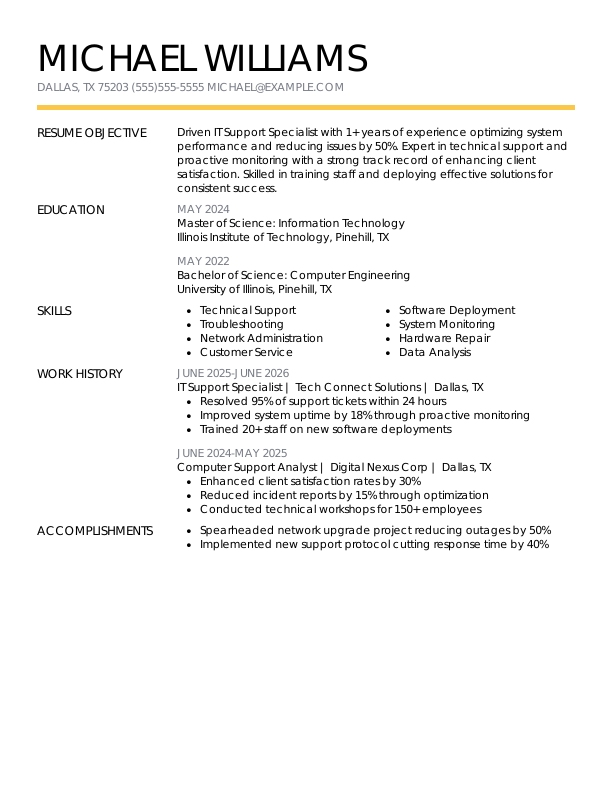
 Free
FreeIT Support Specialist Entry-Level Resume
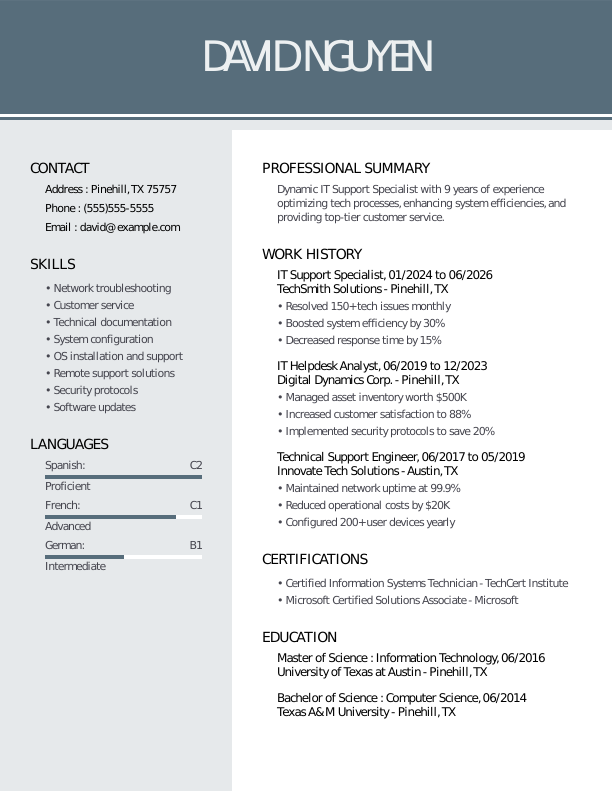
IT Support Specialist Mid-Level Resume
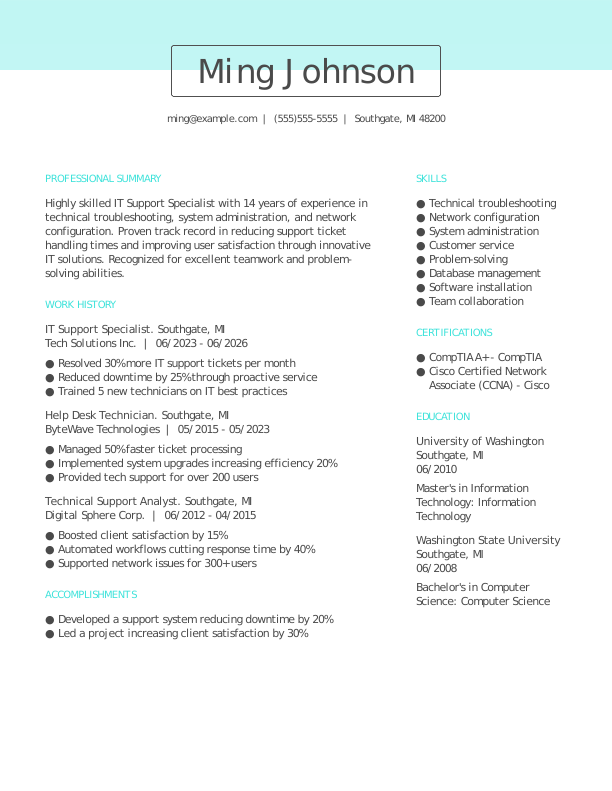
IT Support Specialist Experienced Resume
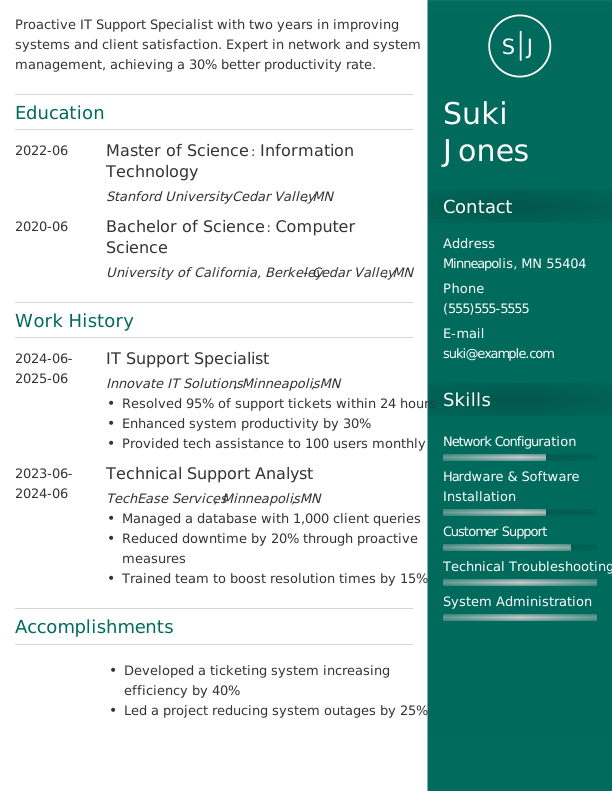
IT Support Specialist Modern Resume
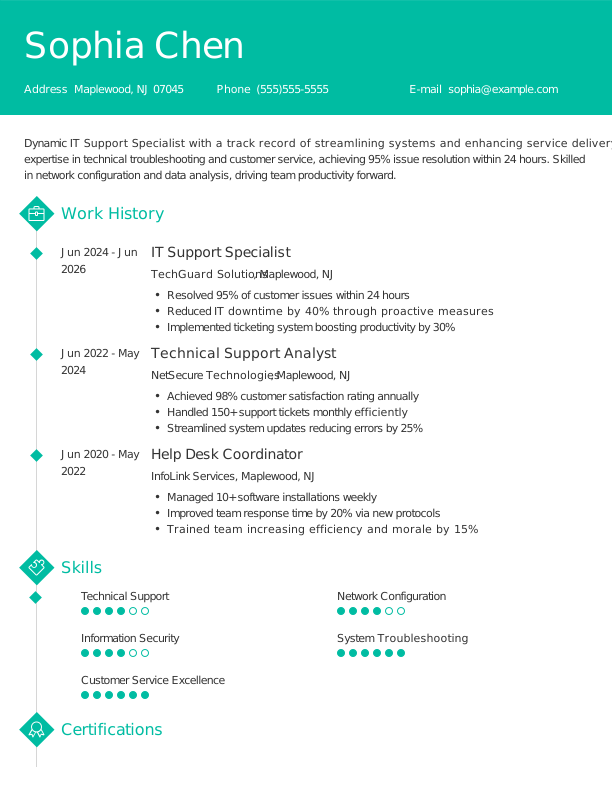

IT Support Specialist Creative Resume
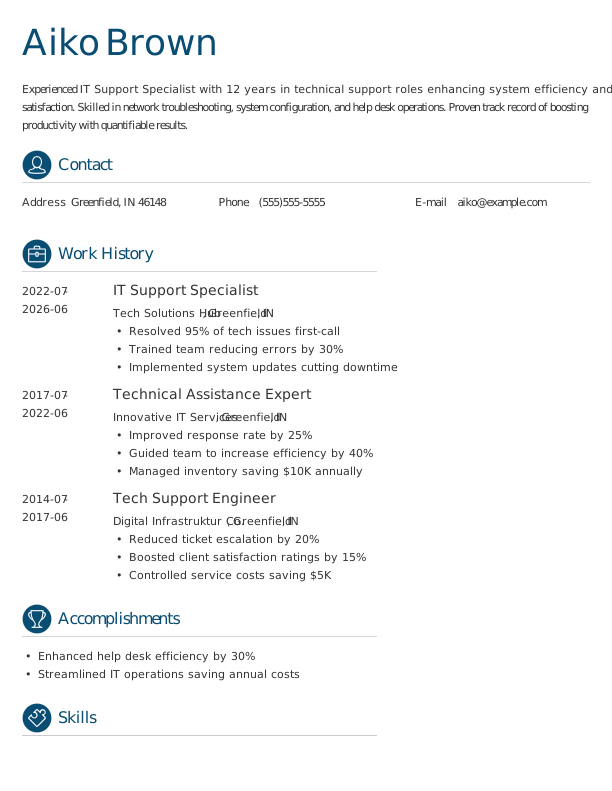

IT Support Specialist Traditional Resume
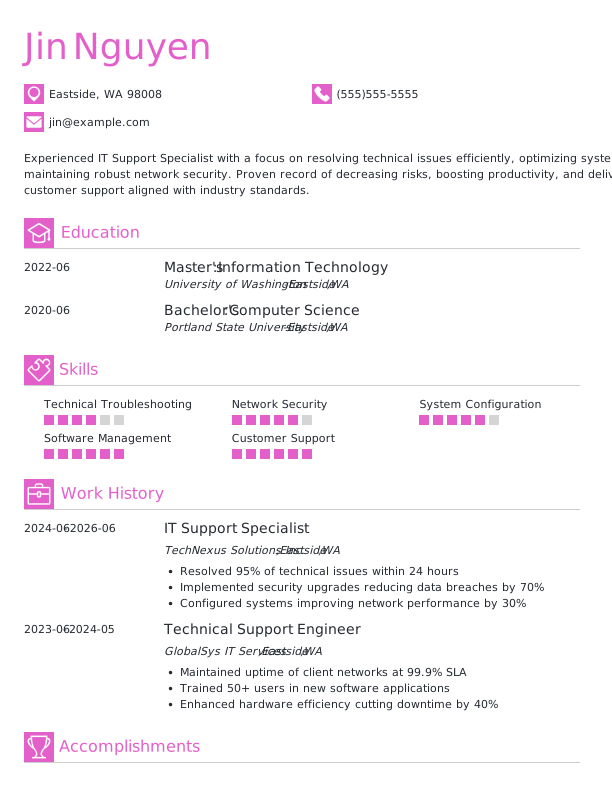

IT Support Specialist Simple CV Example
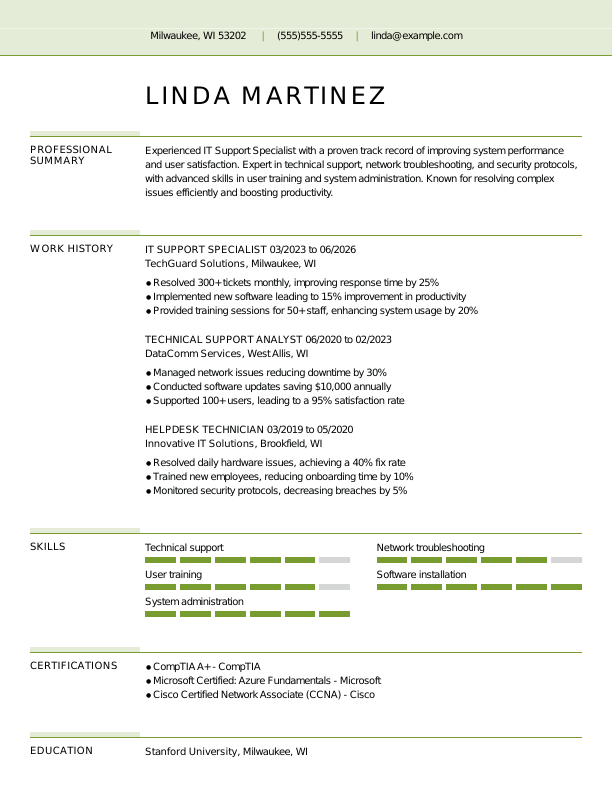

IT Support Specialist CV Format
Browse Free Resume Templates
- Accounts Payable
- Adjunct Professor
- Artist
- Auto Mechanic
- Baker
- Business Development Manager
- Business
- Certified Nursing Assistant
- Classic & Traditional
- Cleaner
- College Student
- Concierge
- Construction Worker
- Corporate
- Creative & Unique
- Custodian
- Customer Service
- Dental Assistant
- Direct Support Professional
- Entry-Level
- Flight Attendant
- Hospitality & Food Service
- Front Desk Receptionist
- Healthcare
- High School
- Housekeeping
- Hvac Technician
- Hybrid
- Inventory Manager
- Logistics
- Maintenance
- Management
- Modern
- Mortgage Loan Processor
- Pet Sitter
- Phlebotomist
- Production
- Rbt
- Sales
- Security Services
- Restaurant Server
- Simple & Basic
- Social Work
- Teacher
- Technology
Resume Examples for IT Support Specialists
An IT support specialist’s resume or CV will vary greatly depending on experience level. Explore what to include at each stage and use our Resume Builder to create a tailored document that highlights your skills and qualifications.
Entry-Level IT Support Specialist Resume
Ideal for recent graduates looking for guidance on how to create a resume with no experience, this template is also great for those moving into IT support from other fields.

Mid-Career IT Support Specialist Resume
A good fit for IT support specialists with several years of experience, this template highlights recent achievements and facilitates movement into more advanced or specialized roles.

Experienced IT Support Specialist Resume
An ideal choice for IT support specialists with over 10 years of experience, this template highlights job seekers pursuing senior-level positions or leadership roles in technology.

IT Support Specialist Resume Template (Text)
Use this customizable text format of an IT support specialist resume to copy, edit, and personalize directly in your document.
Aya Smith
Buffalo, NY 14203
Professional Summary
Detail-oriented IT Support Specialist with 4 years of experience in technical problem-solving and customer service excellence. Proven track record of enhancing system efficiency by up to 30%. Skilled in remote support, hardware maintenance, and software training.
Work Experience
June 2025 – June 2026
TechSavvy Solutions – Buffalo, NY
IT Support Specialist
- Resolved 90% of tech support tickets within 24h
- Implemented a new helpdesk system, boosting efficiency by 30%
- Managed hardware inventory, reducing costs by $5,000/year
June 2023 – May 2025
Innovatech IT Services – Buffalo, NY
Technical Support Analyst
- Enhanced customer satisfaction by 15% via support strategies
- Trained team of 5, improving service resolution by 25%
- Monitored systems uptime, achieving 99.9% reliability
June 2022 – May 2023
Reliable Tech Corp – Buffalo, NY
Help Desk Technician
- Closed 150+ support tickets monthly with 95% satisfaction
- Assessed and resolved network issues, saving 10 hours weekly
- Conducted 30+ user trainings on software updates
Education
May 2022
University of Texas Austin, TX
Master of Science Information Technology
May 2020
Texas State University San Marcos, TX
Bachelor of Science Computer Science
Certifications
- CompTIA A+ – CompTIA
- Microsoft Certified: Azure Fundamentals – Microsoft
Skills
- Technical Support
- Problem Solving
- Network Troubleshooting
- Customer Service
- Hardware Maintenance
- Software Training
- Time Management
- Remote Support
How to Write an IT Support Specialist Resume
As an IT support specialist, knowing how to write a resume means mixing your technical skills and relevant experience with a clear format that showcases your qualifications. Use the guidance below to emphasize your strengths and tailor your resume for the specific roles you’re pursuing.
1. Contact Info
Your contact information should be clear, professional, and easy to find at the top of your resume.
Make sure to include:
- Full name
- Phone number
- Professional email address
- City and state (ZIP code is optional)
- LinkedIn profile or personal portfolio (if relevant)
 PRO TIP
Avoid including sensitive personal information such as your Social Security number, religious affiliations, or photos on your resume unless the employer specifically requests them.
2. Resume Profile
A resume profile is a brief introduction, typically two to four sentences long, that highlights your key skills and qualifications. This section serves as your elevator pitch to hiring managers, aiming to capture their interest and encourage them to read more about your experiences.
Typically located at the top of your resume, the profile can be formatted as either a summary or an objective. Each format has its unique purpose in showcasing your career goals and relevant achievements:
- A resume summary emphasizes your most relevant skills, experiences, and achievements, showcasing your suitability for the role. This format is particularly beneficial for those with a history of compelling contributions or transferable skills, making it ideal for someone pursuing a career as an IT support specialist.
- A resume objective outlines your future aspirations and career goals, highlighting what you aim to achieve professionally. This is particularly beneficial for recent graduates, those shifting careers, or individuals with limited experience, such as coding bootcamp participants or new IT support specialists.
Let’s take a look at an example of each to see how a resume summary and a resume objective differ:
It support specialist resume summary example:
Dedicated IT support specialist with over 6 years of experience in diverse technical environments, including corporate and remote support settings. Proficient in troubleshooting, system administration, and user training. Acknowledged for improving operational efficiency and delivering exceptional customer service while resolving complex technical issues.
It support specialist resume objective example:
Recent graduate with a degree in information technology excited to launch a career as an IT support specialist in a dynamic tech environment. Committed to delivering exceptional customer service and troubleshooting skills while eager to improve team collaboration and contribute to innovative solutions at a forward-thinking company.
3. Work Experience
The work experience on your resume is an important foundation for showcasing your skills. Employers evaluate your job history to understand not only where you’ve worked but also how you’ve contributed to organizational success.
Your background in troubleshooting and customer support illustrates how you’re well-prepared for the IT support specialist role.
The work experience section should contain:
- Job title
- Employer name and location
- Dates of employment (month/year)
- 3–5 bullet points describing your relevant responsibilities and achievements
Tailor your content to showcase skills and experiences relevant to the IT support specialist role. Start each bullet point with an action verb (like “Resolved,” “Installed,” “Troubleshot”) to improve clarity and impact.
Incorporate quantifiable information or metrics when possible. Demonstrating specific numbers, such as ticket resolution times or user satisfaction rates, illustrates your contributions and helps distinguish you from other job seekers in the field.
In general, consider following the format of:
[action verb] + [responsibility] = [result/achievement]
For example:
Provided technical support to 200+ end-users daily, resolving issues with a 95% first-call resolution rate and maintaining system uptime of 98%.
Note that you can also flip the result/achievement with the responsibility:
Achieved a 30% decrease in support ticket response time through the implementation of a new ticketing system.
With these techniques in mind, your resume bullets may look something like:
- Resolved 150+ technical support tickets monthly, achieving a customer satisfaction rate of 95%.
- Installed and configured hardware and software for over 200 end-users, improving system efficiency by 20%.
- Trained new staff on IT policies and troubleshooting techniques, improving team productivity.
- Used ServiceNow to track incidents and requests, optimizing response times by 30%.
- Collaborated with network engineers to upgrade infrastructure, ensuring minimal downtime during transition.
4. Skills
The skills section offers a concise overview of the professional abilities relevant to an IT support specialist. This allows hiring managers to quickly assess qualifications and match job seekers to their needs.
Skills can be categorized into three groups:
- Soft skills are personal qualities that influence how well IT support specialists collaborate with clients and colleagues.
- Hard skills are specific, quantifiable abilities that individuals gain through education, training, or hands-on experience.
- Technical skills encompass the specific knowledge and abilities required to operate and manage technology and systems.
5 Soft Skills for Your Resume or CV
- Effective communication
- Problem-solving agility
- Customer service excellence
- Team-oriented mindset
- Time management skills
5 Hard Skills for Your Resume or CV
- Technical troubleshooting
- Help desk software (Zendesk, ServiceNow)
- Network configuration
- Operating systems (Windows, Linux)
- Remote support tools (TeamViewer, AnyDesk)
In general, aim to include a diverse array of relevant skills that align with the job requirements to showcase your full potential.
PRO TIP
If you’re an entry-level IT support specialist, place your skills section near the top of your resume, right after your summary. For those with more experience, position this section lower and weave your skills into your work history to highlight practical application.
5. Education
Understanding how to list education on your resume is important for making a strong impression. Begin with your most recent or relevant degree, clearly stating the type of degree and the institution’s name.
For those who have recently graduated, consider including your graduation year, GPA (if it’s 3.5 or above), any honors received, and relevant coursework to further highlight your qualifications.
IT support specialist resume education section example:
Associate Degree in Information Technology
Southern New Hampshire University, Manchester, NH
Graduated: 2023 | Cum Laude
PRO TIP
If you’re progressing from an Associate Degree in Information Technology to a Bachelor of Science in Information Systems, or have earned another relevant degree, list both in reverse-chronological order.
6. Certifications
Listing certifications on your resume highlights your qualifications and helps mitigate any gaps in practical experience. While not a standard element of every resume, this section is particularly beneficial for many IT support specialists. Employers often seek specific credentials for specialized positions, such as CompTIA A+ or Microsoft Certified: Azure Fundamentals.
To strengthen your application, include only certifications that align with the job you’re applying for. Make sure these credentials are up to date and clearly presented to improve readability.
IT support specialist certification examples:
- CompTIA A+ Certification | CompTIA | Expires: 11/2027
- Microsoft Certified: Azure Fundamentals | Microsoft | Expires: 04/2028
- ITIL Foundation Certificate in IT Service Management | AXELOS | Expires: 09/2027
- Cisco Certified Network Associate (CCNA) | Cisco | Expires: 02/2028
Start Building Your Job-Winning Resume
Use Your Existing Resume
Import your current resume to transfer your information to one of our professional templates.
Create a New Resume
Start fresh with a template that catches your eye and follow the prompts to add your details.
Tailor Your Work History to Beat the ATS
Your work experience is more than a list of job titles. It’s an opportunity to demonstrate the measurable impact you’ve had on IT systems, user support, and problem resolution. This approach also contributes to creating an ATS-friendly resume that applicant tracking systems (ATS) can easily scan.
To create an effective work history, tailor it to the specific IT support role you’re targeting by using relevant keywords. Start by analyzing the job description thoroughly. Identify frequently mentioned skills, technologies, or support scenarios, and then integrate those elements into your experience descriptions where applicable.
Key Takeaways
- Tailor your resume to the job description. Use keywords from the posting to highlight relevant skills and experience for both ATS and hiring managers.
- Showcase quantifiable achievements. Detail specific results you achieved (e.g., reduced ticket resolution time by 30%, improved customer satisfaction scores) to demonstrate your impact.
- Select the right format based on your experience level. Entry-level job seekers might choose a functional or combination layout, while seasoned professionals often prefer a chronological format.
More Resume & CV Examples
- Agile Project Manager
- Ai Product Manager
- Aws Devops Engineer
- Call Center Representative
- Chief Information Officer
- Computer
- Computer Science
- Computer Technician
- CTO
- Customer Experience Manager
- Customer Service Coordinator
- Customer Service Manager
- Customer Service Representative
- Customer Service Specialist
- Customer Service Supervisor
- Customer Support
- Cyber Security
- Data Center Technician
- Database Administrator
- Digital Project Manager
- Epic Analyst
- Health Informatics
- Healthcare It
- Implementation Specialist
- It Help Desk
- It Manager
- It Project Manager
- IT
- It Support
- It Technician
- Network Administrator
- Network Engineer
- Personal Shopper
- Product Owner
- Remote Customer Service
- Retail Customer Service
- Retail Manager
- Retail
- Retail Sales Associate
- Salesforce Administrator
- Salon Receptionist
- Service Advisor
- Service Desk Analyst
- Service Manager
- Store Manager
- Systems Administrator
- Technical Program Manager
- Technical Project Manager
- Technical Support Specialist
- Travel Agent
- Travel Consultant
- Work From Home
- IT Developer
Cover Letters for Your Resume
Browse our library of cover letter examples to complete your application. A resume will have a better chance of getting noticed.
Frequently Asked Questions
Last Update:
What resume format should I use for my IT support specialist resume?
There are three primary resume formats to consider when applying for an IT support specialist position. Your choice should reflect your experience level and highlight the skills or achievements you want to showcase:
- Chronological: The most popular format, a chronological resume emphasizes your work experience by detailing responsibilities and achievements. This makes it an excellent choice for applicants with a consistent and relevant job history that reinforces their qualifications and showcases their contributions in IT support roles.
- Functional: Also known as a skills-based resume, the functional resume emphasizes a qualifications summary and detailed skills section to highlight your relevant abilities. This approach minimizes focus on work history, making it particularly useful for job seekers without relevant experience in IT support or those with gaps in their employment.
- Combination: A combination resume mixes elements from both chronological and functional formats, showcasing a skills section alongside detailed work experience. This format benefits IT support specialists by highlighting their technical abilities while illustrating career development and relevant accomplishments.
Should I include a cover letter with my resume?
Yes, you should include a cover letter with your IT support specialist application. A well-crafted cover letter allows you to convey your passion for technology and customer service while showcasing experiences that may not be fully detailed in your resume. This personalized touch can set you apart from other job seekers who opt for a more generic submission.
If you’re feeling uncertain about how to write a cover letter, don’t worry. There are numerous resources available that provide guidance on crafting an effective cover letter, including examples tailored specifically for the tech industry and various formats that suit different experience levels. These tools can help clarify what to focus on when detailing your qualifications.
For those looking to simplify the writing process, using a cover letter generator can quickly produce a polished document by offering structure and suggestions based on your unique background and job opportunity.
How long should an IT support specialist resume be?
For IT support specialists with less than 10 years of experience, a one-page resume is ideal. This format allows you to clearly present your technical skills, certifications (like A+ or Network+), and relevant job experiences without overwhelming the reader. Focus on showcasing your problem-solving abilities and customer service skills.
If you have over 10 years in the field or hold specialized roles, a two-page resume can be appropriate. Ensure every detail adds value by emphasizing significant projects, leadership roles, and advanced qualifications while maintaining clarity and relevance throughout.
Should I include freelance IT projects or tech support volunteer work?
Yes, especially if you’re new to the field. Including freelance projects and volunteer experiences demonstrates your practical skills in real technical environments and improves your resume when formal IT roles are limited.

Toni Frana is a Certified Professional Resume Writer (CPRW), member of the Professional Association of Resume Writers & Career Coaches, and career expert who empowers job seekers to take control of their career paths using Monster’s comprehensive job search and resume tools.
See More From Toni FranaExplore Related Career Advice


How to Put Transferable Skills on Your Resume: 120 Skills, Examples, & Tips

Updated:
Aug 27, 2026
|

16 min read


How to Write a Functional Resume (Formatting Tips, Template, & Examples)
Updated:
Aug 7, 2026
|
17 min read


Functional vs Chronological Resume: Which Format Is Right for You?
Updated:
Aug 3, 2026
|
16 min read
100+ Resume Adjectives to Help You Write a Stronger Resume in 2026 (With Examples)
Updated:
Jul 30, 2026
|
12 min read