

Free IT Resume Templates & Examples
An IT resume should balance your technical skills with your ability to support users and maintain infrastructure. Browse the templates below to find one that organizes your certifications and systems experience effectively.
Real-World Resumes That Get Results
 Free
Free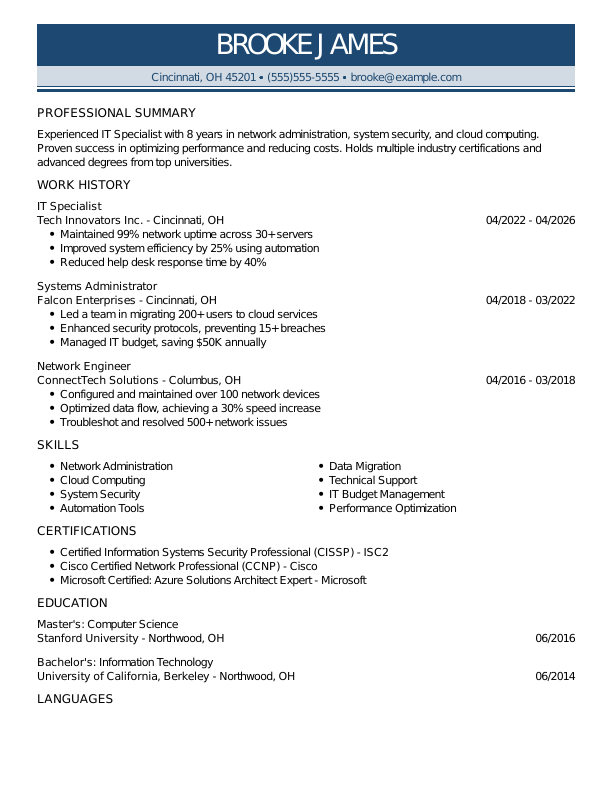
Browse Free Resume Templates
- Accounts Payable
- Adjunct Professor
- Artist
- Auto Mechanic
- Baker
- Business Development Manager
- Business
- Certified Nursing Assistant
- Classic & Traditional
- Cleaner
- College Student
- Concierge
- Construction Worker
- Corporate
- Creative & Unique
- Custodian
- Customer Service
- Dental Assistant
- Direct Support Professional
- Entry-Level
- Flight Attendant
- Hospitality & Food Service
- Front Desk Receptionist
- Healthcare
- High School
- Housekeeping
- Hvac Technician
- Hybrid
- Inventory Manager
- Logistics
- Maintenance
- Management
- Modern
- Mortgage Loan Processor
- Pet Sitter
- Phlebotomist
- Production
- Rbt
- Sales
- Security Services
- Restaurant Server
- Simple & Basic
- Social Work
- Teacher
- Technology
Resume Examples for IT
IT resumes should reflect your certifications, support experience, and the systems you are most proficient with. Explore our templates to find one that matches your technical level.
Entry-Level IT Resume
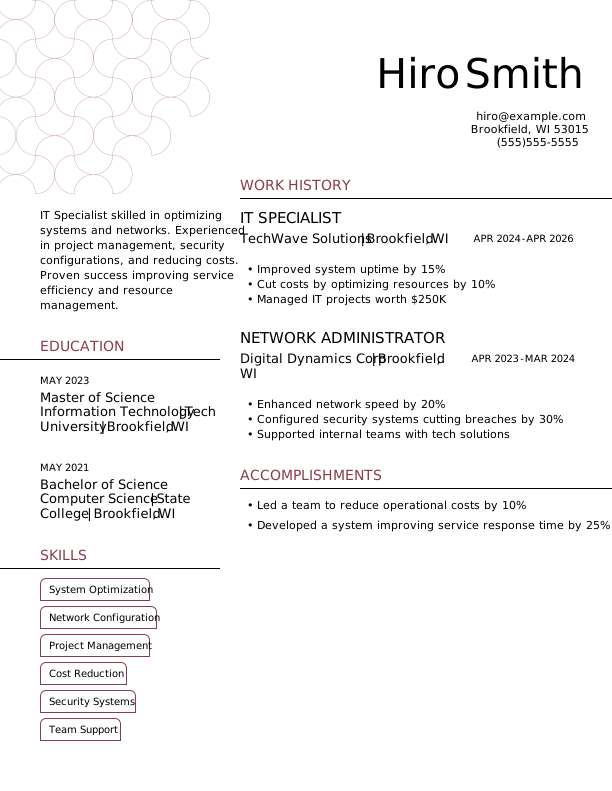
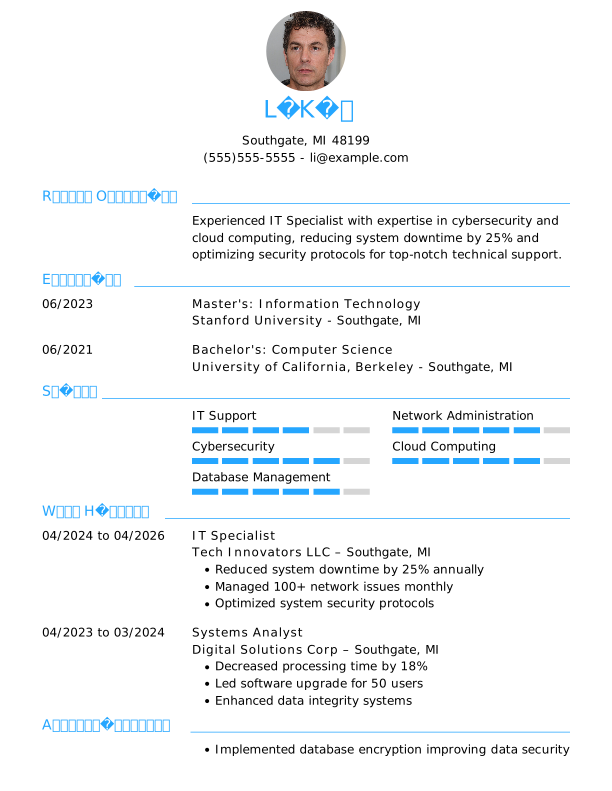
Great for those entering IT support roles, this template simplifies creating an IT resume by focusing on your certifications, any help desk or troubleshooting experience, and personal or lab projects that demonstrate your technical skills.

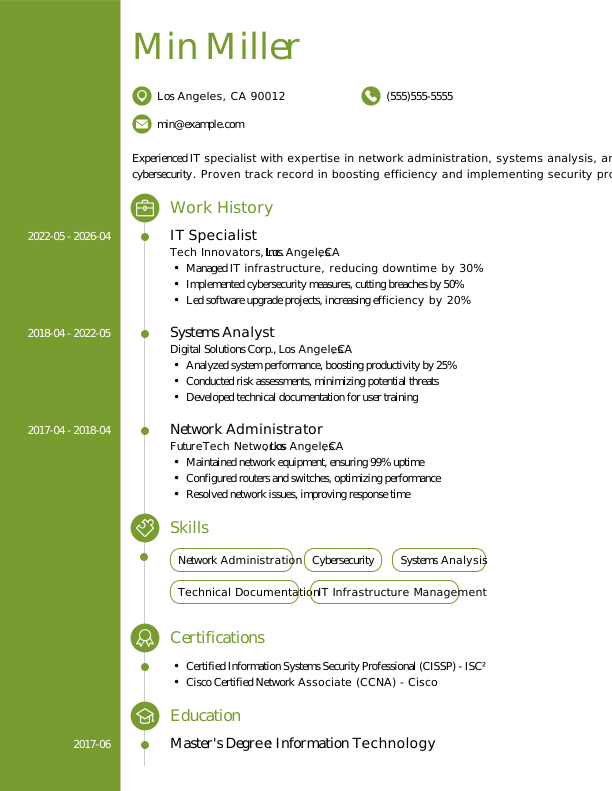
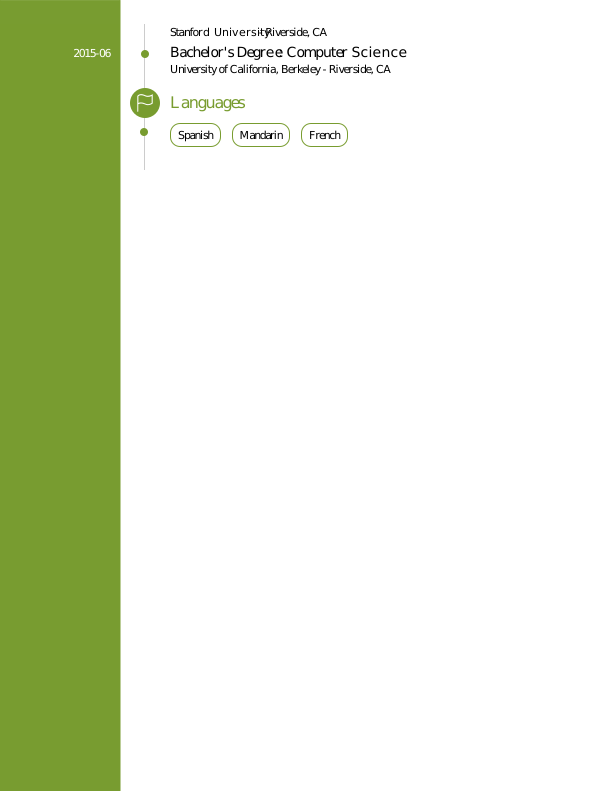
Mid-Career IT Resume
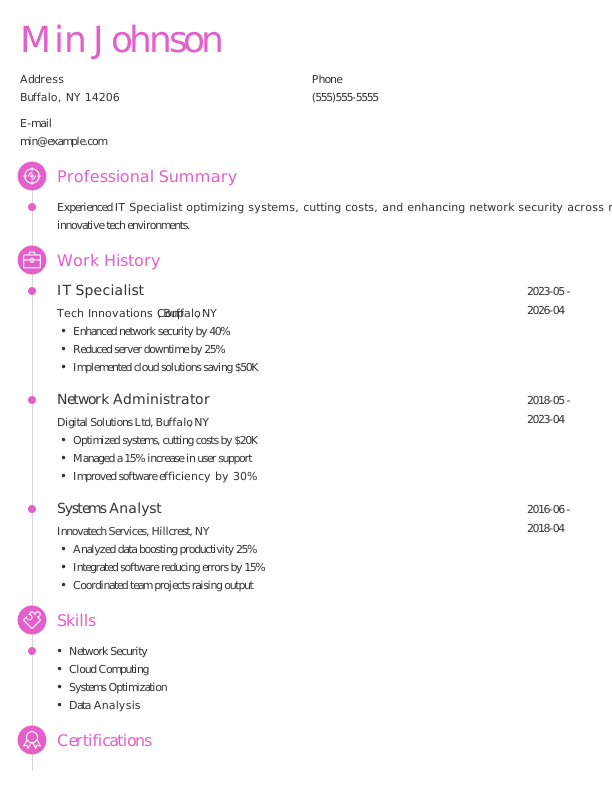
A smart choice for mid-level IT professionals aiming for advancement, this template effectively showcases technical expertise and recent accomplishments to support career growth in specialized roles.
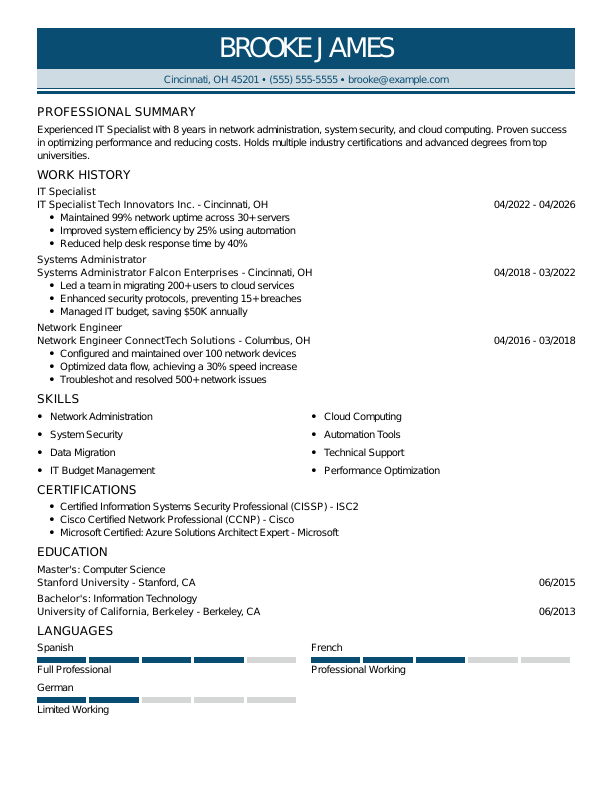
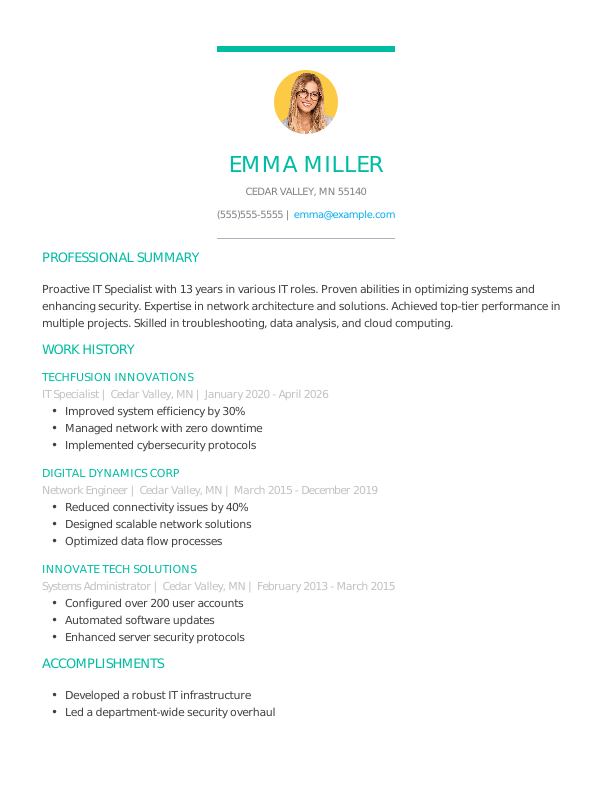
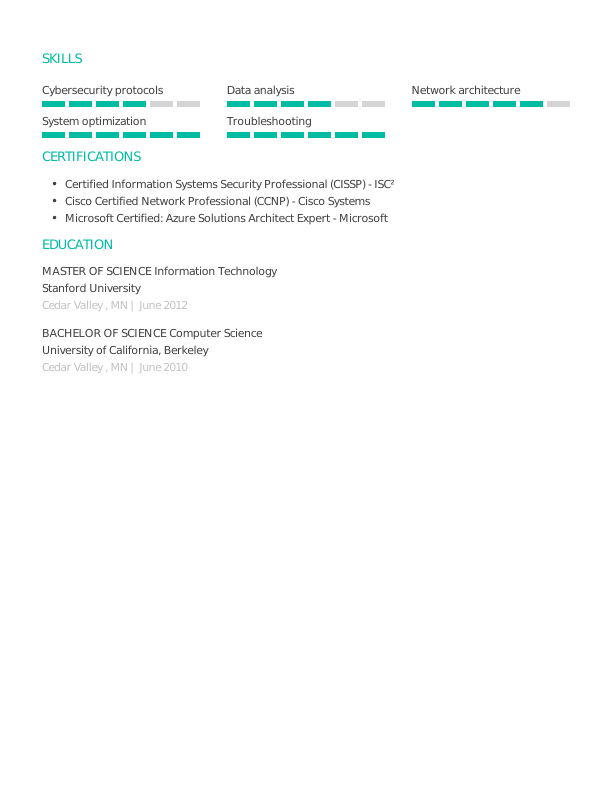
Experienced IT Resume
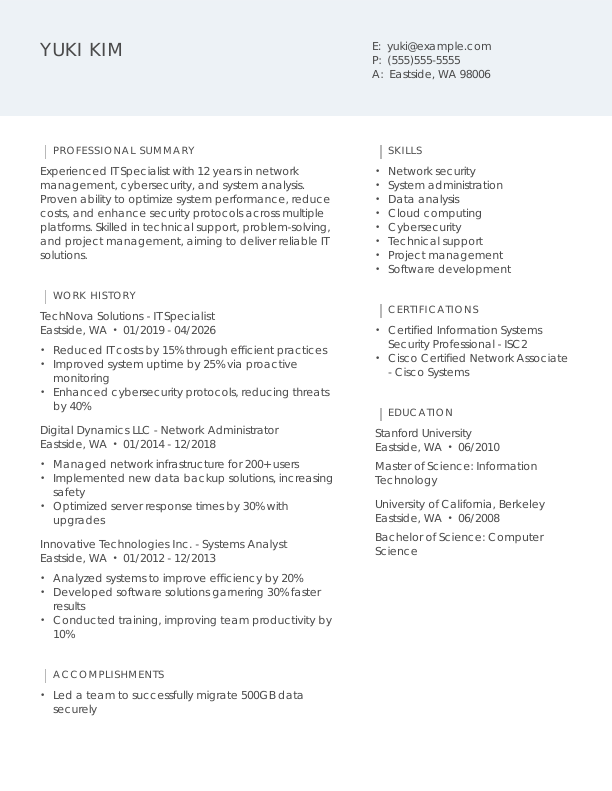
An ideal choice for seasoned IT professionals with over 10 years of experience, this template supports job seekers pursuing senior-level positions in network management or cybersecurity.

IT Resume Template (Text)
Below is an IT resume in plain text format. Copy it into your document and adjust it to reflect your certifications and support experience. For more technical layouts, explore our resume template library.
Li Zhang
Lakeside, CA 92048
Professional Summary
Experienced IT professional with 6 years of expertise in system administration, network security, and troubleshooting. Proven track record of reducing costs, improving system uptime, and leading teams to success while leveraging cutting-edge cloud technologies.
Work Experience
April 2023 – April 2026
TechWave Solutions – Lakeside, CA
IT Specialist
- Managed IT support, reduced downtime by 30%
- Implemented security measures, minimized breaches by 20%
- Upgraded systems, improved speed by 15%
April 2020 – March 2023
CloudSphere IT Services – Lakeside, CA
System Administrator
- Optimized server operations, improved uptime by 25%
- Configured networks, enhanced connectivity by 12%
- Automated backups, reduced recovery time by 40%
April 2017 – March 2020
NextGen Tech Solutions – San Diego, CA
Network Engineer
- Built secure networks, increased ROI by $50,000
- Monitored traffic, decreased latency by 18%
- Established protocols, improved compliance by 22%
Education
May 2016
University of Texas Austin, TX
Master of Science Information Technology
May 2014
Texas State University San Marcos, TX
Bachelor of Science Computer Science
Certifications
- Certified Information Systems Security Professional (CISSP) – ISC2
- Microsoft Certified: Azure Administrator Associate – Microsoft
- CompTIA Security+ – CompTIA
Skills
- System Administration
- Network Security
- Cloud Technologies
- IT Support
- Data Backup and Recovery
- Troubleshooting
- Firewall Configuration
- Server Maintenance
How to Write an IT Resume
For IT professionals, knowing how to write a resume means showcasing your technical skills and relevant experience in a clear format that makes you stand out. Use the guidance below to emphasize your strengths and tailor your resume for the specific positions you’re applying for.
1. Contact Info
Your contact information should be prominently displayed at the top of your resume, ensuring clarity and professionalism.
Include the following essential information:
- Full name
- Phone number
- Professional email address
- City and state (ZIP code is optional)
- LinkedIn profile or personal portfolio (if relevant)
 PRO TIP
Avoid including sensitive personal information such as your Social Security number, age, gender, or religious affiliation on your resume unless the employer specifically requests it.
2. Resume Profile
A resume profile is a brief introduction (two to four sentences) that highlights your key qualifications and serves as an engaging pitch for hiring managers. Its primary purpose is to capture attention and motivate the reader to explore your resume further, showcasing what makes you a compelling job seeker.
Typically found at the top of your resume, this profile can take the form of either a summary or an objective, each serving distinct functions. Understanding these differences will help you choose the right approach for your application:
- A resume summary showcases essential qualifications, technical skills, and noteworthy accomplishments relevant to the information technology sector. This format is especially useful for applicants with prior experience or transferable abilities who want to highlight their contributions as a skilled IT professional.
- A resume objective details your career aspirations and showcases what you aim to achieve in your next role. It’s especially helpful for recent graduates, coding bootcamp alumni, or professionals moving into new areas like marketing or design.
Let’s explore the differences between a resume summary and a resume objective with specific examples:
IT resume summary example:
Dedicated IT professional with 6+ years of experience in developing and maintaining complex software systems for diverse industries, including finance and healthcare. Proficient in cloud computing, cybersecurity, and agile methodologies. Acknowledged for improving system performance and driving innovative solutions that align with business goals.
IT resume objective example:
Motivated recent IT graduate with a strong foundation in software development and eager to launch a career in a dynamic tech environment. Committed to innovation and collaboration, ready to offer problem-solving abilities and adaptability in a start-up or established technology company.
3. Work Experience
The work experience on your resume is important in showcasing your qualifications. Employers examine your history to gain insights into not just your roles, but the tangible contributions you’ve made along the way.
This aspect of your background illustrates how well-suited you are for the position, highlighting relevant skills and achievements that align with the job requirements.
The work experience section should contain:
- Job title
- Employer name and location
- Dates of employment (month/year)
- 3–5 bullet points describing your relevant responsibilities and achievements
Tailor your bullet points to the specific job you’re applying for, using industry-related terminology. Begin each point with a strong action verb (such as “Developed,” “Analyzed,” or “Implemented”) to improve impact.
Incorporate measurable results or statistics in your descriptions. Specific achievements and numbers not only highlight your contributions but also set you apart from other applicants by showcasing your unique value.
In general, consider following the format of:
[action verb] + [responsibility] = [result/achievement]
For example:
Managed system monitoring and provided technical support for an average of 150 end-users daily in a fast-paced IT help desk environment, maintaining a 98% compliance rate with incident resolution protocols.
Note that you can also flip the result/achievement with the responsibility:
Reduced system downtime by 20% through the implementation of an efficient incident triage system for IT support tickets.
With these techniques in mind, your resume bullets may look something like:
- Implemented network security protocols to protect sensitive company data, reducing security vulnerabilities by 18%.
- Configured and maintained hardware and software systems for 50+ devices, improving system uptime by 12%.
- Troubleshot technical issues, resolving 93% of support tickets within SLA targets to minimize downtime for end users.
- Provided training sessions to 15+ staff on new technologies and software applications, improving user adoption by 22%.
- Developed IT policies and procedures to streamline operations across departments.
4. Skills
The skills section offers a concise overview of your IT capabilities, highlighting your technical skills and relevant certifications. This ATS-friendly resume format allows hiring managers to quickly assess your qualifications for the role.
Skills can be categorized into three key areas:
- Soft skills are personal qualities that influence how well individuals collaborate in the IT field.
- Hard skills are specific, measurable abilities gained through education, training, or experience.
- Technical skills are the specific competencies required to use various technologies and software effectively.
5 Soft Skills for Your Resume or CV
- Effective communication
- Team leadership skills
- Analytical thinking
- Conflict resolution
- Time management
5 Hard Skills for Your Resume or CV
- Network configuration and troubleshooting
- Cloud computing (AWS, Azure)
- Database management (SQL, NoSQL)
- Cybersecurity protocols and practices
- Software development methodologies (Agile, Scrum)
In general, aim to showcase a well-rounded mix of relevant skills that match the job’s requirements to highlight your potential contributions.
PRO TIP
If you’re a newer IT professional, consider placing the skills section higher on your resume, right after your summary. For those with more experience, it’s better to position this section lower and weave your skills into the descriptions of your work history.
5. Education
Understanding how to list education on your resume is essential for showcasing your qualifications clearly. Begin with your most recent or relevant degree, making sure to include the degree type and the name of the institution.
If you’re a recent graduate, feel free to add your graduation year, GPA (if it’s 3.5 or above), any honors received, and relevant coursework that highlights your skills.
IT resume education section example:
Bachelor of Science in Computer Science
University of Florida, Gainesville, FL
Graduated: 2024 | Summa Cum Laude
PRO TIP
When listing multiple degrees on your resume, always arrange them in reverse-chronological order, beginning with the highest degree first, such as Bachelor of Science in Information Technology (BSIT) followed by Associate Degree in Information Technology (ADIT).
6. Certifications
Certifications are essential as they showcase your qualifications and ensure you possess current knowledge in your field. While not always included, listing certifications on your resume holds significant value for many professionals, especially those in specialized roles such as IT security or software development. Employers often look for specific certifications that demonstrate expertise and commitment to the profession.
Make sure to highlight relevant certifications and credentials that reinforce your application. Keeping these up to date and clearly listed is important for making a strong impression.
IT certification examples:
- CompTIA A+ Certification, CompTIA, New Jersey, License #123456 | New Jersey | Expires: 12/2028
- CompTIA Security+ Certification, CompTIA | Global | Expires: 05/2028
- Microsoft Certified: Azure Fundamentals (AZ-900), Microsoft | Global | Expires: 06/2028
- Cisco Certified Network Associate (CCNA), Cisco | Global | Expires: 09/2027
Start Building Your Job-Winning Resume
Use Your Existing Resume
Import your current resume to transfer your information to one of our professional templates.
Create a New Resume
Start fresh with a template that catches your eye and follow the prompts to add your details.
Tailor Your Work History to Beat the ATS
Your work experience should be more than just job titles. It provides a valuable opportunity to showcase your measurable contributions and achievements within the IT field, such as successful projects or improved system efficiencies. This method not only highlights your skills but also makes your resume more ATS-friendly, ensuring it can be effectively scanned by applicant tracking systems (ATS).
To maximize impact, tailor your work history to align with the specific role you desire. Begin by scrutinizing the job description for keywords and essential qualifications that are frequently mentioned. By identifying these recurring elements, you can incorporate them into your experience descriptions, improving relevance and appeal to potential employers.
What’s a Fair IT Salary?
Researching salary information is essential for assessing job offers, negotiating better pay, and making strategic career decisions. The data presented by the U.S. Bureau of Labor Statistics (BLS) indicates the latest nationwide averages for IT professionals.
It’s best to note that various factors can impact actual salaries, such as geographical location, years of experience, certifications, and areas of specialization. For example, IT specialists working in cybersecurity or cloud computing often command higher salaries than those in general support roles or entry-level positions.
| Alabama | $160,920 |
| Alaska | $161,610 |
| Arizona | $197,440 |
| Arkansas | $140,790 |
| California | $205,610 |
| Connecticut | $181,240 |
| Delaware | $174,410 |
| District of Columbia | $178,400 |
| Florida | $169,810 |
| Georgia | $229,340 |
| Hawaii | $150,190 |
| Idaho | $159,960 |
| Illinois | $161,530 |
| Indiana | $151,520 |
| Iowa | $145,620 |
| Kansas | $159,940 |
| Kentucky | $143,050 |
| Louisiana | $172,940 |
| Maine | $165,770 |
| Maryland | $169,850 |
| Massachusetts | $194,040 |
| Michigan | $161,150 |
| Minnesota | $173,730 |
| Mississippi | $135,210 |
| Missouri | $500,220 |
| Montana | $151,130 |
| Nebraska | $141,210 |
| Nevada | $157,980 |
| New Hampshire | $177,690 |
| New Jersey | $211,960 |
| New Mexico | $209,730 |
| New York | $195,380 |
| North Carolina | $166,960 |
| North Dakota | $147,470 |
| Ohio | $162,290 |
| Oklahoma | $166,660 |
| Oregon | $173,840 |
| Pennsylvania | $156,750 |
| Rhode Island | $191,450 |
| South Carolina | $164,650 |
| South Dakota | $159,900 |
| Tennessee | $156,110 |
| Texas | $321,640 |
| Utah | $244,150 |
| Vermont | $162,740 |
| Virginia | $184,420 |
| Washington | $211,930 |
| West Virginia | $152,840 |
| Wisconsin | $161,900 |
| Wyoming | $149,400 |
| Guam | $103,270 |
| Puerto Rico | $125,950 |
| Virgin Islands | $86,780 |
Key Takeaways
- Customize your resume for each job application. Use keywords from the job description to align with both ATS and hiring managers.
- Highlight quantifiable results to demonstrate your contributions. Include metrics such as project completion times, performance improvements, or user satisfaction scores (e.g., reduced downtime by 20%).
- Select a resume format that reflects your level of experience. Entry-level applicants might opt for a functional layout, while seasoned professionals typically use a chronological format.
More Resume & CV Examples
- Agile Project Manager
- Ai Product Manager
- Aws Devops Engineer
- Chief Information Officer
- Computer
- Computer Science
- Computer Technician
- CTO
- Cyber Security
- Data Center Technician
- Database Administrator
- Digital Project Manager
- Epic Analyst
- Health Informatics
- Healthcare It
- Implementation Specialist
- It Help Desk
- It Manager
- It Project Manager
- It Support
- It Support Specialist
- It Technician
- Network Administrator
- Network Engineer
- Product Owner
- Salesforce Administrator
- Service Desk Analyst
- Systems Administrator
- Technical Program Manager
- Technical Project Manager
- Technical Support Specialist
- IT Developer
Cover Letters for Your Resume
Browse our library of cover letter examples to complete your application. A resume will have a better chance of getting noticed.
Frequently Asked Questions
Last Update:
What resume format should I use for my IT resume?
There are three primary resume formats available for job seekers. Your selection should align with your experience level and the aspects of your background that you wish to highlight:
- Chronological: The chronological resume format is the most widely used, emphasizing your work history along with your responsibilities and achievements. This structure is particularly effective for applicants whose relevant job experience reinforces their qualifications and adds credibility to their application.
- Functional: The functional resume, also known as a skills-based resume, highlights your qualifications by emphasizing an expanded skills section rather than focusing on work history. This format is particularly beneficial for job seekers who lack relevant experience or have gaps in their employment history.
- Combination: The combination resume format merges chronological and functional elements, showcasing both skills and work history. This approach benefits professionals by letting them emphasize their abilities while also demonstrating career growth. It’s particularly useful for individuals transitioning into new industries or advancing in their current field.
Should I include a cover letter with my resume?
Yes, you should include a cover letter with your IT job application. A tailored cover letter improves your resume by allowing you to elaborate on your technical skills and experiences that align with the specific role. It conveys to potential employers that you’re genuinely interested in their organization and have made an effort to personalize your submission, which can distinguish you from other job seekers.
If you’re hesitant about writing a cover letter, there are many resources available to guide you through the process. You can find useful articles on how to write a cover letter specifically for IT positions, as well as examples that highlight various approaches. Exploring different formats will also help you choose one that best represents your qualifications and expertise.
To streamline the writing process, consider using a cover letter generator, which can assist in creating a professional document quickly by providing templates and tailored suggestions based on the IT role you’re applying for.
How long should an IT resume be?
For IT professionals with less than 10 years of experience, a one-page resume is generally adequate to showcase skills and relevant projects. Highlight key technical competencies, certifications (e.g., CompTIA, Cisco), and specific achievements that align with the job description while maintaining clarity.
Conversely, those in senior or specialized roles may extend their resumes to two pages if they present focused content. Ensure that each entry adds value to your profile by emphasizing leadership experiences and advanced qualifications without unnecessary filler language.
What keywords should I include to pass applicant tracking systems (ATS)?
To ensure your resume passes ATS screening, focus on incorporating keywords and phrases directly from the job posting. This may include terms specific to your field such as “network security,” “cloud computing,” or “data analysis.” By mirroring the language used in the job description, you increase your chances of being noticed.
Additionally, don’t forget to mention any relevant certifications like CompTIA Security+, Cisco Certified Network Associate, or AWS Certified Solutions Architect. Highlighting technical tools you know how to use, such as Python, SQL, or JavaScript, can further demonstrate that you possess the skills needed for the position.
Should I include freelance projects or internships on my resume?
Yes, particularly if you’re starting your career. Including freelance projects demonstrates practical skills and real-world applications, helping you differentiate yourself when formal work experience is limited.

Kirsten Chorpenning is a career advice writer who empowers job seekers to take control of their career paths using Monster’s comprehensive job search and resume tools. She specializes in helping job seekers find rewarding jobs in today’s dynamic work environment.
See More From Kirsten Chorpenning