Free Computer Technician Resume Templates & Examples
Diagnosing issues and keeping systems running is hands-on problem solving at its core. These free computer technician resume and CV examples help you document your hardware repair experience and troubleshooting skills.
Real-World Resumes That Get Results
Computer Technician Entry-Level Resume
Computer Technician Mid-Level Resume
Computer Technician Experienced Resume
 Free
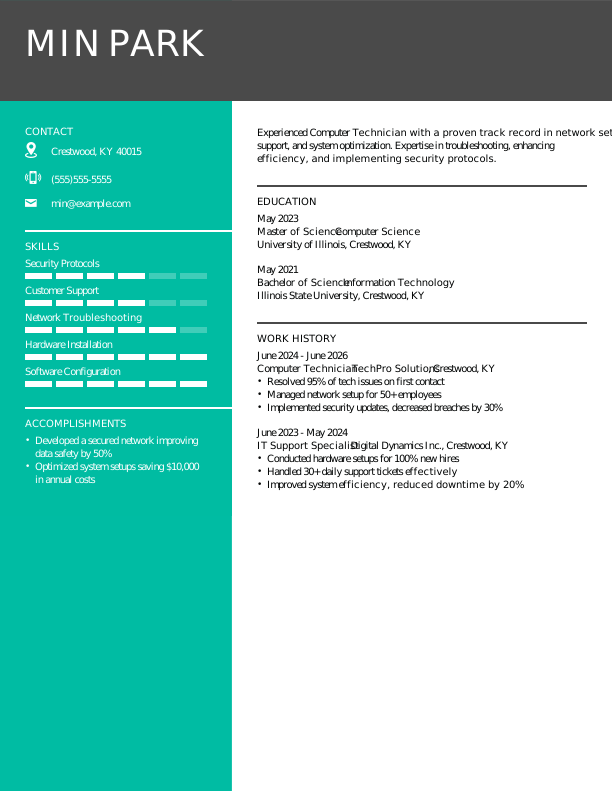
FreeComputer Technician Modern Resume
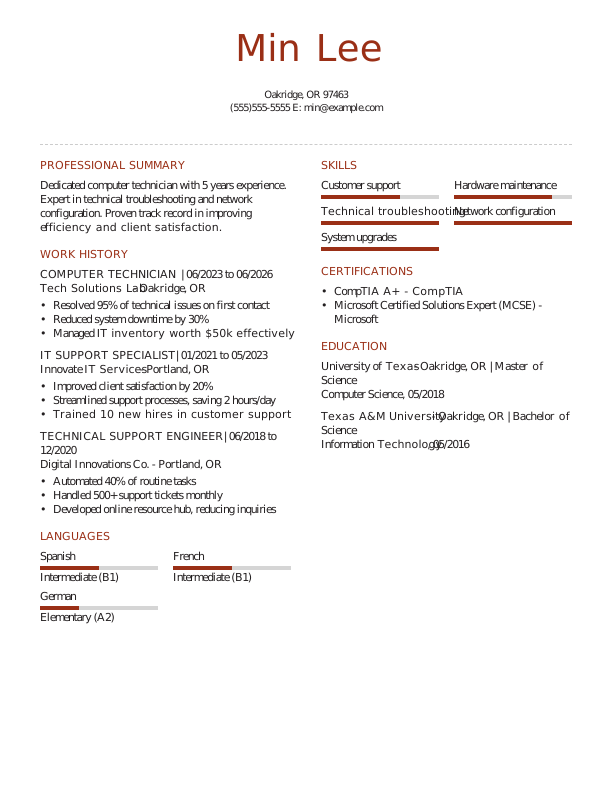
Computer Technician Creative Resume
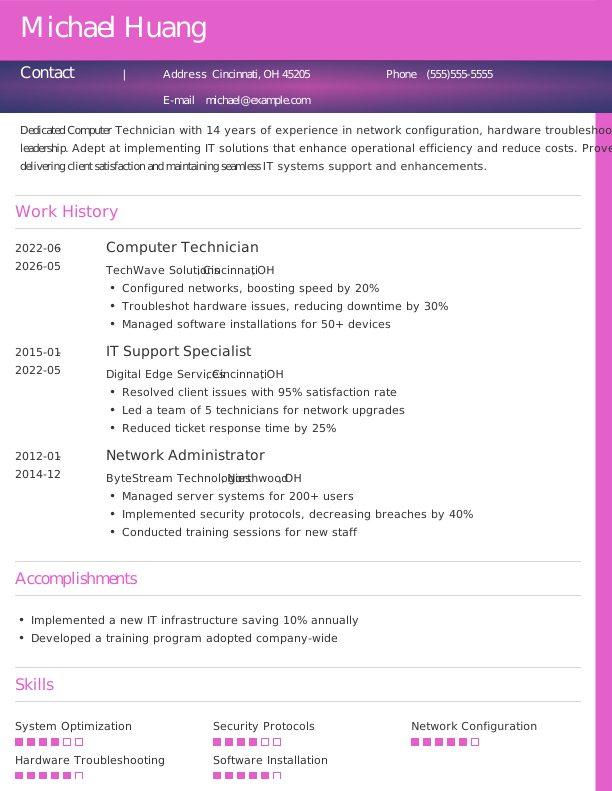
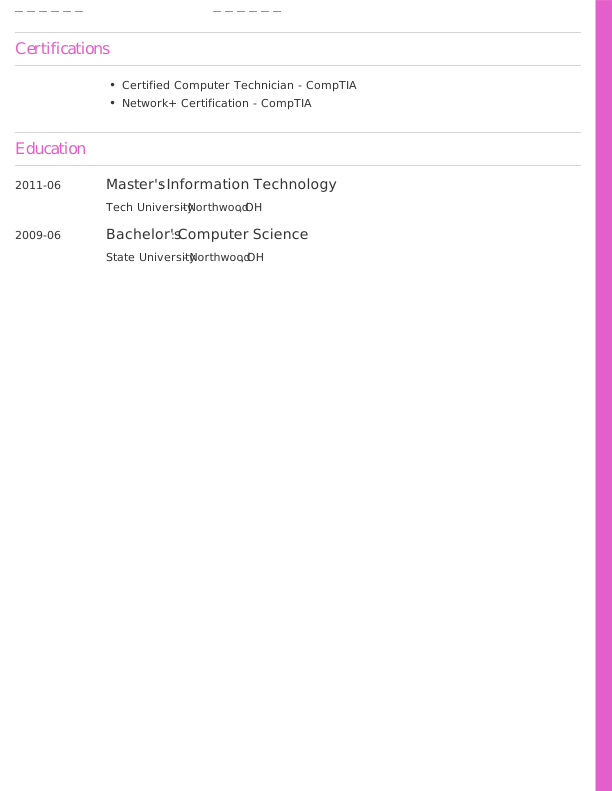
Computer Technician Traditional Resume
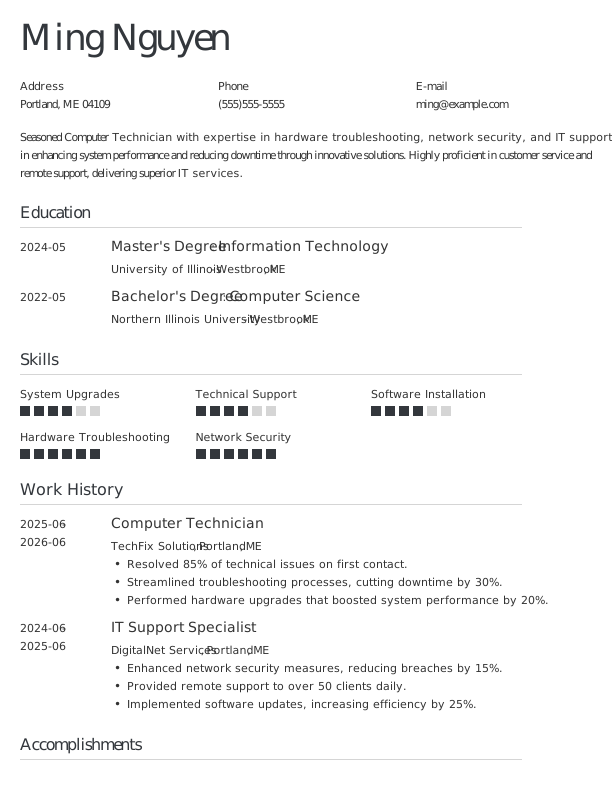
Computer Technician Simple CV Example
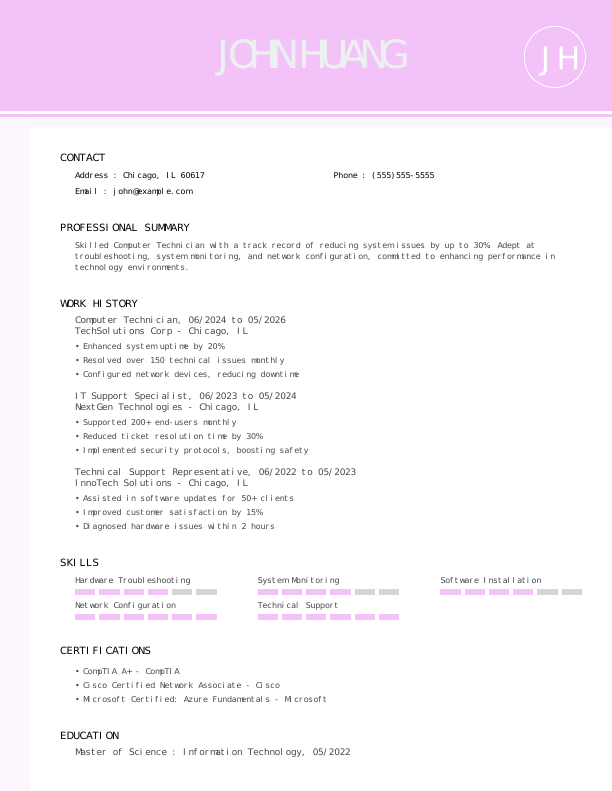

Computer Technician CV Format
Browse Free Resume Templates
- Accounts Payable
- Adjunct Professor
- Artist
- Auto Mechanic
- Baker
- Business Development Manager
- Business
- Certified Nursing Assistant
- Classic & Traditional
- Cleaner
- College Student
- Concierge
- Construction Worker
- Corporate
- Creative & Unique
- Custodian
- Customer Service
- Dental Assistant
- Direct Support Professional
- Entry-Level
- Flight Attendant
- Hospitality & Food Service
- Front Desk Receptionist
- Healthcare
- High School
- Housekeeping
- Hvac Technician
- Hybrid
- Inventory Manager
- Logistics
- Maintenance
- Management
- Modern
- Mortgage Loan Processor
- Pet Sitter
- Phlebotomist
- Production
- Rbt
- Sales
- Security Services
- Restaurant Server
- Simple & Basic
- Social Work
- Teacher
- Technology
Resume Examples for Computer Technicians
A computer technician’s resume or CV should reflect different skills and experiences depending on your career stage. Explore templates tailored for entry-level, mid-career, and experienced professionals, and use our Resume Builder to create your own.
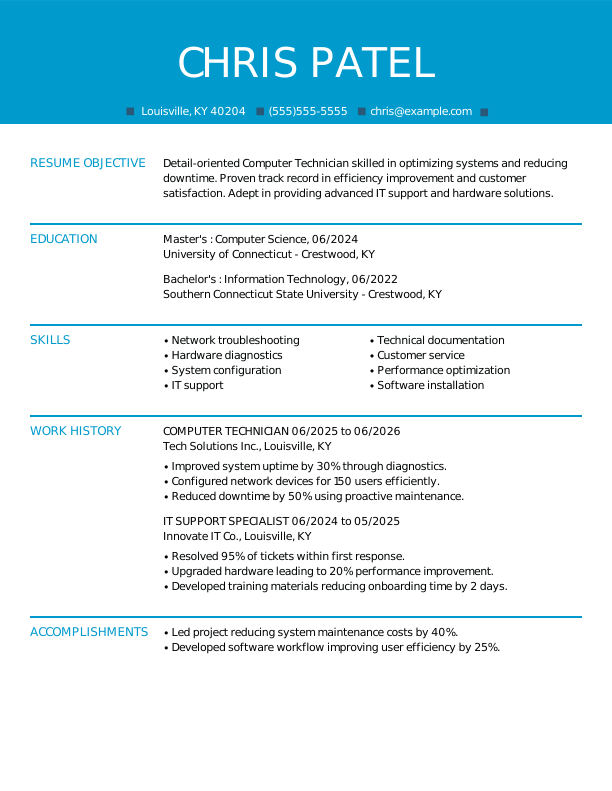
Entry-Level Computer Technician Resume
Ideal for recent graduates who need guidance on writing a resume with no experience, this template is also suitable for those transitioning into computer technician roles from other fields.

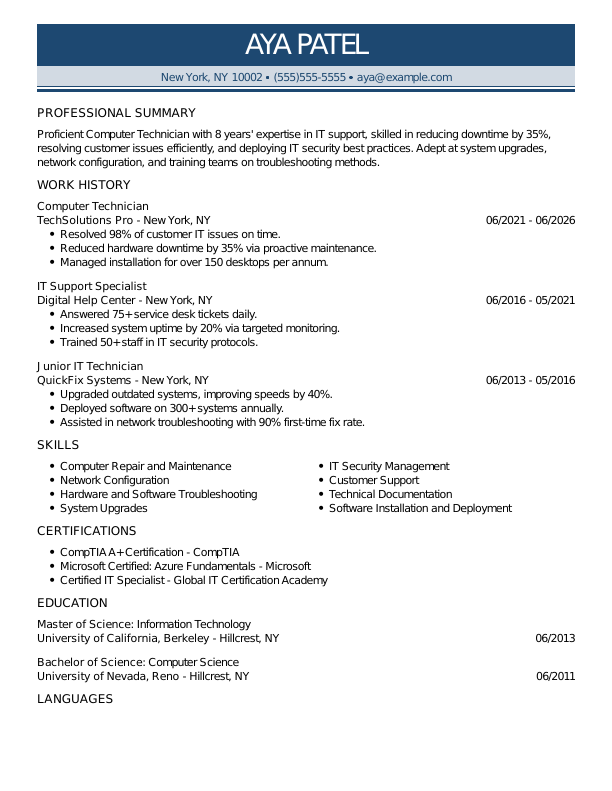
Mid-Career Computer Technician Resume
A good fit for computer technicians with several years of experience, this template highlights recent technical achievements and prepares job seekers for advanced or specialized positions.
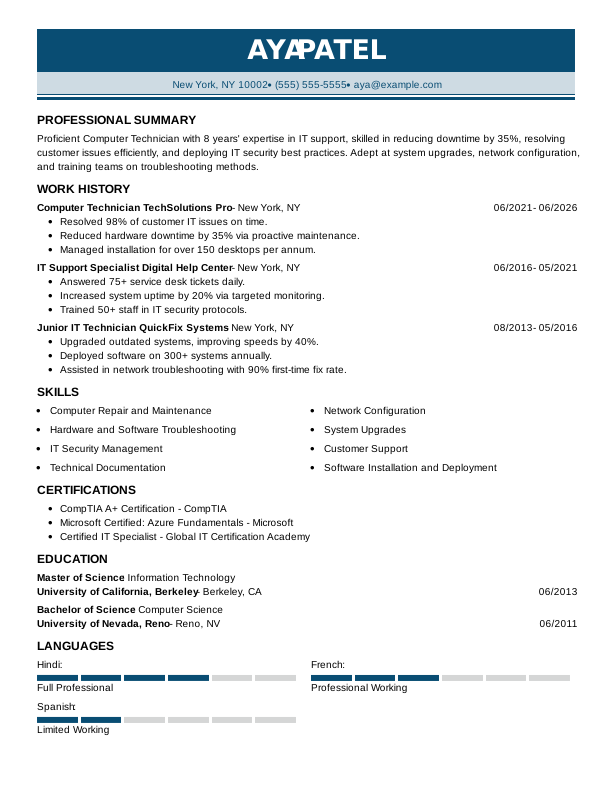
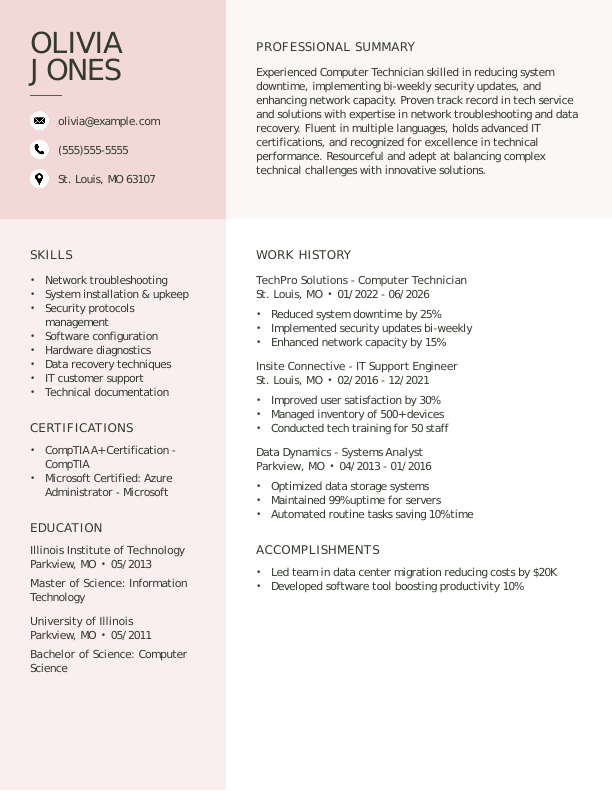
Experienced Computer Technician Resume
Best for computer technicians with over 10 years of experience, this template suits professionals pursuing advanced technical roles or leadership opportunities in IT.

Computer Technician Resume Template (Text)
Use this customizable text format of a computer technician resume to copy, paste, and modify directly in your document.
Olivia Jones
St. Louis, MO 63107
Professional Summary
Dynamic Computer Technician with 6 years of experience. Expertise in hardware troubleshooting, system upgrades, and network configuration, ensuring optimal IT support. Proven track record in reducing troubleshooting time by 30% and improving client satisfaction.
Work Experience
May 2024 – June 2026
TechFix Solutions – St. Louis, MO
Computer Technician
- Repaired 200+ devices monthly with 98% success rate
- Reduced troubleshooting time by 30%, enhancing efficiency
- Implemented new backup systems, securing data for clients
January 2022 – April 2024
Byteworks Technologies – St. Louis, MO
IT Support Specialist
- Resolved 95% of user issues in first call
- Optimized software installation processes by 25%
- Provided training for 50+ employees on IT systems
January 2020 – December 2021
CyberCloud Innovations – Parkview, MO
Technical Support Engineer
- Handled 100+ daily client support tickets efficiently
- Improved system uptime by 10% through proactive measures
- Conducted network diagnostics, reducing downtime by 15%
Education
June 2019
Stanford University Stanford, CA
Master of Science Information Technology
June 2017
University of California, Berkeley Berkeley, CA
Bachelor of Science Computer Science
Certifications
- CompTIA A+ – CompTIA
- Cisco Certified Network Associate (CCNA) – Cisco
Skills
- Hardware Troubleshooting
- Network Configuration
- System Upgrades
- IT Support
- Customer Service
- Software Installation
- Technical Documentation
- Data Recovery
How to Write a Computer Technician Resume
As a computer technician, knowing how to write a resume involves showcasing your technical skills and relevant experience while using a clear format that captures the attention of potential employers. Use the guidance below to emphasize your strengths and tailor your resume for the positions you’re targeting.
1. Contact Info
Your contact information should be clear, professional, and easy to find at the top of your resume.
Make sure to include:
- Full name
- Phone number
- Professional email address
- City and state (ZIP code is optional)
- LinkedIn profile or personal portfolio (if relevant)
 PRO TIP
Avoid including sensitive details like your Social Security number, photo, or personal relationships on your resume unless explicitly requested by the employer.
2. Resume Profile
A resume profile is a brief section, typically consisting of two to four sentences, that highlights your key qualifications and skills. It serves as a compelling introduction to hiring managers, aiming to pique their interest and lead them to explore your resume in greater detail.
This profile is positioned at the top of your resume and can take the form of either a summary or an objective. Each option has its unique focus and intention:
- A resume summary showcases your most relevant skills, achievements, and technical expertise to potential employers. This format is particularly beneficial for those with prior work experience or transferable skills who wish to demonstrate their contributions in the realm of computer technology.
- A resume objective highlights your future aspirations and the specific goals you aim to accomplish in your career. It’s particularly beneficial for recent graduates, individuals pivoting careers, or those with limited experience, such as tech bootcamp alumni or professionals moving into IT support roles.
Let’s take a look at an example of each to see how a resume summary and a resume objective differ:
Computer technician resume summary example:
Dedicated computer technician with over 6 years of experience in diverse IT environments, including corporate offices and technical support centers. Proficient in hardware troubleshooting, software installation, and network management. Acknowledged for improving system performance and providing exceptional user support that drives productivity.
Computer technician resume objective example:
Recent graduate with a diploma in computer technology excited to launch a career as a computer technician in a dynamic IT environment. Committed to delivering excellent technical support and troubleshooting skills while fostering effective teamwork at tech firms or service centers.
3. Work Experience
The work experience on your resume is a critical asset. Employers assess your job history to understand not only where you’ve worked but also the significant contributions you’ve made.
Your background in troubleshooting and repairing hardware and software issues illustrates how you’re well-prepared for the computer technician role.
The work experience section should contain:
- Job title
- Employer name and location
- Dates of employment (month/year)
- 3–5 bullet points describing your relevant responsibilities and achievements
Tailor your content to highlight the skills and experiences relevant to the computer technician role. Start each bullet point with an action verb (like “Diagnosed,” “Resolved,” “Upgraded”) to emphasize your contributions and expertise.
Incorporate quantifiable information wherever possible. Specific numbers, such as the number of devices repaired or time saved through efficiencies, illustrate your impact and help set you apart from other applicants.
In general, consider following the format of:
[action verb] + [responsibility] = [result/achievement]
For example:
Diagnosed and repaired over 300 computer systems annually, improving operational efficiency for a team of 50 employees with a 95% satisfaction rating.
Note that you can also flip the result/achievement with the responsibility:
Achieved a 30% reduction in system downtime by implementing proactive maintenance schedules and upgrading hardware components.
With these techniques in mind, your resume bullets may look something like:
- Diagnosed and repaired hardware and software issues for over 100 clients monthly, increasing customer satisfaction by 20%.
- Configured and installed network systems for small businesses, improving connectivity efficiency by 30%.
- Provided technical support training for new technicians, improving team response times by 15%.
- Used remote desktop tools to troubleshoot system problems, reducing on-site visits by 25%.
- Collaborated with IT teams to develop maintenance schedules that minimized downtime across multiple client systems.
4. Skills
The skills section provides a concise overview of abilities relevant to a computer technician. This allows hiring managers to quickly assess qualifications and match job seekers to their needs.
Skills can be categorized into three distinct groups:
- Soft skills are personal qualities that influence how computer technicians interact with clients and colleagues.
- Hard skills are specific, measurable abilities gained through education, training, or experience.
- Technical skills refer to the specific abilities required to operate tools and systems in various fields.
5 Soft Skills for Your Resume or CV
- Analytical problem-solving
- Effective communication
- Team collaboration
- Time management abilities
- Customer service orientation
5 Hard Skills for Your Resume or CV
- Hardware troubleshooting
- Operating system installation (Windows, Linux)
- Network configuration (TCP/IP, DHCP)
- Software updates and patch management
- Data recovery techniques
In general, aim to include a diverse array of relevant skills that align with job requirements to showcase your capabilities.
PRO TIP
If you’re a newer computer technician, place your skills section higher on the resume right after your summary. If you have more experience, it’s best to position this section lower and weave your skills throughout your work history for a seamless flow.
5. Education
Understanding how to list education on your resume is important for showcasing your qualifications. Begin with your most recent or relevant degree, clearly stating the type of degree and the name of the school.
If you’re a recent graduate, consider adding your graduation year, GPA (if it’s 3.5 or above), any honors received, or coursework that aligns with the position you’re applying for.
Computer technician resume education section example:
Associate of Applied Science in Computer Technology
Community College of Denver, Denver, CO
Graduated: 2023 | Graduated with Distinction
PRO TIP
If you’re advancing from an Associate Degree in Computer Technology to a Bachelor of Science in Information Technology, or have earned another relevant degree, list both in reverse-chronological order.
6. Certifications
Listing certifications on your resume showcases your qualifications and can make up for limited practical experience. While not every resume has this section, it’s especially helpful for those in the computer technician field. Employers often look for specific credentials, like CompTIA A+ or Cisco Certified Network Associate (CCNA), when hiring for technical roles.
Make sure to include only the certifications relevant to the job you’re applying for. Keeping these credentials updated and well-organized on your resume improves your professional profile and attracts potential employers.
Computer technician certification examples:
- CompTIA A+ Certification | CompTIA | Expires: 01/2028
- Microsoft Certified: Azure Fundamentals | Microsoft | Expires: 04/2027
- Cisco Certified Technician (CCT) | Cisco | Expires: 08/2028
- ITIL Foundation Certification | AXELOS | Expires: 11/2027
Start Building Your Job-Winning Resume
Use Your Existing Resume
Import your current resume to transfer your information to one of our professional templates.
Create a New Resume
Start fresh with a template that catches your eye and follow the prompts to add your details.
Tailor Your Work History to Beat the ATS
Your work experience is more than a list of job titles. It’s an opportunity to show the measurable impact you’ve had on technology solutions, troubleshooting, and customer satisfaction. This approach also creates an ATS-friendly resume that applicant tracking systems (ATS) can easily scan.
To make your work history compelling, tailor it to the computer technician role you’re pursuing by using relevant keywords and terminology from the job description. Begin with a thorough analysis of the posting, identifying frequently mentioned skills or tools. Then, incorporate those elements into your experience descriptions to align with what potential employers are seeking.
Key Takeaways
- Tailor your resume to the job description. Use specific technical language and skills relevant to the position—it helps with both ATS and human reviewers.
- Highlight measurable achievements to demonstrate your impact. Quantify your work (e.g., systems repaired, downtime reduced, customer satisfaction ratings) to stand out.
- Select the right format based on your experience level. Entry-level technicians may opt for a functional format, while seasoned professionals often use reverse-chronological resumes.
More Resume & CV Examples
- Agile Project Manager
- Ai Product Manager
- Aws Devops Engineer
- Chief Information Officer
- Computer
- Computer Science
- CTO
- Cyber Security
- Data Center Technician
- Database Administrator
- Digital Project Manager
- Epic Analyst
- Gis
- Health Informatics
- Healthcare It
- Implementation Specialist
- It Help Desk
- It Manager
- It Project Manager
- IT
- It Support
- It Support Specialist
- It Technician
- Maintenance Manager
- Maintenance Supervisor
- Maintenance Technician
- Maintenance Worker
- Network Administrator
- Network Engineer
- Product Owner
- Salesforce Administrator
- Service Desk Analyst
- Service Technician
- Systems Administrator
- Technical Program Manager
- Technical Project Manager
- Technical Support Specialist
- Technician
- IT Developer
Cover Letters for Your Resume
Browse our library of cover letter examples to complete your application. A resume will have a better chance of getting noticed.
Frequently Asked Questions
Last Update:
What resume format should I use for my computer technician resume?
There are three primary resume formats to consider when applying for a computer technician position. The format you choose should reflect your experience level and highlight the skills or qualifications you want to showcase:
- Chronological: The most popular format, a chronological resume emphasizes your work experience by outlining responsibilities and achievements in reverse order. This format is ideal for job seekers with relevant job history that reinforces their qualifications, making it a strong choice for those with consistent career paths in computer technology.
- Functional: Also known as a skills-based resume, the functional resume includes a summary of qualifications and an expanded skills section to emphasize your technical abilities. This approach reduces the focus on work history, which is ideal for computer technicians starting out or those changing careers without extensive experience.
- Combination: A combination resume integrates chronological and functional elements, showcasing both skills and work experience. This format benefits computer technicians by allowing them to emphasize their technical competencies while also demonstrating career growth, making it ideal for those advancing or shifting within the industry.
Should I include a cover letter with my resume?
Yes, you should include a cover letter with your computer technician job application. A tailored cover letter allows you to express your enthusiasm for the position and highlight specific skills or experiences that may not be detailed in your resume. It shows potential employers that you’ve made an effort to connect with their company’s mission and values, which can set you apart from other applicants who might overlook this valuable opportunity.
If you’re feeling unsure about how to write a cover letter, don’t let that hold you back. There are many resources available that can guide you through the process of writing a compelling cover letter, including templates and examples tailored specifically for the tech industry. Exploring different formats can also help you find one that complements your personal style and experience.
For added convenience, consider using a cover letter generator to create a polished document quickly by guiding you through essential elements based on the specific role you’re applying for.
How long should a computer technician resume be?
For computer technicians with less than 10 years of experience, a one-page resume is generally sufficient. This format allows you to showcase your technical skills, relevant certifications, and any hands-on experience in a clear manner. Focus on including key accomplishments that demonstrate your capabilities without overwhelming the reader.
For those with more extensive experience or specialized roles, a two-page resume can be appropriate if you maintain clarity and relevance throughout the document. Highlight leadership positions, advanced training, and diverse technical expertise while ensuring every detail contributes meaningfully to your professional narrative.
Should I include personal tech repair or volunteer IT support?
Yes, especially if you’re starting your career. Listing personal tech repair and volunteer IT work demonstrates practical skills and problem-solving abilities in real-world situations, which can help you stand out when formal computer technician roles are limited.

Megan Dawkins is a career industry editor who empowers job seekers to take control of their career paths using Monster’s comprehensive job search and resume tools. She specializes in helping job seekers navigate the flexible job market.
See More From Megan DawkinsExplore Related Career Advice


How to Put Transferable Skills on Your Resume: 120 Skills, Examples, & Tips

Updated:
Aug 27, 2026
|
16 min read


How to Write a Functional Resume (Formatting Tips, Template, & Examples)
Updated:
Aug 7, 2026
|
17 min read

Functional vs Chronological Resume: Which Format Is Right for You?
Updated:
Aug 3, 2026
|
16 min read
100+ Resume Adjectives to Help You Write a Stronger Resume in 2026 (With Examples)
Updated:
Jul 30, 2026
|
12 min read