
Free Technical Support Specialist Resume Templates & Examples
Patience and technical depth are what it takes to resolve complex product issues while keeping the customer experience positive. These free technical support specialist resume and CV examples help you convey your escalation handling.
Real-World Resumes That Get Results
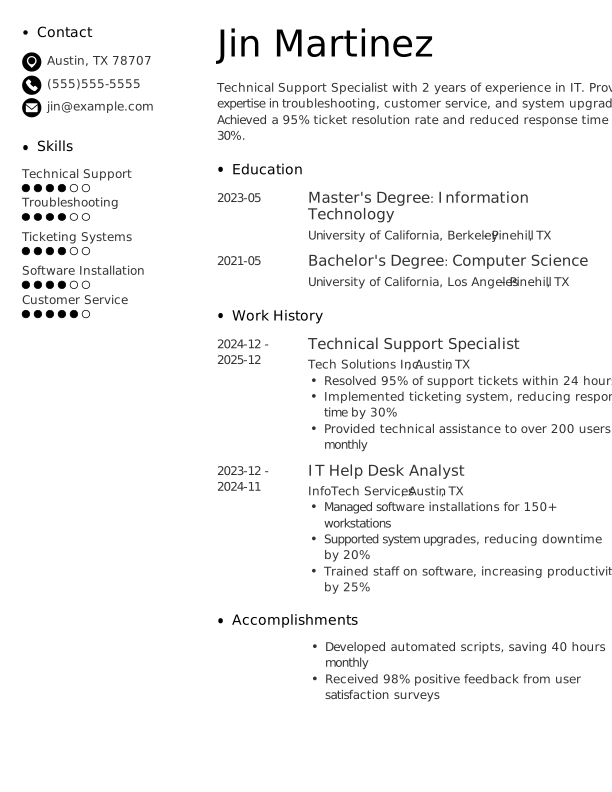
Technical Support Specialist Entry-Level Resume
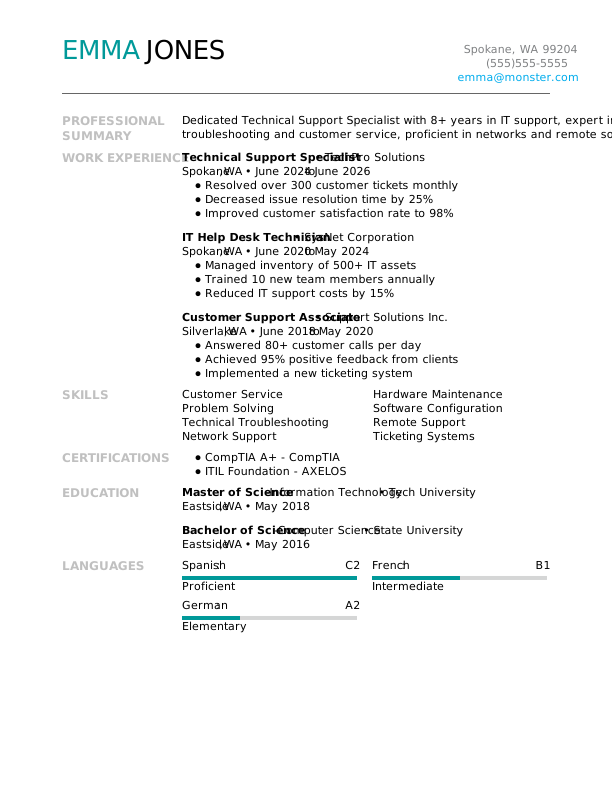
Technical Support Specialist Mid-Level Resume
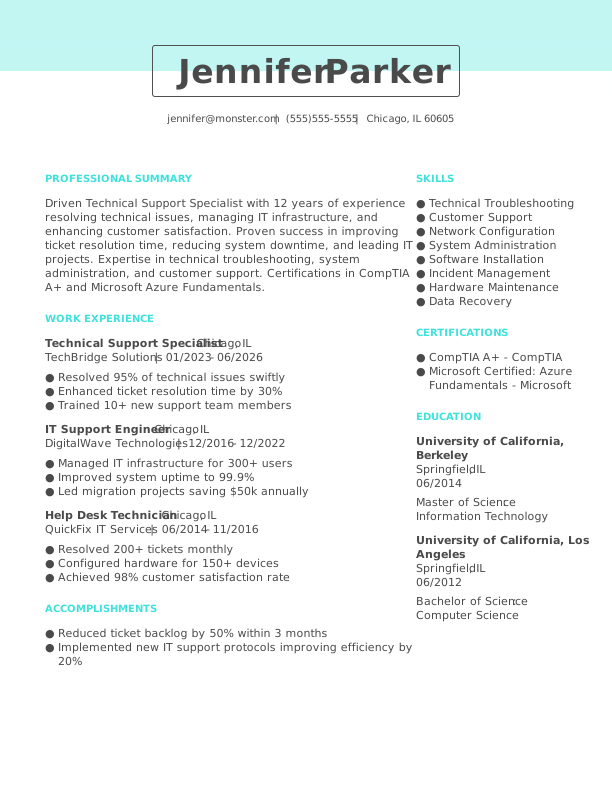
Technical Support Specialist Experienced Resume
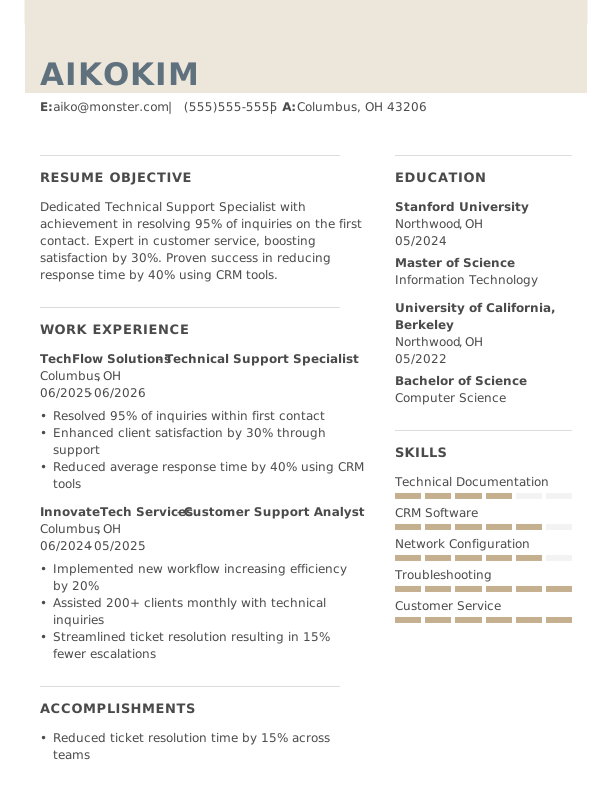
 Free
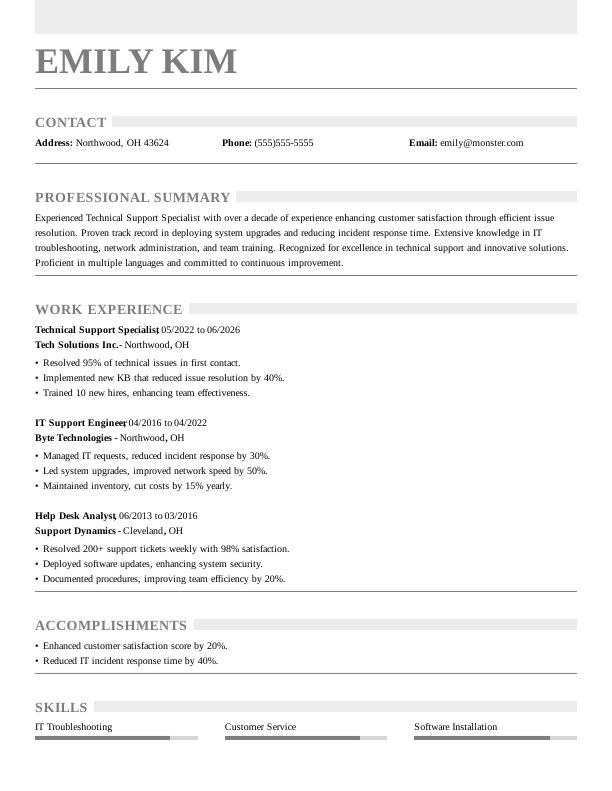
FreeTechnical Support Specialist Modern Resume
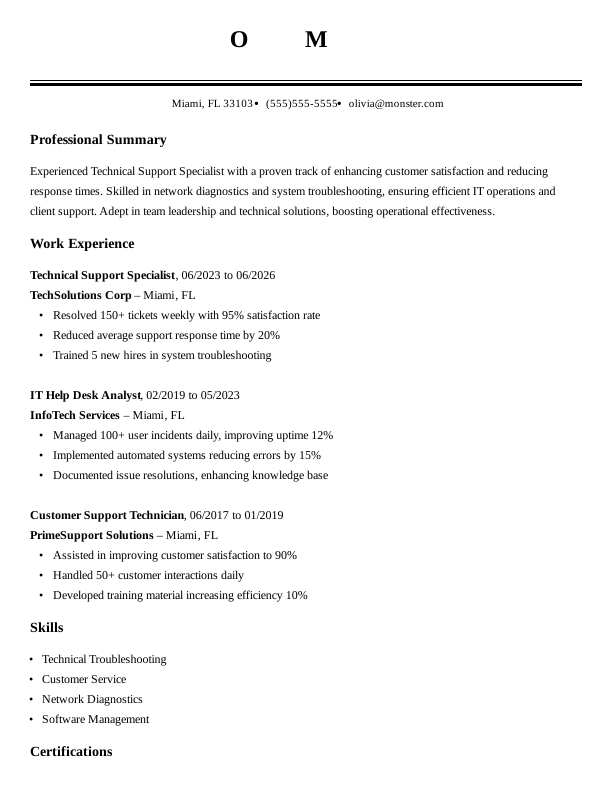
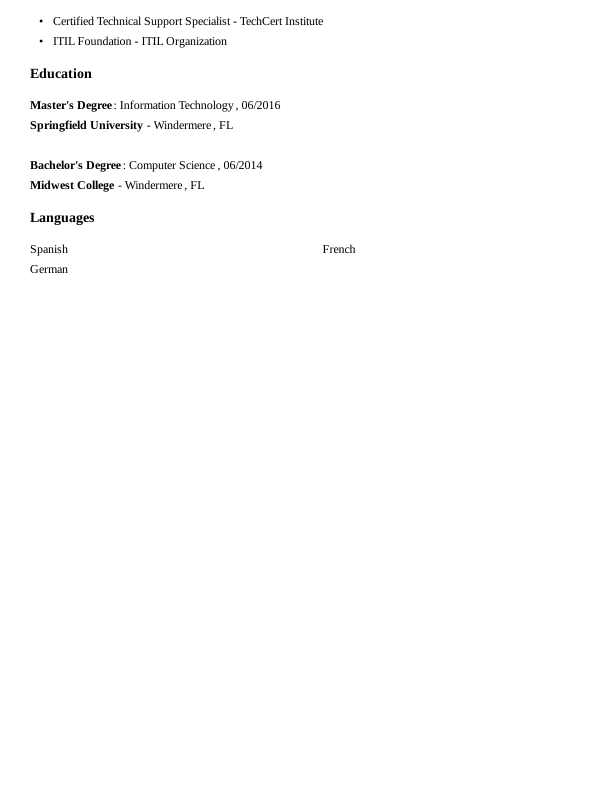
Technical Support Specialist Creative Resume
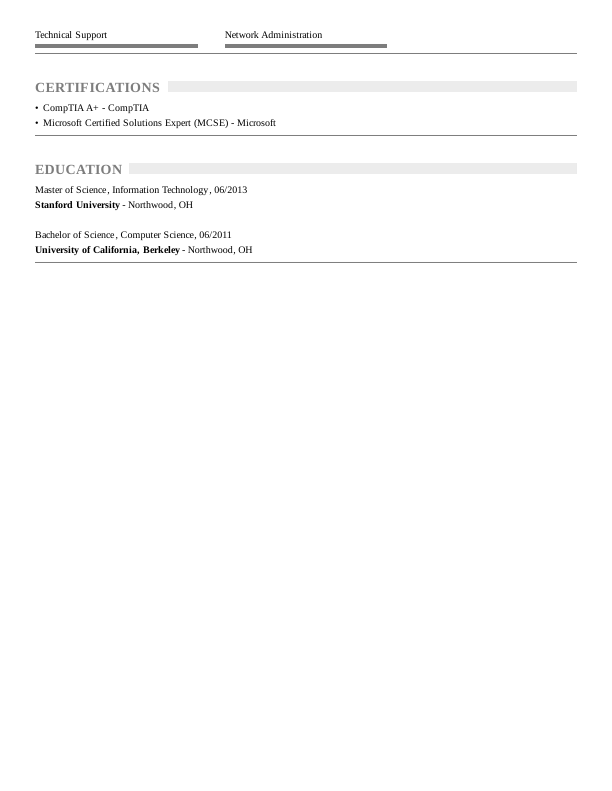
Technical Support Specialist Traditional Resume
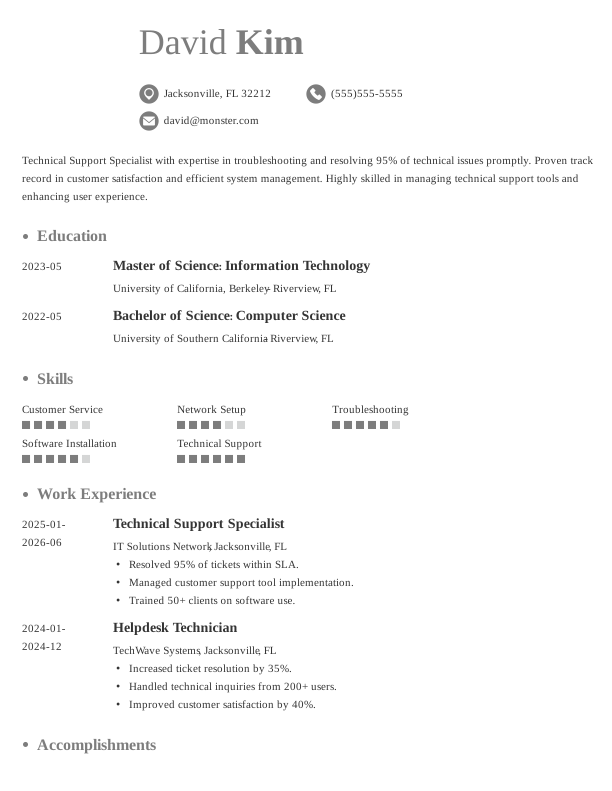
Technical Support Specialist Simple CV Example
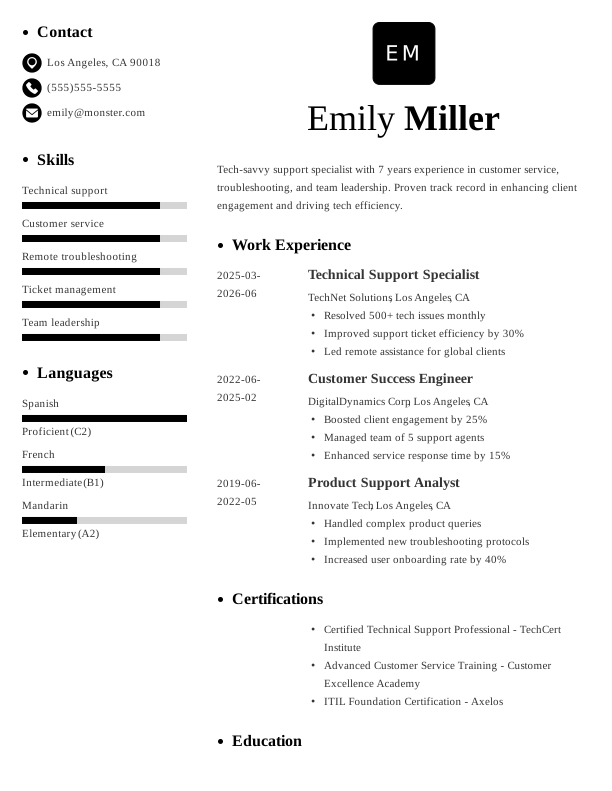
Technical Support Specialist CV Format
Browse Free Resume Templates
- Accounts Payable
- Adjunct Professor
- Artist
- Auto Mechanic
- Baker
- Business Development Manager
- Business
- Certified Nursing Assistant
- Classic & Traditional
- Cleaner
- College Student
- Concierge
- Construction Worker
- Corporate
- Creative & Unique
- Custodian
- Customer Service
- Dental Assistant
- Direct Support Professional
- Entry-Level
- Flight Attendant
- Hospitality & Food Service
- Front Desk Receptionist
- Healthcare
- High School
- Housekeeping
- Hvac Technician
- Hybrid
- Inventory Manager
- Logistics
- Maintenance
- Management
- Modern
- Mortgage Loan Processor
- Pet Sitter
- Phlebotomist
- Production
- Rbt
- Sales
- Security Services
- Restaurant Server
- Simple & Basic
- Social Work
- Teacher
- Technology
Resume Examples for Technical Support Specialists
Technical support specialist resumes and CVs vary significantly based on experience level. Explore what to highlight at each stage and use our Resume Builder to create a tailored document that reflects your qualifications.
Entry-Level Technical Support Specialist Resume
Ideal for recent graduates needing guidance on how to write a resume for the first time, this template is also suitable for those transitioning into technical support from other fields.
Mid-Career Technical Support Specialist Resume
A good fit for technical support professionals with several years of experience, this template highlights recent achievements and facilitates advancement into specialized or leadership roles.
Experienced Technical Support Specialist Resume
An ideal choice for IT professionals with over 10 years of experience, this template supports job seekers targeting senior technical support roles or advanced IT management positions.
Technical Support Specialist Resume Template (Text)
Take this customizable text format of a technical support specialist resume to copy, edit, and personalize directly in your document.
Daniel Garcia
Minneapolis, MN 55408
Professional Summary
Results-driven Technical Support Specialist with 6 years of experience enhancing customer satisfaction and reducing downtime. Proficient in troubleshooting, system administration, and improving support processes for efficiency. Proven track record of successful problem-solving and team leadership.
Work Experience
March 2025 – June 2026
GlobalTech Solutions – Minneapolis, MN
Technical Support Specialist
- Resolved 85% of issues within first 24 hours
- Reduced ticket volume by 30% through proactive solutions
- Improved customer satisfaction score by 15%
March 2022 – February 2025
TechSavvy Corp – Minneapolis, MN
IT Support Technician
- Decreased system downtime by 20% using monitoring tools
- Optimized support process, reducing response time by 25%
- Implemented a training program, boosting team efficiency by 40%
March 2020 – February 2022
Innovate IT Services – Minneapolis, MN
Help Desk Analyst
- Managed over 1000 support requests monthly
- Improved ticket resolution time by 30%
- Enhanced user support satisfaction by 10%
Education
June 2018
University of California, Berkeley Berkeley, CA
Master of Science Information Technology
June 2016
University of California, San Diego San Diego, CA
Bachelor of Science Computer Science
Certifications
- CompTIA A+ – CompTIA
- Microsoft Certified: Azure Fundamentals – Microsoft
Skills
- Technical Support
- Customer Service
- Troubleshooting
- Network Configuration
- System Administration
- Problem Solving
- Communication
- Knowledge Base Management
How to Write a Technical Support Specialist Resume
As a technical support specialist, knowing how to write a resume means mixing your relevant skills and experience with a clear format that showcases your qualifications. Use the guidance below to emphasize your strengths and tailor your resume for the job you’re aiming for.
1. Contact Info
Your contact information should be clear, professional, and easy to find at the top of your resume.
Make sure to include:
- Full name
- Phone number
- Professional email address
- City and state (ZIP code is optional)
- LinkedIn profile or personal portfolio (if relevant)
 PRO TIP
Avoid including sensitive personal details such as your Social Security number, age, or any photos unless specifically requested by the employer.
2. Resume Profile
A resume profile is a brief introductory section, typically two to four sentences long, that highlights your key skills and experiences. It serves as an engaging pitch to hiring managers, aiming to draw them in and motivate them to explore your qualifications further.
This profile is positioned at the top of your resume and can be formatted as either a summary or an objective, each serving distinct roles. Understanding these differences can improve the effectiveness of your application:
- A resume summary highlights your most relevant skills, experiences, and achievements in the technical support field. This format is particularly beneficial for those with a history of employment or transferable abilities who want to showcase their contributions as a technical support specialist.
- A resume objective highlights your career aspirations and details what you aim to accomplish in your next role. It’s especially beneficial for recent graduates, those changing careers, or individuals with limited experience, such as coding bootcamp attendees or professionals transitioning into IT support.
Let’s take a look at an example of each to see how a resume summary and a resume objective differ:
Technical support specialist resume summary example:
Dedicated technical support specialist with over 6 years of experience in high-volume IT environments, including help desks and remote support. Proficient in troubleshooting, customer communication, and system diagnostics. Acknowledged for improving user satisfaction through effective problem resolution and proactive service delivery.
Technical support specialist resume objective example:
Recent graduate with a degree in information technology excited to launch a career as a technical support specialist in a dynamic tech environment. Committed to delivering exceptional customer service and problem-solving expertise while fostering strong relationships within a collaborative team setting.
3. Work Experience
The work experience on your resume serves as an important foundation for your candidacy. Employers assess your job history to understand not only where you’ve worked but also the meaningful impact you’ve made in those roles.
Your technical support background highlights how your problem-solving skills and customer service expertise qualify you for the specialist position.
The work experience section should contain:
- Job title
- Employer name and location
- Dates of employment (month/year)
- 3–5 bullet points describing your relevant responsibilities and achievements
Tailor your content to reflect the specific technical support role you’re targeting. Start each bullet point with an action verb (like “Resolved,” “Assisted,” “Troubleshot”) to create a strong statement that highlights your contributions.
Incorporate quantifiable information or metrics whenever possible. Specific numbers and achievements provide clear evidence of your impact, helping to differentiate you from other applicants in the job market.
In general, consider following the format of:
[action verb] + [responsibility] = [result/achievement]
For example:
Provided technical support for 300+ users daily, resolving issues with a 95% satisfaction rate and reducing average response time to under 2 hours.
Note that you can also flip the result/achievement with the responsibility:
Achieved a 30% reduction in ticket resolution time by implementing a new ticketing system and training team members on efficient troubleshooting techniques.
With these techniques in mind, your resume bullets may look something like:
- Resolved over 200 technical support tickets monthly, achieving a 95% customer satisfaction rating.
- Trained new team members on troubleshooting processes and customer service skills, improving overall team performance.
- Used remote desktop tools to diagnose and resolve issues for users across multiple platforms within 30 minutes on average.
- Collaborated with engineering teams to identify recurring software bugs, leading to a 20% reduction in support requests.
- Created comprehensive knowledge base articles, improving self-service resolution rates by 40%.
4. Skills
This skills section provides a concise overview of the essential abilities required for a technical support specialist. It assists hiring managers in quickly assessing qualifications relevant to troubleshooting, customer service, and technical skill.
Skills can be categorized into three distinct groups:
- Soft skills are essential interpersonal abilities that define how a technical support specialist collaborates with customers and colleagues.
- Hard skills are specific, quantifiable abilities that individuals gain through education, training, or hands-on experience.
- Technical skills are the practical abilities needed to operate specific technologies and processes.
5 Soft Skills for Your Resume or CV
- Effective communication
- Active listening
- Analytical problem-solving
- Team collaboration skills
- Time management
5 Hard Skills for Your Resume or CV
- Technical troubleshooting
- Remote support software (TeamViewer, LogMeIn)
- Network configuration
- Operating systems (Windows, macOS)
- Customer service skills
In general, aim to showcase a diverse range of relevant skills that align with the job requirements to demonstrate your full professional value.
PRO TIP
If you’re a newer technical support specialist, consider placing your skills section higher on your resume right after the summary. For those more experienced, it’s beneficial to position this section lower, weaving most skills into your work history.
5. Education
Understanding how to list education on your resume is important for showcasing your qualifications. Start with your most recent or relevant degree, and clearly state the degree type along with the institution’s name.
Recent graduates might consider adding details like graduation year, GPA (if it’s 3.5 or above), honors received, or relevant coursework to make their application stand out.
Technical support specialist resume education section example:
Associate of Applied Science in Information Technology
Community College of Philadelphia, Philadelphia, PA
Graduated: 2024 | Graduated with Distinction
PRO TIP
If you’re advancing from an Associate Degree in Information Technology to a Bachelor of Science in Computer Science, or have earned another relevant degree, include both in reverse-chronological order.
6. Certifications
Listing certifications on your resume highlights your skills and knowledge, which is especially helpful if you have limited hands-on experience. While this section might not be standard for every resume, it’s particularly useful for technical support specialists. Employers often seek specific certifications like CompTIA A+ or ITIL for roles in customer service and tech support.
Concentrate on including only the credentials relevant to the position you’re pursuing. Remember to keep these certifications current and clearly formatted to boost your attractiveness to potential employers.
Technical support specialist certification examples:
- CompTIA A+ Certification | CompTIA | Expires: 09/2027
- ITIL Foundation Certificate in IT Service Management | AXELOS | Expires: 03/2028
- Microsoft Certified: Azure Fundamentals | Microsoft | Expires: 12/2027
- Cisco Certified Technician (CCT) | Cisco | Expires: 06/2028
Start Building Your Job-Winning Resume
Use Your Existing Resume
Import your current resume to transfer your information to one of our professional templates.
Create a New Resume
Start fresh with a template that catches your eye and follow the prompts to add your details.
Tailor Your Work History to Beat the ATS
Your work experience is more than a list of job titles. It’s an opportunity to demonstrate the measurable impact you’ve had on customers, teams, and technical solutions. Including this information can result in a more ATS-friendly resume that applicant tracking systems (ATS) can easily scan.
A strong work history should be tailored to the job you’re applying for, using keywords and phrasing that align with the employer’s needs. Start by reviewing the job description carefully. Look for repeated skills, tools, or customer support scenarios mentioned, and incorporate those elements into your experience descriptions whenever possible.
Key Takeaways
- Tailor your resume to the job description. Use specific terms from the posting to describe your skills and experiences, which aids both ATS and human reviewers.
- Highlight measurable accomplishments. Quantify your contributions (e.g., resolved tickets per week, customer satisfaction ratings, training sessions conducted) to make an impact.
- Select the right format for your experience level. Entry-level applicants might benefit from a functional layout, while seasoned professionals should consider a reverse-chronological format.
More Resume & CV Examples
- Agile Project Manager
- Ai Product Manager
- Aws Devops Engineer
- Call Center Representative
- Chief Information Officer
- Computer
- Computer Science
- Computer Technician
- CTO
- Customer Experience Manager
- Customer Service Coordinator
- Customer Service Manager
- Customer Service Representative
- Customer Service Specialist
- Customer Service Supervisor
- Customer Support
- Cyber Security
- Data Center Technician
- Database Administrator
- Digital Project Manager
- Epic Analyst
- Gis
- Health Informatics
- Healthcare It
- Implementation Specialist
- It Help Desk
- It Manager
- It Project Manager
- IT
- It Support
- It Support Specialist
- It Technician
- Network Administrator
- Network Engineer
- Personal Shopper
- Product Owner
- Remote Customer Service
- Retail Customer Service
- Retail Manager
- Retail
- Retail Sales Associate
- Salesforce Administrator
- Salon Receptionist
- Service Advisor
- Service Desk Analyst
- Service Manager
- Store Manager
- Systems Administrator
- Technical Program Manager
- Technical Project Manager
- Travel Agent
- Travel Consultant
- Work From Home
- IT Developer
Cover Letters for Your Resume
Browse our library of cover letter examples to complete your application. A resume will have a better chance of getting noticed.
Frequently Asked Questions
Last Update:
What resume format should I use for my technical support specialist resume?
There are three primary resume formats to consider when applying for a technical support specialist role. Your choice should reflect your level of experience and highlight the skills or achievements you want to showcase:
- Chronological: The most popular format, a chronological resume highlights your work experience by detailing your responsibilities and achievements. This approach is ideal for applicants with a consistent and relevant job history that reinforces their qualifications and demonstrates their growth in the technical support field.
- Functional: Also known as a skills-based resume, this format emphasizes a summary of qualifications and an expanded skills section to showcase your relevant abilities. It minimizes focus on work history, making it particularly useful for job seekers without relevant experience or those facing employment gaps.
- Combination: A combination resume integrates chronological and functional formats, presenting a thorough skills section alongside detailed work experience. This structure benefits technical support specialists by allowing them to showcase their problem-solving abilities while illustrating their career growth and contributions to previous roles.
Should I include a cover letter with my resume?
Yes, you should include a cover letter with your technical support specialist job application. A well-crafted cover letter not only introduces you to potential employers but also provides context for your resume. It allows you to highlight specific skills and experiences that directly relate to the role, showcasing your enthusiasm and dedication in a way that your resume alone cannot.
If you’re feeling uncertain about how to write a cover letter, don’t hesitate to explore helpful resources. There are various guides available on writing effective cover letters, along with samples tailored specifically for technical support roles. You can also find different formats that might suit your individual style and needs.
To make things simpler, consider using an AI tool like a cover letter generator to help you create a polished document quickly. These tools can offer structured templates and personalized suggestions based on the job description you’re targeting.
How long should a technical support specialist resume be?
For professionals with less than 10 years of experience, a one-page resume is ideal. This concise format allows you to highlight key skills, relevant positions, and education without overwhelming the reader. Focus on showcasing your most significant achievements and responsibilities.
If you have extensive experience or specialized roles, a two-page resume can be appropriate. Ensure that every detail remains relevant and contributes to your professional narrative. Prioritize clarity and organization as you present your qualifications to potential employers.
Should I include freelance tech support or informal troubleshooting experiences?
Yes, especially if you’re new to the field. Including freelance tech support and informal troubleshooting showcases your problem-solving skills and technical knowledge, making you a stronger job seeker when formal experience is limited.

Toni Frana is a Certified Professional Resume Writer (CPRW), member of the Professional Association of Resume Writers & Career Coaches, and career expert who empowers job seekers to take control of their career paths using Monster’s comprehensive job search and resume tools.
See More From Toni FranaExplore Related Career Advice


How to Put Transferable Skills on Your Resume: 120 Skills, Examples, & Tips

Updated:
Aug 27, 2026
|
16 min read


How to Write a Functional Resume (Formatting Tips, Template, & Examples)
Updated:
Aug 7, 2026
|
17 min read


Functional vs Chronological Resume: Which Format Is Right for You?
Updated:
Aug 3, 2026
|
16 min read

100+ Resume Adjectives to Help You Write a Stronger Resume in 2026 (With Examples)
Updated:
Jul 30, 2026
|
12 min read