
Free Systems Administrator Resume Templates & Examples
A systems administrator resume should highlight your infrastructure management skills, uptime record, and familiarity with enterprise platforms. Pick an example below that organizes your technical background clearly.
Real-World Resumes That Get Results
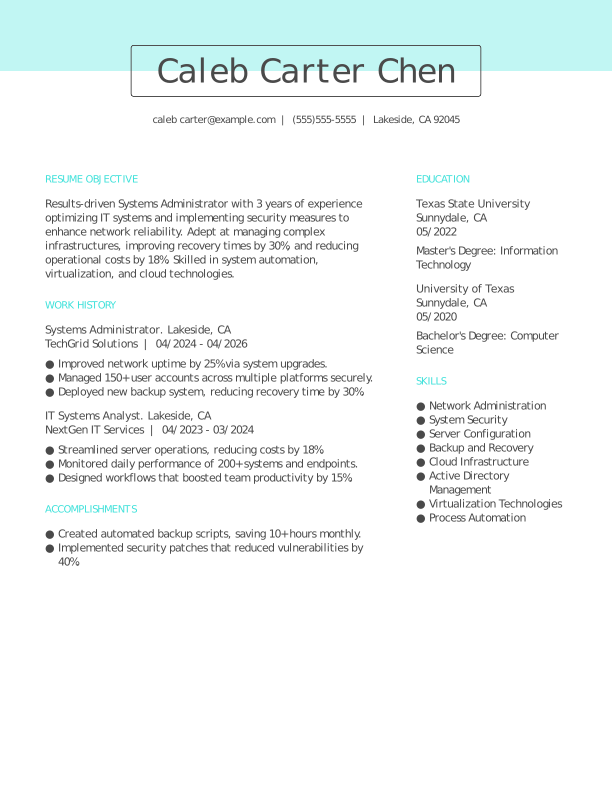
 Free
FreeSystems Administrator Entry-Level Resume
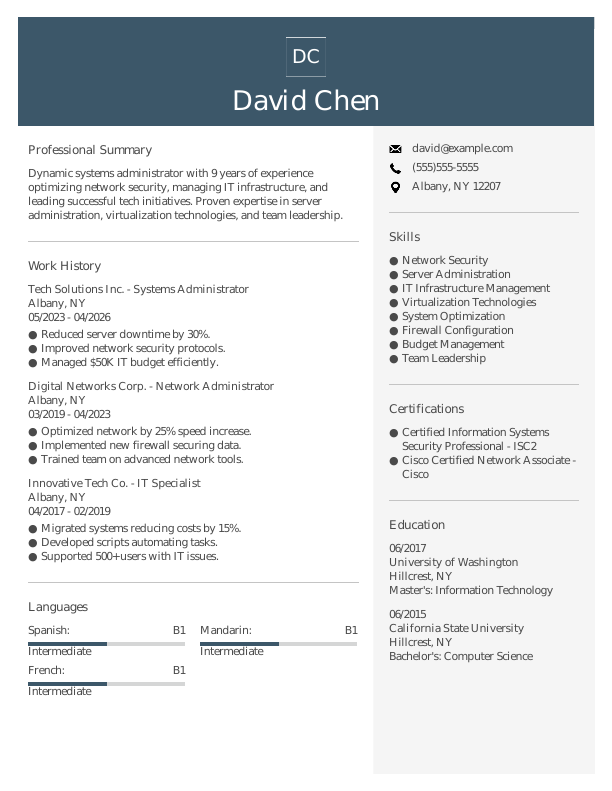
Systems Administrator Mid-Level Resume
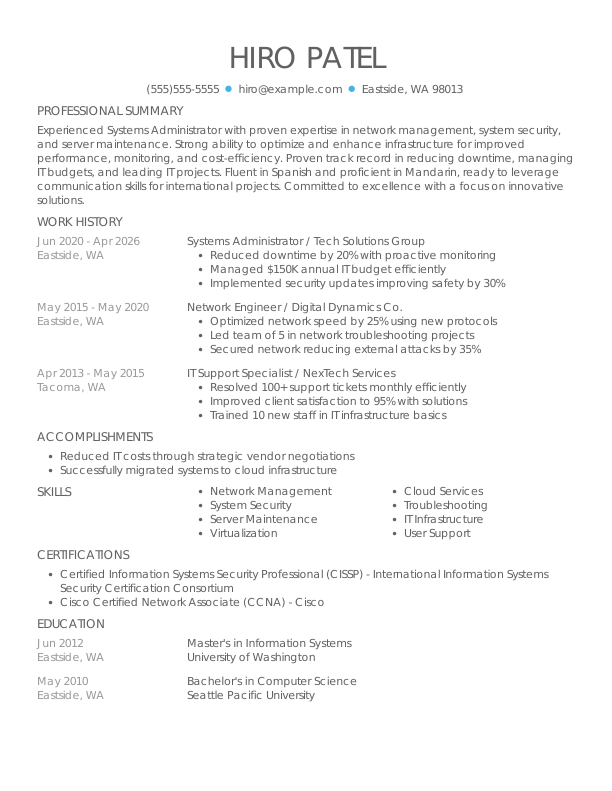
Systems Administrator Experienced Resume
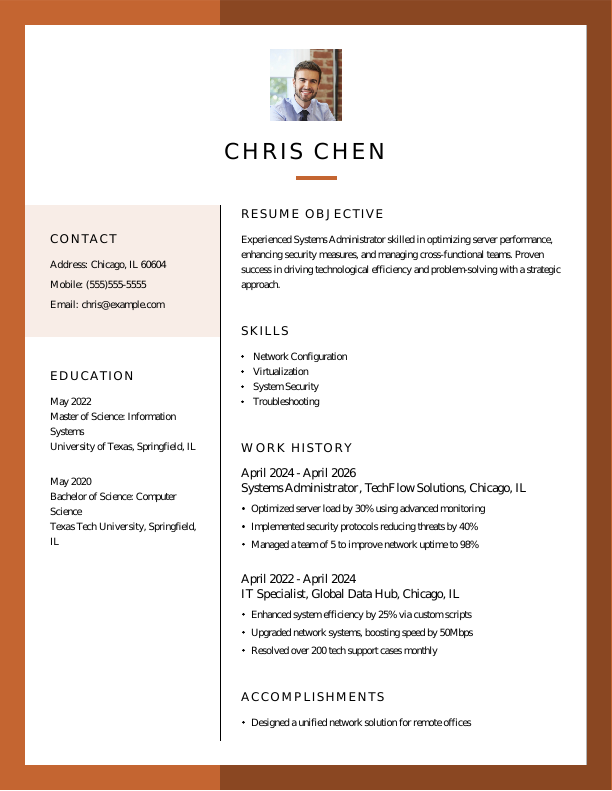

Systems Administrator Entry-Level Resume 1
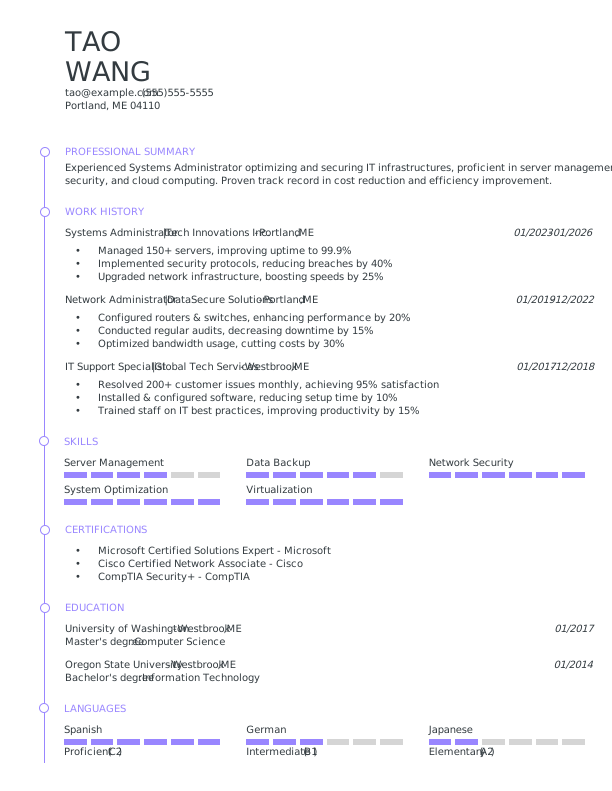
Systems Administrator Mid-Level Resume 1
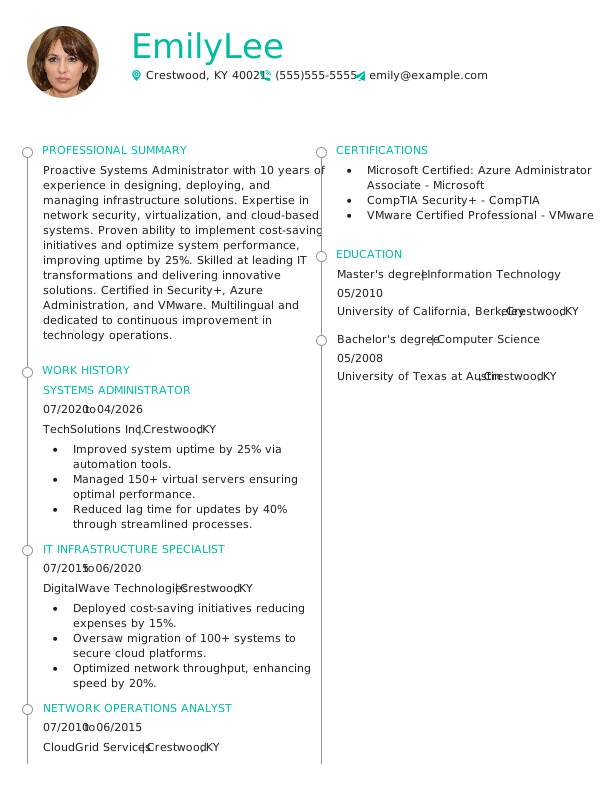
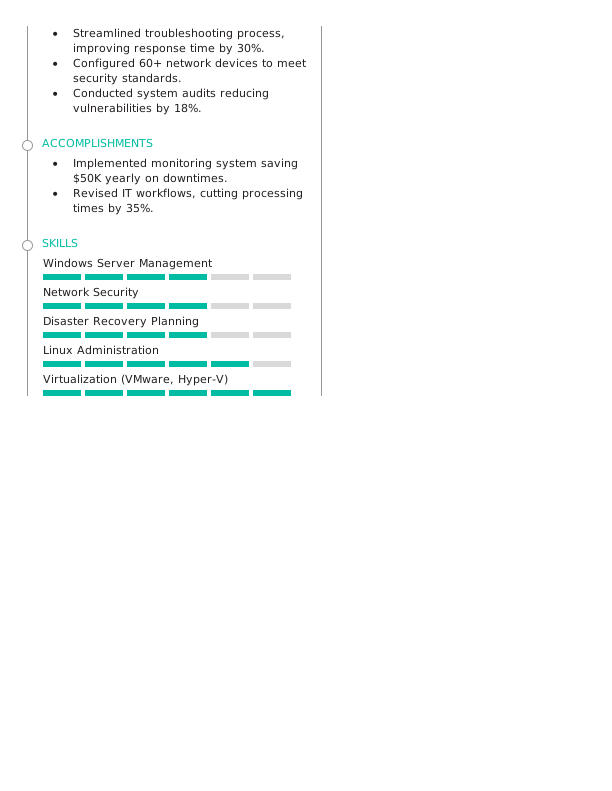
Systems Administrator Experienced Resume 1
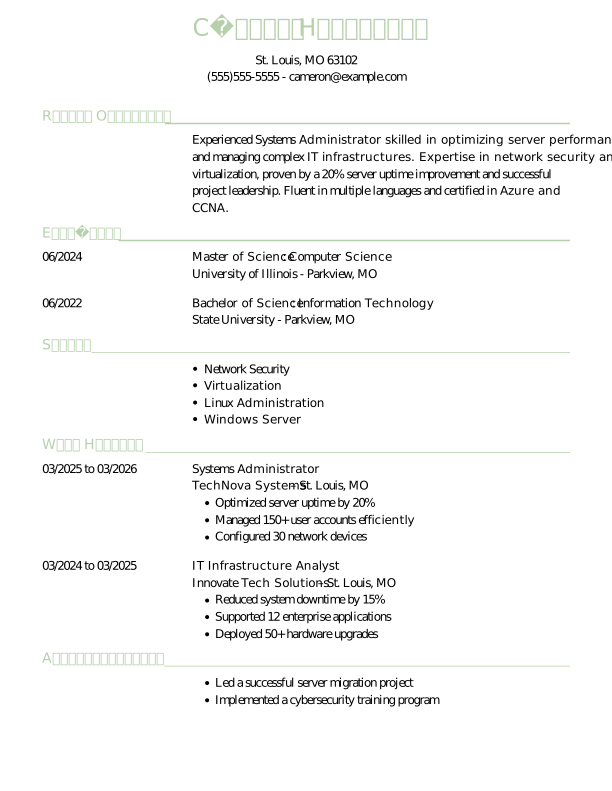
Systems Administrator Entry-Level Resume 2
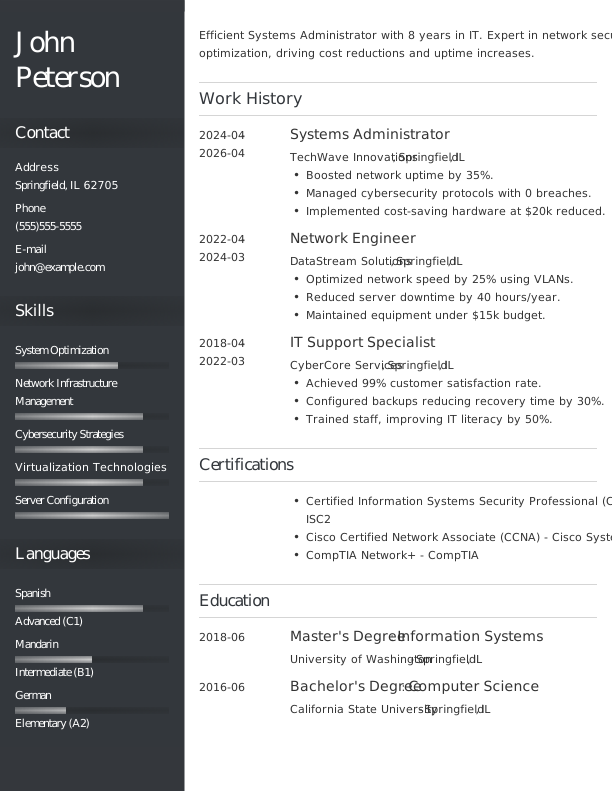
Systems Administrator Mid-Level Resume 2
Browse Free Resume Templates
- Accounts Payable
- Adjunct Professor
- Artist
- Auto Mechanic
- Baker
- Business Development Manager
- Business
- Certified Nursing Assistant
- Classic & Traditional
- Cleaner
- College Student
- Concierge
- Construction Worker
- Corporate
- Creative & Unique
- Custodian
- Customer Service
- Dental Assistant
- Direct Support Professional
- Entry-Level
- Flight Attendant
- Hospitality & Food Service
- Front Desk Receptionist
- Healthcare
- High School
- Housekeeping
- Hvac Technician
- Hybrid
- Inventory Manager
- Logistics
- Maintenance
- Management
- Modern
- Mortgage Loan Processor
- Pet Sitter
- Phlebotomist
- Production
- Rbt
- Sales
- Security Services
- Restaurant Server
- Simple & Basic
- Social Work
- Teacher
- Technology
Resume Examples for Systems Administrators
Sysadmin resumes should reflect the platforms you manage and your infrastructure uptime track record. Explore our templates to find one that organizes your technical background clearly.
Entry-Level Systems Administrator Resume
If you are moving into a sysadmin role from help desk or junior IT, this template helps you create a systems administrator resume without sysadmin experience by emphasizing your hands-on infrastructure work, certifications, and any lab projects.

Mid-Career Systems Administrator Resume
An ideal choice for systems administrators with several years of experience, this template effectively showcases recent achievements while positioning job seekers for advanced roles in IT management or specialized areas.

Experienced Systems Administrator Resume
An ideal choice for seasoned IT professionals with over 10 years of experience, this template supports those aiming for senior systems administration roles or advanced technical leadership positions.

Systems Administrator Resume Template (Text)
The text resume below gives you a starting point for a sysadmin application. Paste it into your document and update it with your platform and uptime details. For more IT formats, browse our collection of professional resume templates.
Larry Garcia
Westbrook, ME 04093
Professional Summary
Experienced systems administrator skilled in server management and cybersecurity. Proven track record of improving system uptime, reducing costs, and optimizing network security. Expert in team leadership and IT solutions.
Work Experience
January 2025 – April 2026
TechVision Solutions – Westbrook, ME
Systems Administrator
- Managed 250+ servers efficiently.
- Reduced downtime by 30% through automation.
- Optimized network security by implementing new protocols.
January 2023 – December 2024
Innovatech Services – Westbrook, ME
IT Systems Engineer
- Implemented cloud solutions improving access 40%.
- Reduced server response time by 15% with upgrades.
- Led a team for disaster recovery planning.
January 2019 – December 2022
DigitalWave Enterprises – Portland, ME
Network Administrator
- Configured networks enhancing security by 20%.
- Streamlined system operations improving uptime.
- Monitored network systems, addressing issues swiftly.
Education
December 2018
University of Colorado Denver, CO
Master of Science Information Systems
May 2016
Colorado State University Fort Collins, CO
Bachelor of Science Computer Science
Certifications
- Certified Information Systems Security Professional – ISC2
- Microsoft Certified Solutions Expert – Microsoft
Skills
- Network Security
- Server Management
- Cloud Computing
- Disaster Recovery
- System Optimization
- Automation
- Team Leadership
- Troubleshooting
How to Write a Systems Administrator Resume
As a systems administrator, understanding how to write a resume involves showcasing your technical skills and relevant experience in a clear format that appeals to employers. Use the guidance below to emphasize your strengths and customize your resume for the positions you’re aiming for.
1. Contact Info
Your contact information must be clear, professional, and prominently displayed at the top of your resume.
Include the following essential information:
- Full name
- Phone number
- Professional email address
- City and state (ZIP code is optional)
- LinkedIn profile or personal portfolio (if relevant)
 PRO TIP
Skip including sensitive personal information such as your Social Security number, age, or photo unless the employer specifically requests it.
2. Resume Profile
A resume profile is a brief introductory section, typically two to four sentences long, that highlights your key qualifications and skills. It serves as an engaging pitch for hiring managers, designed to capture their interest and motivate them to explore your resume further.
This profile is positioned at the top of your resume and can take the form of either a summary or an objective, each serving distinct purposes. Understanding these differences is important for crafting an effective introduction:
- A resume summary highlights relevant skills, technical expertise, and significant achievements in system management and IT support. This approach is especially useful for professionals with prior experience or transferable skills aiming to demonstrate their contributions as a systems administrator.
- A resume objective highlights your future aspirations and outlines the career milestones you aim to achieve. It’s particularly beneficial for recent graduates, individuals shifting careers, or those with limited experience, such as IT bootcamp participants or professionals moving into systems administration.
Let’s examine the differences between a resume summary and a resume objective with some examples:
Systems administrator resume summary example:
Detail-oriented systems administrator with over 6 years of experience managing complex IT infrastructures in corporate environments. Proficient in network security, troubleshooting, and system optimization. Acknowledged for improving system performance and ensuring seamless connectivity while supporting team collaboration and productivity.
Systems administrator resume objective example:
Recent graduate with a degree in information technology eager to launch a career as a systems administrator in a dynamic tech environment. Committed to improving system efficiency and security while bringing strong problem-solving skills and attention to detail to innovative software development companies.
3. Work Experience
The work experience on your resume serves as an important foundation for your candidacy. Employers assess not just the positions held, but also how you’ve contributed to each role and made a tangible impact.
Your background showcases how your skills and experiences align with the systems administrator position, highlighting your readiness to tackle its demands.
The work experience section should contain:
- Job title
- Employer name and location
- Dates of employment (month/year)
- 3–5 bullet points detailing system management tasks and technical achievements
Tailor your work experience bullet points to the specific role by using terminology relevant to systems administration. Begin each statement with a strong action verb, such as “Configured,” “Maintained,” or “Upgraded” to improve impact.
Incorporate quantifiable metrics into your achievements for added clarity. Demonstrating value through specific numbers, like reducing downtime by 30% or managing 100 servers, sets you apart and showcases your contributions effectively.
In general, consider following the format of:
[action verb] + [responsibility] = [result/achievement]
For example:
Managed network infrastructure for over 500 users, ensuring 99.9% uptime and optimizing system performance by implementing proactive monitoring tools.
Note that you can also flip the result/achievement with the responsibility:
Achieved a 30% increase in system efficiency through strategic upgrades and streamlined processes in server management.
With these techniques in mind, your resume bullets may look something like:
- Administered system updates and maintenance for over 150 servers, improving performance by 20% and reducing downtime by 30%.
- Configured network security protocols, resulting in a 40% decrease in unauthorized access incidents within six months.
- Collaborated with cross-functional teams to implement cloud solutions that improved data accessibility and reduced costs by 15%.
- Mentored junior administrators on troubleshooting techniques, fostering skill development and team cohesion.
- Used monitoring tools to analyze system performance metrics, proactively addressing issues before escalation.
4. Skills
The ATS-friendly resume format is designed to showcase your technical skills as a systems administrator. The skills section plays an important role in ensuring compatibility with applicant tracking systems while helping hiring managers assess your qualifications quickly.
Your skills can be divided into three main categories:
- Soft skills are personal qualities that influence how well systems administrators collaborate with their teams.
- Hard skills are specific, quantifiable abilities that professionals acquire through education, training, or experience.
- Technical skills refer to the specific competencies required to operate and manage technology systems.
5 Soft Skills for Your Resume or CV
- Technical troubleshooting
- Effective communication
- Team leadership skills
- Time management skill
- Analytical thinking
5 Hard Skills for Your Resume or CV
- System monitoring (Nagios, Zabbix)
- Network configuration (Cisco, Juniper)
- Backup solutions (Veeam, Acronis)
- Virtualization technologies (VMware, Hyper-V)
- Scripting languages (Bash, PowerShell)
In general, include a well-rounded selection of skills that closely match the job description to showcase your qualifications.
PRO TIP
If you’re a newer systems administrator, consider placing your skills section higher on your resume, right after your summary. If you have more experience, it’s better to position this section lower and weave your skills throughout your work history to showcase how you’ve applied them in real situations.
5. Education
Understanding how to list education on your resume is essential for showcasing your qualifications clearly. Begin with your most recent or relevant degree, including both the degree type and the name of the institution.
If you are a recent graduate, consider adding your graduation year, GPA (if it’s 3.5 or higher), any honors received, or relevant coursework to improve your profile.
Systems administrator resume education section example:
Bachelor of Science in Information Technology
California State University, Fullerton, Fullerton, CA
Graduated: 2023 | Cum Laude
PRO TIP
When listing multiple degrees on your resume, arrange them in reverse-chronological order, starting with the highest degree first, such as Bachelor of Science in Information Technology (BSIT) followed by Associate Degree in Computer Science (ADCS).
6. Certifications
Certifications are essential for showcasing your qualifications and expertise in systems administration. While not always included in a traditional resume, listing certifications adds significant value for professionals looking to stand out. Many employers require specific credentials, especially for specialized roles such as network security or cloud management.
Highlight certifications that are relevant to your career path and improve your candidacy. Ensure you keep these credentials current and present them in a clear, organized manner on your resume.
Systems administrator certification examples:
- Systems Administrator Certification | CompTIA | Expires: 01/2028
- Microsoft Certified: Azure Administrator Associate | Microsoft | Expires: 08/2027
- AWS Certified Solutions Architect – Associate | Amazon | Expires: 12/2027
- Red Hat Certified System Administrator (RHCSA) | Red Hat | Expires: 05/2028
Start Building Your Job-Winning Resume
Use Your Existing Resume
Import your current resume to transfer your information to one of our professional templates.
Create a New Resume
Start fresh with a template that catches your eye and follow the prompts to add your details.
Tailor Your Work History to Beat the ATS
Your work experience is not just about listing previous positions. It serves as a platform to highlight the tangible contributions you’ve made within IT environments, showcasing your skills in optimizing systems and resolving issues efficiently. This strategic approach can improve your resume’s compatibility with applicant tracking systems (ATS) by making it easier for them to identify relevant qualifications.
To create an effective work history, customize it for each specific role you pursue by integrating relevant keywords from the job description. Begin by dissecting the job listing closely, pinpointing frequently mentioned technical skills or certifications that align with your background. By incorporating these elements into your descriptions, you can effectively demonstrate your fit for the position.
What’s a Fair Systems Administrator Salary?
Researching salary information is essential for assessing job offers, negotiating pay, and making informed career decisions. The data provided comes from the U.S. Bureau of Labor Statistics (BLS) and highlights the latest nationwide averages for systems administrators.
Keep in mind that factors such as location, years of experience, certifications, and area of expertise can significantly impact your actual salary. For example, systems administrators working in large technology firms or specialized sectors like cybersecurity often earn more than those employed in smaller companies or general IT roles.
| Alabama | $86,770 |
| Alaska | $94,300 |
| Arizona | $94,780 |
| Arkansas | $83,670 |
| California | $114,500 |
| Connecticut | $107,330 |
| Delaware | $97,210 |
| District of Columbia | $118,910 |
| Florida | $96,080 |
| Georgia | $97,810 |
| Hawaii | $101,920 |
| Idaho | $97,400 |
| Illinois | $99,180 |
| Indiana | $86,790 |
| Iowa | $87,170 |
| Kansas | $86,900 |
| Kentucky | $86,140 |
| Louisiana | $94,640 |
| Maine | $81,700 |
| Maryland | $122,000 |
| Massachusetts | $110,010 |
| Michigan | $95,790 |
| Minnesota | $98,600 |
| Mississippi | $77,130 |
| Missouri | $89,960 |
| Montana | $79,150 |
| Nebraska | $90,300 |
| Nevada | $101,770 |
| New Hampshire | $97,250 |
| New Jersey | $106,960 |
| New Mexico | $92,730 |
| New York | $111,440 |
| North Carolina | $99,650 |
| North Dakota | $83,990 |
| Ohio | $96,810 |
| Oklahoma | $93,550 |
| Oregon | $102,150 |
| Pennsylvania | $94,420 |
| Rhode Island | $106,660 |
| South Carolina | $93,710 |
| South Dakota | $74,480 |
| Tennessee | $104,740 |
| Texas | $98,170 |
| Utah | $99,480 |
| Vermont | $87,950 |
| Virginia | $113,980 |
| Washington | $110,780 |
| West Virginia | $81,260 |
| Wisconsin | $90,160 |
| Wyoming | $79,590 |
| Puerto Rico | $56,800 |
Key Takeaways
- Tailor your resume to the job description. Use specific language from the posting to align with both ATS and human reviewers.
- Highlight quantifiable achievements for impact. Include metrics relevant to IT (e.g., server uptime percentages, ticket resolution times, system improvements) to differentiate yourself.
- Select a resume format based on your experience level. Entry-level applicants might opt for a functional layout, while seasoned professionals typically use reverse-chronological formats.
More Resume & CV Examples
- Agile Project Manager
- Ai Product Manager
- Aws Devops Engineer
- Chief Information Officer
- Computer
- Computer Science
- Computer Technician
- CTO
- Cyber Security
- Data Center Technician
- Database Administrator
- Digital Project Manager
- Epic Analyst
- Gis
- Health Informatics
- Healthcare It
- Implementation Specialist
- It Help Desk
- It Manager
- It Project Manager
- IT
- It Support
- It Support Specialist
- It Technician
- Network Administrator
- Network Engineer
- Product Owner
- Salesforce Administrator
- Service Desk Analyst
- Technical Program Manager
- Technical Project Manager
- Technical Support Specialist
- IT Developer
Cover Letters for Your Resume
Browse our library of cover letter examples to complete your application. A resume will have a better chance of getting noticed.
Frequently Asked Questions
Last Update:
What resume format should I use for my systems administrator resume?
There are three primary resume formats to consider when applying for a systems administrator role. Your choice should reflect your experience level and the skills or accomplishments you wish to highlight:
- Chronological: The chronological resume is the most widely used format, highlighting your work experience along with specific responsibilities and achievements. This structure benefits job seekers who have a consistent job history that reinforces their qualifications and adds credibility to their application.
- Functional: The functional resume, commonly known as a skills-based resume, highlights your qualifications through an expanded skills section. This format reduces emphasis on work history, which makes it an ideal choice for applicants who lack direct experience in the field or have gaps in their employment timeline.
- Combination: The combination resume format merges the chronological and functional styles, showcasing both skills and work history. This approach allows professionals to emphasize their competencies while illustrating career growth, making it ideal for those transitioning fields or advancing in their careers.
Should I include a cover letter with my resume?
Yes, you should include a cover letter with your systems administrator application. A well-crafted cover letter improves your resume by allowing you to articulate your technical skills and experience in managing IT infrastructures, which may not be fully conveyed through your resume alone. It shows potential employers that you’ve taken the time to personalize your submission, giving you an advantage over applicants who choose to skip this essential component.
If you’re hesitant about writing a cover letter, there are numerous resources available to assist you. You can find guides on how to write a cover letter specifically for IT roles, as well as examples showcasing different styles and formats tailored for systems administration positions. Exploring these materials will help you develop a compelling narrative that highlights your qualifications.
To make the writing process easier, consider using a cover letter generator, which can provide templates and helpful suggestions tailored to the specifics of your job application.
How long should a systems administrator resume be?
Most systems administrator resumes should be limited to one page for professionals with less than 10 years of experience. This length allows applicants to showcase relevant skills, certifications, and key projects without overwhelming hiring managers. Focus on technical proficiencies, education, and notable contributions.
For those in senior or specialized roles, a two-page resume is acceptable if it remains focused and relevant. Emphasize advanced skills, leadership experiences, and significant achievements that demonstrate your expertise while ensuring every detail adds value to your application.
What keywords should I include to pass applicant tracking systems (ATS)?
When crafting your resume, focus on including keywords that match the job description. Look for critical terms like “network security,” “server management,” and “cloud infrastructure” to ensure you resonate with ATS filters. You want your application to reflect the exact language used in the posting to boost your visibility.
Don’t forget to highlight any relevant certifications such as CCNA, CompTIA Security+, or AWS Certified Solutions Architect. Mention technical tools you’re skilled in, like Linux, VMware, or Microsoft Server. This will demonstrate your qualifications and help you stand out in a competitive job market.
Is it important to include volunteer IT projects on my resume?
Yes, especially if you’re entering the field or transitioning careers. Highlighting volunteer IT projects demonstrates practical skills and a commitment to technology, which can set you apart when formal experience is limited.

Kirsten Chorpenning is a career advice writer who empowers job seekers to take control of their career paths using Monster’s comprehensive job search and resume tools. She specializes in helping job seekers find rewarding jobs in today’s dynamic work environment.
See More From Kirsten ChorpenningExplore Related Career Advice


How to Put Transferable Skills on Your Resume: 120 Skills, Examples, & Tips
Updated:
Aug 27, 2026
|

16 min read


How to Write a Functional Resume (Formatting Tips, Template, & Examples)
Updated:
Aug 7, 2026
|
17 min read


Functional vs Chronological Resume: Which Format Is Right for You?
Updated:
Aug 3, 2026
|
16 min read

100+ Resume Adjectives to Help You Write a Stronger Resume in 2026 (With Examples)
Updated:
Jul 30, 2026
|
12 min read