
Free Android Developer Resume Templates & Examples
Build apps that reach millions of users, and let your resume reflect that scale. These free Android developer resume and CV examples help you convey your Kotlin and Java proficiency and published app portfolio.
Real-World Resumes That Get Results
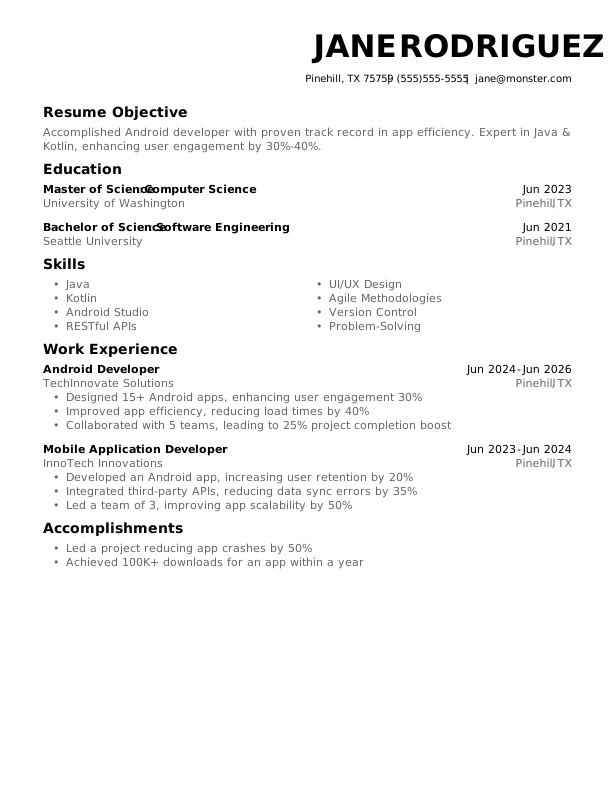
Android Developer Entry-Level Resume
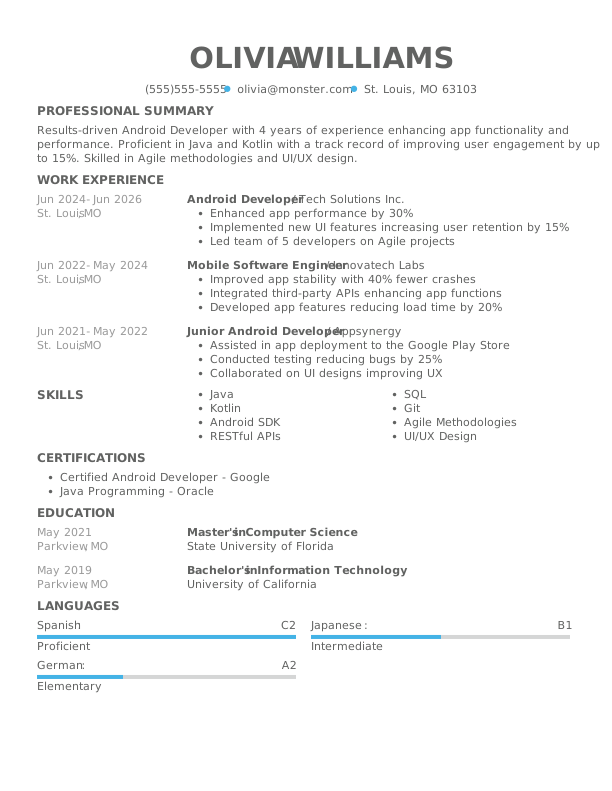
Android Developer Mid-Level Resume
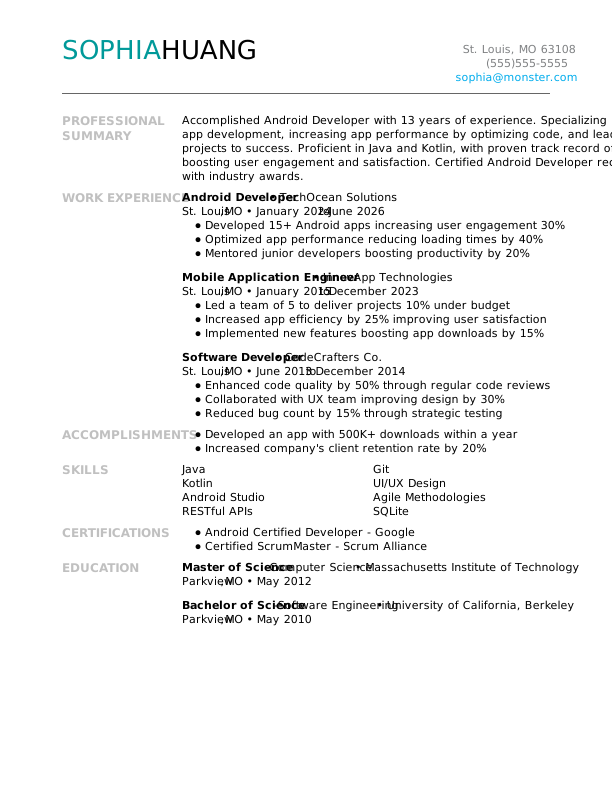
Android Developer Experienced Resume
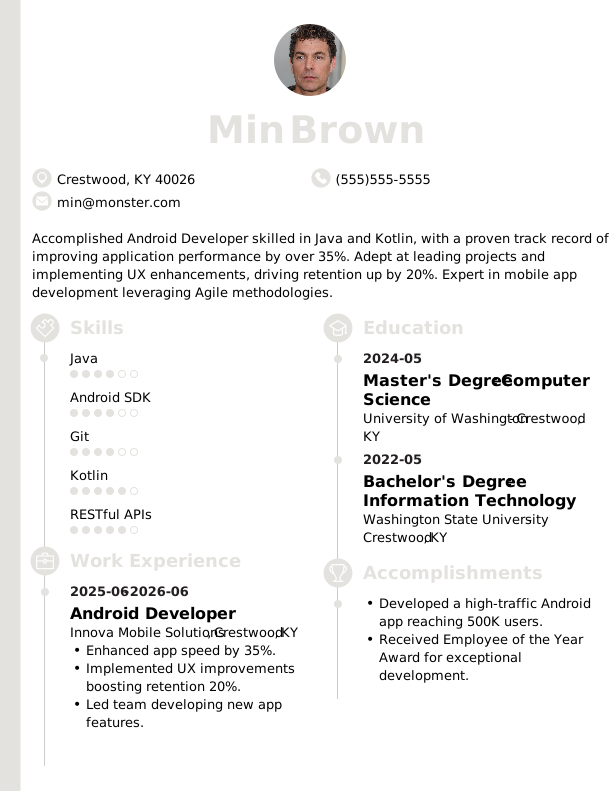
 Free
FreeAndroid Developer Modern Resume
Android Developer Creative Resume
Android Developer Traditional Resume
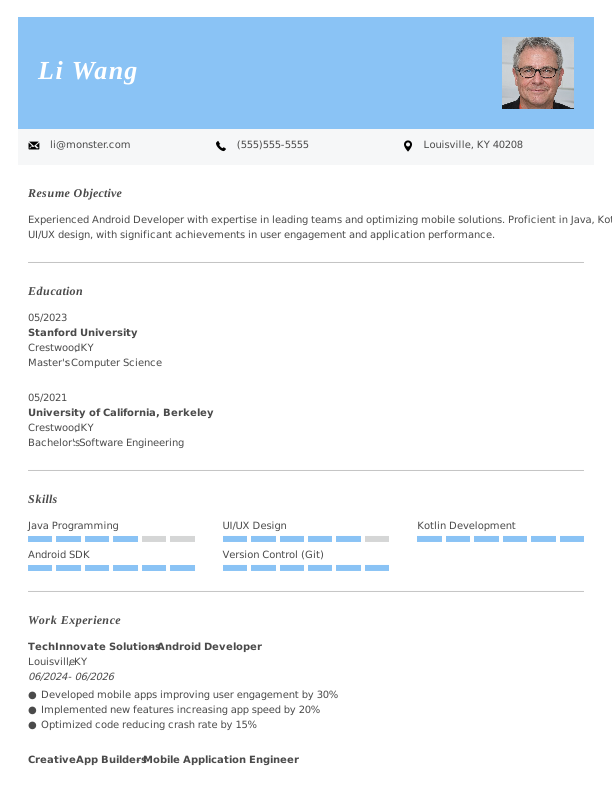
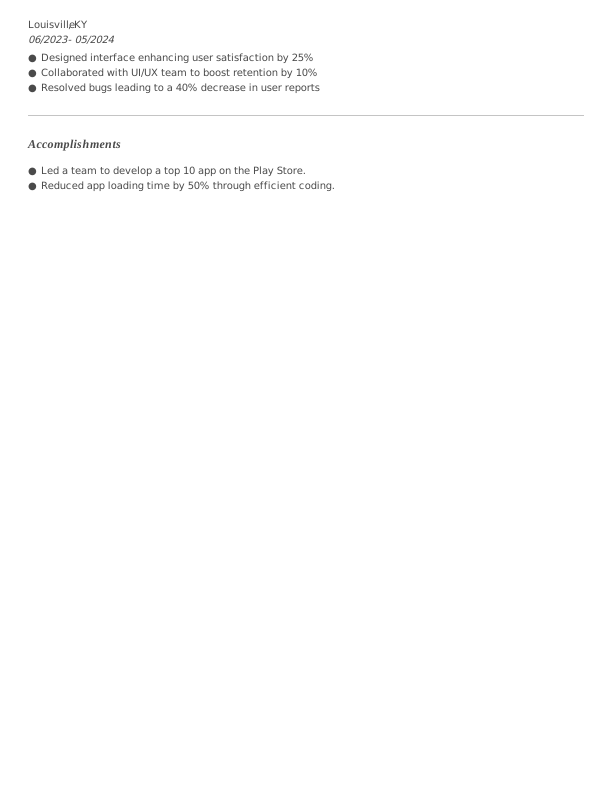
Android Developer Simple CV Example
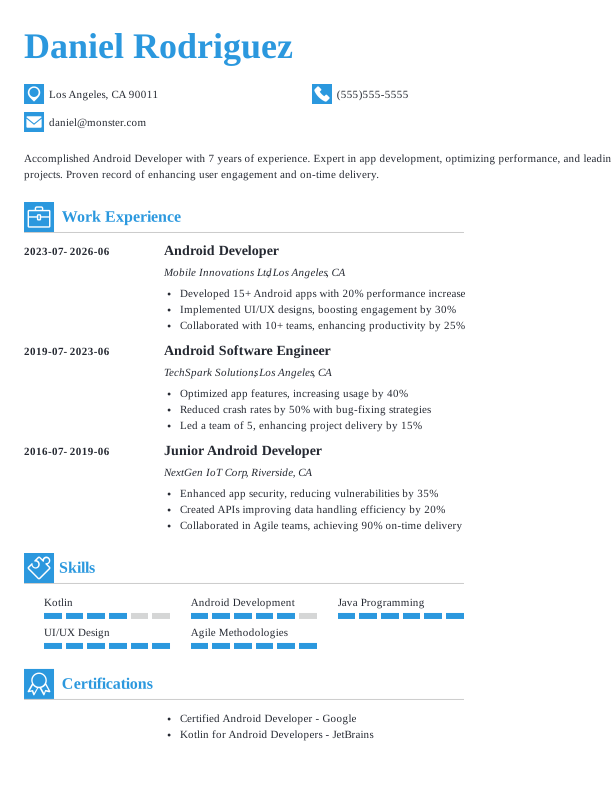
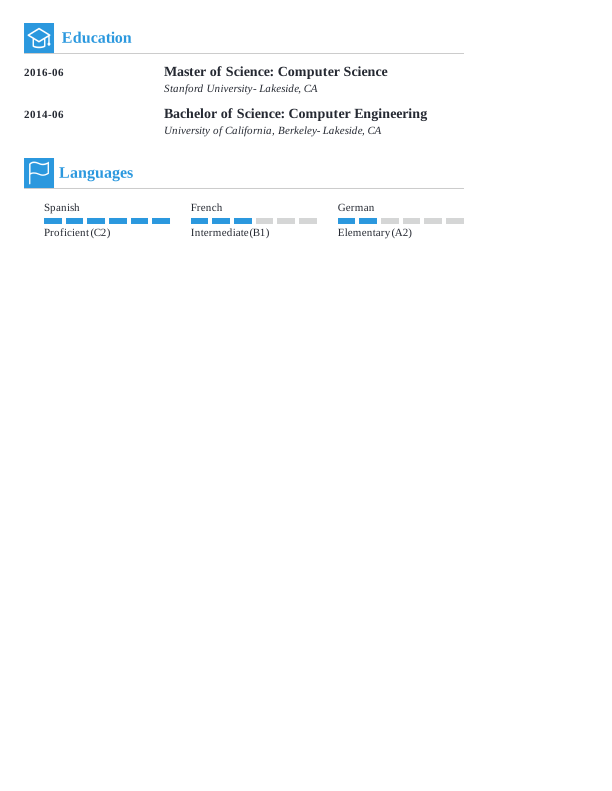
Android Developer CV Format
Browse Free Resume Templates
- Accounts Payable
- Adjunct Professor
- Artist
- Auto Mechanic
- Baker
- Business Development Manager
- Business
- Certified Nursing Assistant
- Classic & Traditional
- Cleaner
- College Student
- Concierge
- Construction Worker
- Corporate
- Creative & Unique
- Custodian
- Customer Service
- Dental Assistant
- Direct Support Professional
- Entry-Level
- Flight Attendant
- Hospitality & Food Service
- Front Desk Receptionist
- Healthcare
- High School
- Housekeeping
- Hvac Technician
- Hybrid
- Inventory Manager
- Logistics
- Maintenance
- Management
- Modern
- Mortgage Loan Processor
- Pet Sitter
- Phlebotomist
- Production
- Rbt
- Sales
- Security Services
- Restaurant Server
- Simple & Basic
- Social Work
- Teacher
- Technology
Resume Examples for Android Developers
An Android developer resume or CV varies significantly by experience level. Explore what to highlight at each stage and find templates to customize using our Resume Builder for your own unique application.
Entry-Level Android Developer Resume
Ideal for recent graduates who need help writing a resume with no experience, this template is also suitable for those transitioning into Android development from other fields.
Mid-Career Android Developer Resume
A good fit for Android developers with a few years of experience, this template highlights recent projects and supports advancement into more specialized or leadership roles.
Experienced Android Developer Resume
An ideal choice for seasoned Android developers with over 10 years of experience, this template showcases your expertise in mobile app development and leadership roles.
Android Developer Resume Template (Text)
Use this customizable text template for an Android developer resume to copy, paste, and modify it directly in your document.
Li Rodriguez
Portland, OR 97205
Professional Summary
Accomplished Android Developer with 6 years of experience. Expert in Java, Kotlin, UI/UX design, improving app performance, and ensuring data security. Proven success in optimizing apps for over 30% user engagement.
Work Experience
January 2024 – June 2026
TechWave Innovations – Portland, OR
Android Developer
Developed app increasing user engagement by 30%
Secured app data, reducing breaches by 20%
Led team to launch 3 apps in 2 years
January 2021 – December 2023
SmartApps Studio – Portland, OR
Mobile Application Engineer
Boosted app performance by 50%
Implemented updates, saving $10K/month
Coordinated cross-functional teams effectively
January 2020 – December 2020
CodeCrafter Solutions – Portland, OR
Software Developer
Enhanced software scalability by 25%
Optimized code, reducing load time by 40%
Collaborated on a key project, adding $1M revenue
Education
June 2019
Stanford University Stanford, CA
Master of Science Computer Science
May 2017
University of California, Berkeley Berkeley, CA
Bachelor of Science Software Engineering
Certifications
- Certified Android Developer – Google
- Professional Scrum Master – Scrum.org
Skills
- Java
- Kotlin
- Android SDK
- RESTful APIs
- UI/UX Design
- Agile Methodology
- Version Control (Git)
- Problem Solving
How to Write an Android Developer Resume
As an Android developer, knowing how to write a resume means showcasing your technical skills and relevant experience in a way that stands out to employers. Use the guidance below to emphasize your strengths and tailor your resume for the specific roles you’re aiming for.
1. Contact Info
Your contact information should be clear, professional, and easy to find at the top of your resume.
Make sure to include:
- Full name
- Phone number
- Professional email address
- City and state (ZIP code is optional)
- LinkedIn profile or personal portfolio (if relevant)
 PRO TIP
Skip listing personal information like your age, Social Security number, and unrelated hobbies on your resume unless specifically requested by the employer.
2. Resume Profile
A resume profile serves as a brief introduction, typically consisting of two to four sentences that showcase your skills and experience. This section acts as a compelling pitch to hiring managers, sparking their interest and prompting them to explore the rest of your resume.
Positioned at the top of your resume, the profile can take the form of either a summary or an objective. Each option has a unique purpose and helps highlight distinct aspects of your qualifications:
- A resume summary is a concise approach that showcases your key experience, skills, and achievements in the field of Android development. This format is ideal for professionals with a rich work background or transferable skills aiming to highlight their impact as an Android developer.
- A resume objective focuses on your career aspirations and outlines what you aim to accomplish in your next role. It’s particularly useful for coding bootcamp graduates, professionals transitioning into tech, or those with limited experience who want to highlight their goals.
Let’s take a look at an example of each to see how a resume summary and a resume objective differ:
Android developer resume summary example:
Innovative Android developer with over 6 years of experience in creating robust applications for both startups and established companies. Proficient in Java, Kotlin, and UI/UX design principles. Recognized for delivering high-performance mobile solutions while improving user engagement and satisfaction.
Android developer resume objective example:
Recent computer science graduate excited to launch a career as an Android developer in a dynamic tech environment. Committed to creating user-friendly applications and eager to contribute strong problem-solving abilities and innovative thinking to a forward-thinking software development team.
3. Work Experience
The work experience on your resume is a key selling point. Employers examine your job history to understand not only where you’ve worked but also how you’ve made an impact.
Your background in developing Android applications demonstrates how your skills and experiences align with the requirements of the target role.
The work experience section should contain:
- Job title
- Employer name and location
- Dates of employment (month/year)
- 3–5 bullet points describing your relevant responsibilities and achievements
Tailor your content to highlight achievements and duties relevant to the Android developer role you’re pursuing. Start each bullet point with an action verb (like “Developed,” “Optimized,” “Debugged”) to create a strong impression of your contributions.
Incorporate quantifiable metrics wherever possible. Using specific numbers and percentages illustrates your impact and helps differentiate you from other applicants in the competitive job market.
In general, consider following the format of:
[action verb] + [responsibility] = [result/achievement]
For example:
Developed and optimized 5+ Android applications, achieving a 4.7 average rating in Google Play Store with over 50,000 downloads.
Note that you can also flip the result/achievement with the responsibility:
Increased app performance by 30% through efficient coding practices and implementing advanced algorithms.
With these techniques in mind, your resume bullets may look something like:
- Developed and launched 5+ Android applications, achieving over 100,000 downloads within the first year.
- Optimized application performance, reducing crash rates by 20% through effective debugging and testing.
- Collaborated with cross-functional teams to integrate APIs and improve user experience across multiple platforms.
- Mentored junior developers on best practices in Android development and design patterns.
- Used Android Studio and Git for version control, streamlining the development process.
4. Skills
The skills section provides a concise overview of your abilities as an Android Developer. This allows hiring managers to quickly assess your qualifications.
Skills can be categorized into three groups:
- Soft skills are personal qualities that shape how well an Android developer collaborates with team members.
- Hard skills are specific, measurable abilities gained through education, training, or hands-on experience.
- Technical skills are the specific competencies needed to perform tasks within a given field.
5 Soft Skills for Your Resume or CV
- Team-oriented mindset
- Agile project management
- Effective communication skills
- Attention to detail
- Innovative thinking
5 Hard Skills for Your Resume or CV
- Java programming (Android Studio)
- API integration (REST, GraphQL)
- Version control (Git, GitHub)
- UI/UX design principles
- Database management (SQLite, Firebase)
In general, you want to include a diverse mix of relevant skills that align with the job requirements to showcase your full potential.
PRO TIP
If you’re a newer Android developer, consider placing your skills section near the top of your resume, right after your summary. If you have more experience, it’s better to position this section further down and weave your skills into your work history for a cohesive narrative.
5. Education
Understanding how to list education on your resume is important for showcasing your qualifications. Begin with your most relevant or recent degree, clearly stating the type of degree and the institution’s name.
If you’re a recent graduate, consider adding details such as your graduation year, GPA (if it’s 3.5 or higher), any honors received, or coursework that highlights your skills in Android development.
Android developer resume education section example:
Bachelor of Science in Computer Science (BSCS)
University of California, Berkeley, Berkeley, CA
Graduated: 2023 | Graduated with Honors
PRO TIP
If you’re advancing from an Associate Degree in Computer Science to a Bachelor of Science in Software Engineering, or have earned another relevant degree, list them both in reverse-chronological order.
6. Certifications
Listing certifications on your resume shows dedication to your profession and can help balance limited practical experience. Although not always part of a traditional resume, this section holds significance for many professionals in various fields. Employers frequently look for specific credentials for specialized roles like those in cybersecurity or cloud development.
It’s best to include only relevant certifications that improve your fit for the position. Make sure they are updated and clearly formatted so they catch the eye of potential employers.
Android developer certification examples:
- Android Developer Certification | Google | Expires: 06/2028
- Certified Kubernetes Administrator (CKA) | Cloud Native Computing Foundation | Expires: 11/2027
- Associate Android Developer | Google | Expires: 04/2028
- AWS Certified Solutions Architect – Associate | Amazon Web Services | Expires: 09/2027
Start Building Your Job-Winning Resume
Use Your Existing Resume
Import your current resume to transfer your information to one of our professional templates.
Create a New Resume
Start fresh with a template that catches your eye and follow the prompts to add your details.
Tailor Your Work History to Beat the ATS
Your work experience is more than a list of job titles. It’s an opportunity to highlight the measurable impact you’ve made on applications, user experiences, and development processes. This approach helps create an ATS-friendly resume that applicant tracking systems (ATS) can easily scan.
To craft a strong work history, tailor your entries to the specific Android developer role you’re targeting by incorporating relevant keywords and technical jargon. Begin with a detailed analysis of the job description. Identify frequently mentioned programming languages, tools, or methodologies, and integrate those elements into your experience descriptions wherever applicable.
Key Takeaways
- Tailor your resume to the job description. Use specific terms from the listing to connect with both ATS and hiring managers.
- Highlight quantifiable achievements to demonstrate your impact. Mention metrics like app download numbers or performance improvements (e.g., reduced load time by 30%).
- Select a resume format that fits your experience level. New developers might choose a functional layout, while seasoned professionals often prefer reverse-chronological formats.
More Resume & CV Examples
- Agile Project Manager
- Ai Consultant
- Ai Product Manager
- Aws Devops Engineer
- Blockchain Developer
- Chief Information Officer
- Cloud Engineer
- Computer Engineering
- Computer Programmer
- Computer
- Computer Science Internship
- Computer Science
- Computer Technician
- CTO
- Cyber Security
- Data Center Technician
- Database Administrator
- Devops Engineer
- Devops
- Digital Project Manager
- Embedded Software Engineer
- Epic Analyst
- Front-end Developer
- Full Stack Developer
- Game Developer
- Gis
- Health Informatics
- Healthcare It
- Implementation Specialist
- Ios Developer
- It Help Desk
- It Manager
- It Project Manager
- IT
- It Support
- It Support Specialist
- It Technician
- Java Developer
- Machine Learning
- Network Administrator
- Network Engineer
- Power Bi Developer
- Product Management
- Product Owner
- Project Engineer
- Prompt Engineer
- Python Developer
- React Developer
- React Native Developer
- Release Manager
- Rpa Developer
- Salesforce Administrator
- Salesforce Developer
- Scrum Master
- SDET
- Service Desk Analyst
- Servicenow Developer
- Software Developer
- Software Engineer
- Software Tester
- Solution Architect
- Sql Developer
- Systems Administrator
- Technical Program Manager
- Technical Project Manager
- Technical Support Specialist
- Ux Designer
- Ux Researcher
- Web Developer
- IT Developer
Cover Letters for Your Resume
Browse our library of cover letter examples to complete your application. A resume will have a better chance of getting noticed.
Frequently Asked Questions
Last Update:
What resume format should I use for my Android developer resume?
There are three main resume formats to consider when applying for an Android developer role. Your choice should reflect your experience level and the specific skills or projects you want to highlight:
- Chronological: The most popular format, a chronological resume emphasizes your work experience by detailing responsibilities and achievements in reverse order. This format is ideal for applicants with a relevant job history that reinforces their qualifications and demonstrates their growth in the field of Android development.
- Functional: Also known as a skills-based resume, the functional format emphasizes qualifications and includes an expanded skills section to showcase your abilities. By minimizing focus on work history, this format is particularly useful for applicants lacking relevant experience or those transitioning into new roles.
- Combination: A combination resume integrates elements from chronological and functional formats, featuring a detailed skills section alongside work experience. This format helps Android developers emphasize their technical skills while also showcasing their career growth and project contributions.
Should I include a cover letter with my resume?
Yes, you should include a cover letter when applying for an Android developer position. A thoughtfully crafted cover letter improves your resume by offering insight into your passion for technology and software development. It allows you to showcase specific projects or skills that align with the job requirements, demonstrating your dedication to personalizing your application and standing out in a competitive field.
If you’re feeling hesitant about writing a cover letter, don’t worry—many resources can guide you through the process. Consider checking out articles on how to write a cover letter tailored for tech roles, or look at examples that highlight successful approaches used by other developers. Various formats are available, too, allowing you to choose one that best represents your style and experience.
For those who want a quick solution, tools like a cover letter generator can assist in crafting an engaging document by providing templates and suggestions based on the job you’re targeting.
What keywords should I include to pass applicant tracking systems (ATS)?
To improve your resume for ATS, carefully analyze the job posting and incorporate relevant keywords and phrases. Look for terms like “Kotlin,” “Android SDK,” or “Java,” which are important for an Android developer role. Also, make sure to highlight any specific tools you know well, such as Android Studio or GitHub.
Including certifications such as Google Associate Android Developer can strengthen your application. Additionally, showcasing experience with frameworks like Retrofit or libraries like Dagger can set you apart. Remember, using exact terminology from the listing helps ensure your resume gets noticed by both ATS and hiring managers.
Should I include personal app projects or contributions to open-source?
Yes, especially if you’re transitioning into Android development or are self-taught. Including personal app projects demonstrates your coding skills and problem-solving abilities outside formal employment, improving your resume when professional experience is limited.

Toni Frana is a Certified Professional Resume Writer (CPRW), member of the Professional Association of Resume Writers & Career Coaches, and career expert who empowers job seekers to take control of their career paths using Monster’s comprehensive job search and resume tools.
See More From Toni FranaExplore Related Career Advice


How to Put Transferable Skills on Your Resume: 120 Skills, Examples, & Tips

Updated:
Aug 27, 2026
|
16 min read


How to Write a Functional Resume (Formatting Tips, Template, & Examples)
Updated:
Aug 7, 2026
|
17 min read


Functional vs Chronological Resume: Which Format Is Right for You?
Updated:
Aug 3, 2026
|
16 min read
100+ Resume Adjectives to Help You Write a Stronger Resume in 2026 (With Examples)
Updated:
Jul 30, 2026
|
12 min read