


Free Computer Technician Cover Letter Templates & Examples
A great computer technician cover letter shows you can fix hardware and software issues, give dependable support, and keep systems running safely. Our examples and easy steps help you write a clear letter that highlights your practical skills so hiring managers see your value quickly.
Real-World Cover Letters That Get Results
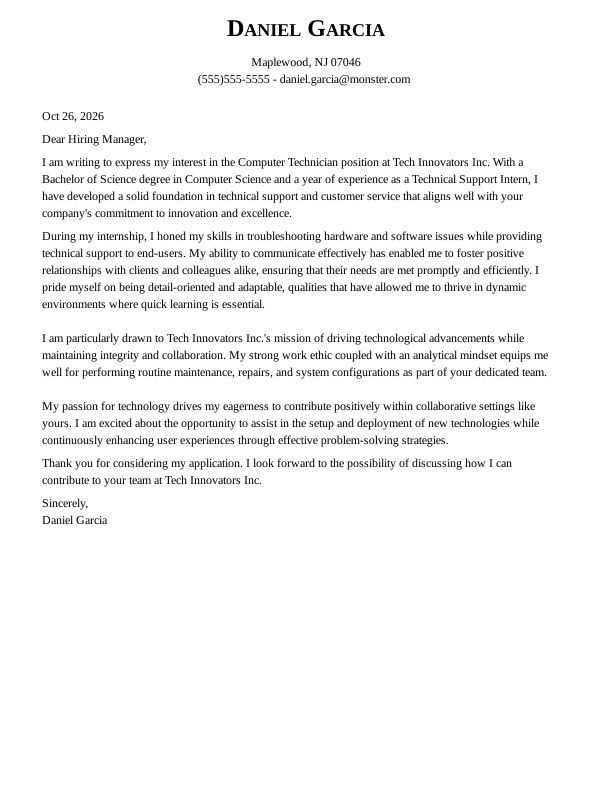
 Free
Computer Technician Entry-Level Cover Letter
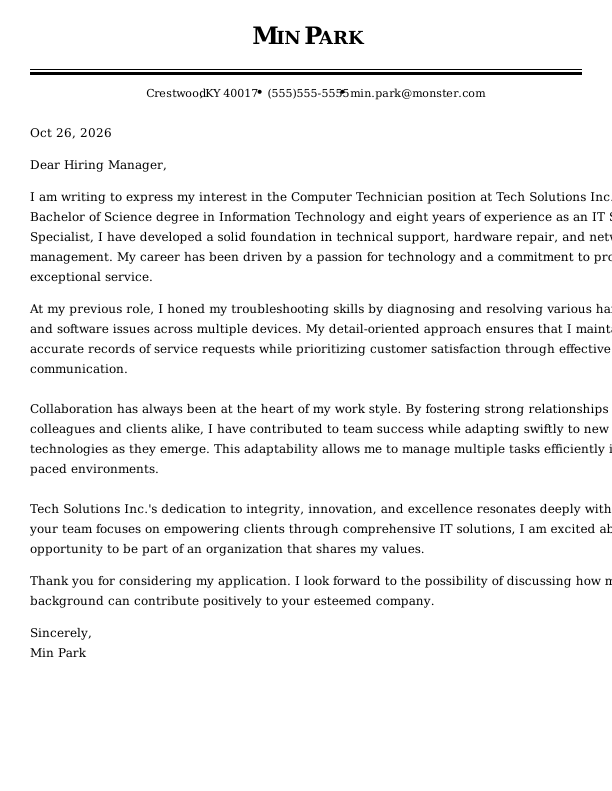
Computer Technician Mid-Level Cover Letter
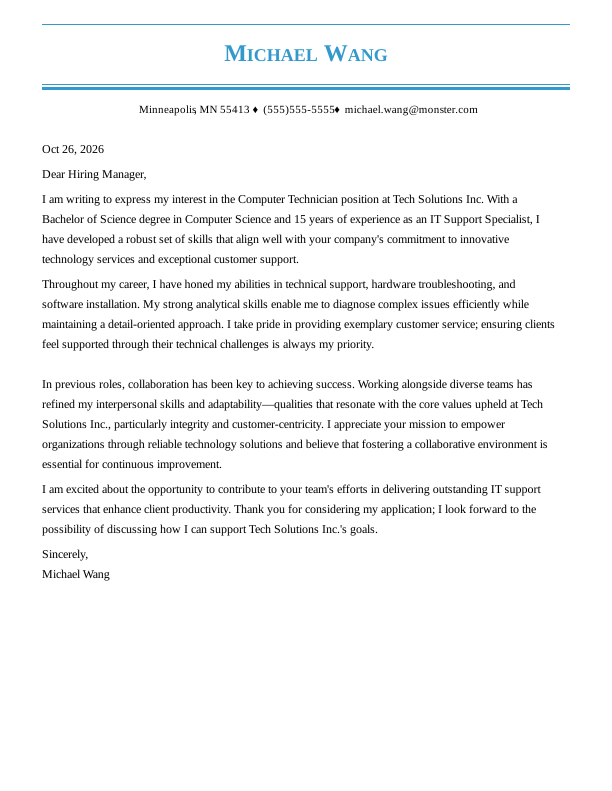
Computer Technician Experienced Cover Letter
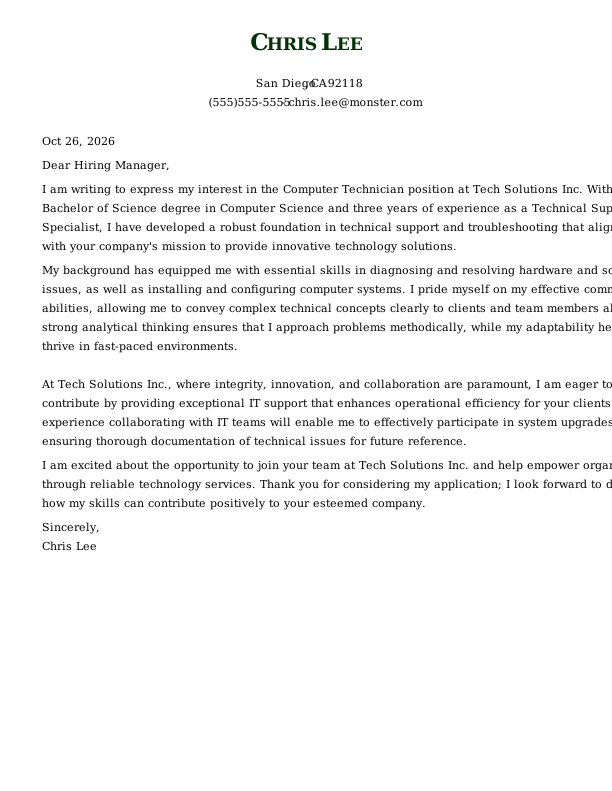
Computer Technician Entry-Level Cover Letter
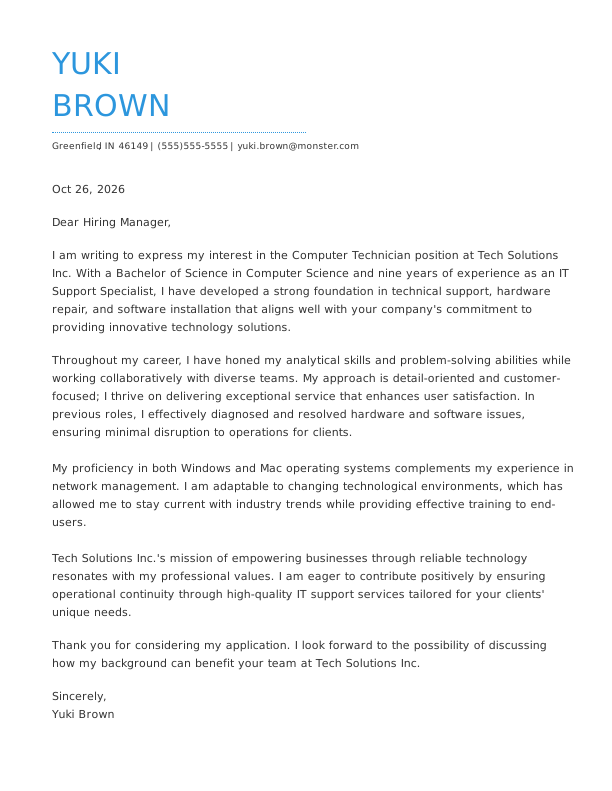
Computer Technician Mid-Level Cover Letter
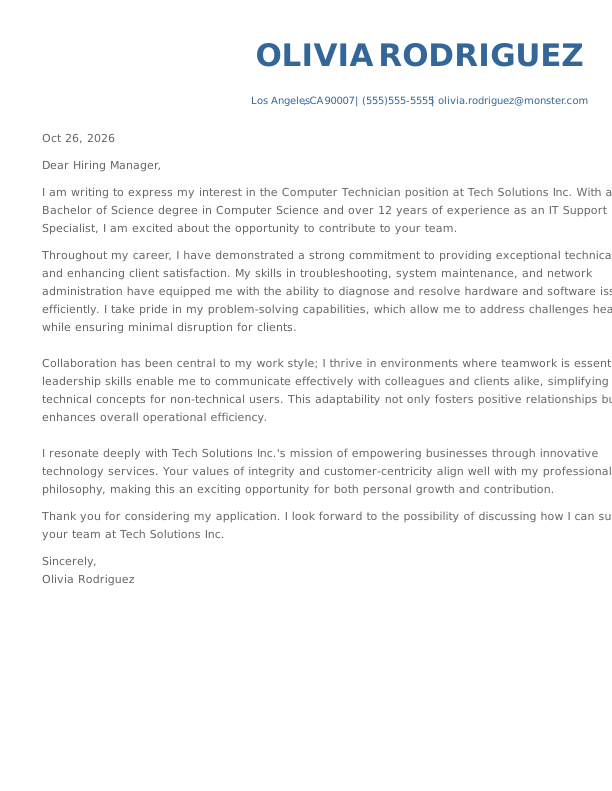
Computer Technician Experienced Cover Letter
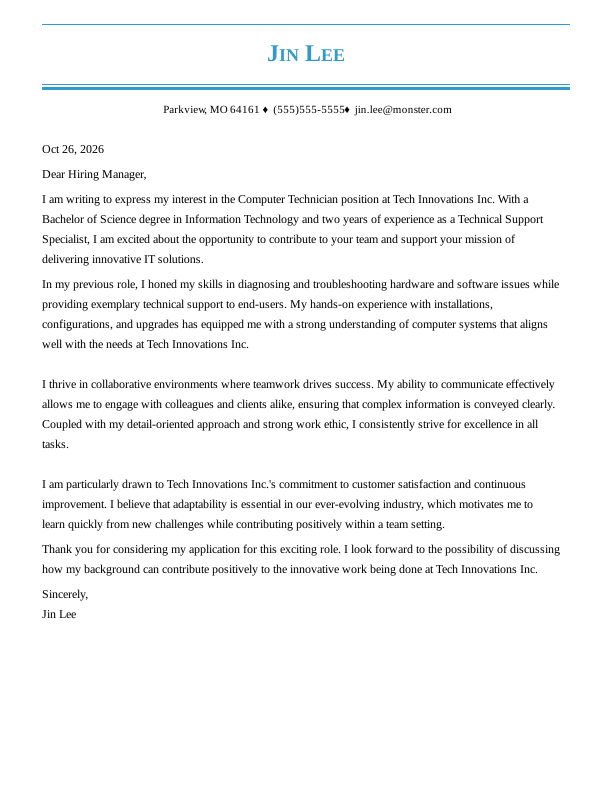
Computer Technician Entry-Level Cover Letter
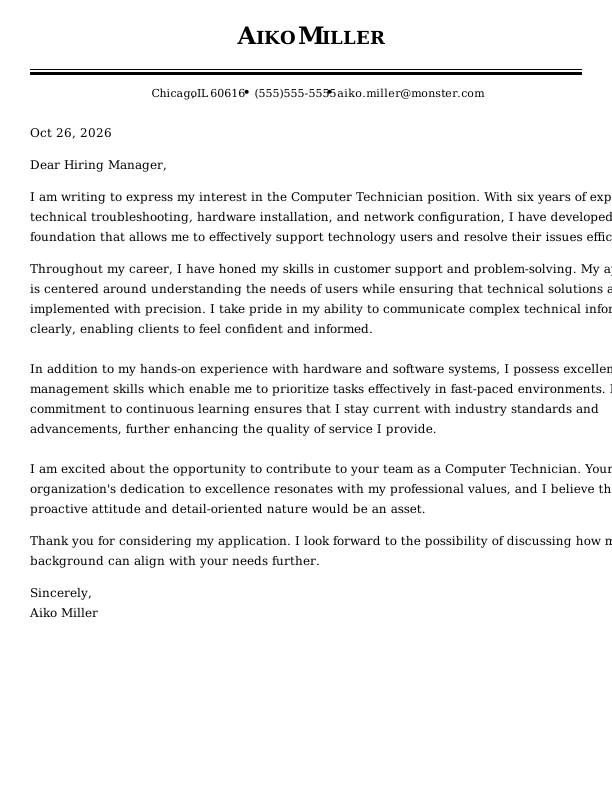
Computer Technician Mid-Level Cover Letter
Browse Free Cover Letter Templates
- Academic
- Account Manager
- Accountant
- Accounts Payable
- Administrative Assistant
- Admissions Counselor
- Architecture
- Artist
- Assistant Principal
- Babysitter
- Barista
- Bartender
- Bookkeeper
- Brand Ambassador
- Business Analyst
- Business
- Caregiver
- Chef
- Civil Engineering
- Computer Science
- Construction
- Consulting
- Copywriter
- Cosmetology
- Custodian
- Customer Service
- Customer Service Representative
- Data Analyst
- Data Entry
- Dental Assistant
- Dental Hygienist
- Digital Marketing
- Electrical Engineering
- Emt
- Engineering
- Esthetician
- Event Coordinator
- Executive Assistant
- Fashion Designer
- Finance
- Financial Analyst
- Firefighter
- Flight Attendant
- Graphic Designer
- Hair Stylist
- Healthcare
- Hr Generalist
- Investment Banking
- It
- Janitor
- Journalism
- Lab Technician
- Law Clerk
- Lawyer
- Librarian
- Logistics
- Maintenance Worker
- Makeup Artist
- Manager
- Marketing Coordinator
- Marketing
- Marketing Manager
- Massage Therapist
- Mechanic
- Mechanical Engineer
- Medical Assistant
- Non Profit
- Nursing
- Occupational Therapy
- Office Assistant
- Office Manager
- Operations Manager
- Paralegal
- Personal Trainer
- Pharmacist
- Pharmacy Technician
- Photographer
- Physician Assistant
- Pilot
- Police Officer
- Program Manager
- Project Manager
- Property Manager
- Psychology
- Receptionist
- Research Assistant
- Restaurant Manager
- Retail
- Sales
- Sales Manager
- School Counselor
- Security
- Security Officer
- Social Work
- Software Engineer
- Special Education Teacher
- Starbucks
- Substitute Teacher
- Teacher
- Teaching Assistant
Cover Letter Examples for Computer Technicians
Cover letter expectations change as you gain hands-on technical experience. Pick the sample below that best matches your background so you can present the right skills, achievements, and training for your current stage.
Entry-Level Computer Technician Cover Letter
This template helps starting tech support job seekers present foundational troubleshooting skills, education, and internship achievements clearly to employers when writing an entry-level cover letter.
Mid-Career Computer Technician Cover Letter
Designed for mid-level tech support professionals, this sample highlights routine hardware maintenance, network management experience, and independent problem-solving across active service tickets.
Experienced Computer Technician Cover Letter
Ideal for seasoned IT specialists, this guide shows how to demonstrate long-term technical growth, system management, team collaboration, and high customer satisfaction standards.
Computer Technician Cover Letter Template (Text)
Paste this computer technician cover letter template into your document, then swap in your own ticket volume metrics and the specific hardware or employer you supported.
John Peterson
Springfield, IL 62705
(555)555-5555
john.peterson@monster.com
Oct 26, 2026
Dear Hiring Manager,
I am writing to express my interest in the Computer Technician position at Tech Solutions Inc. With a Bachelor of Science degree in Computer Science and seven years of experience as an IT Support Specialist, I am eager to contribute my skills to your team.
In my previous role, I honed my ability to diagnose and resolve hardware and software issues efficiently, ensuring minimal downtime for users. My background includes installing, configuring, and maintaining computer systems while providing comprehensive technical support and training tailored to individual user needs. I thrive in collaborative environments where strong communication is essential, making me well-suited for a team-oriented company like Tech Solutions Inc.
My problem-solving abilities have been fundamental in addressing complex technical challenges, allowing me to streamline processes effectively. Additionally, I possess excellent time management skills that enable me to prioritize tasks while maintaining attention to detail—a crucial aspect when performing routine maintenance and upgrades on systems.
I admire Tech Solutions Inc.’s commitment to enhancing operational efficiency through innovative technology solutions. Your values of integrity and customer-centric service resonate with my professional philosophy. I am excited about the opportunity to support your mission by delivering reliable IT services that empower businesses.
Thank you for considering my application. I look forward to the possibility of discussing how my background can align with the goals of Tech Solutions Inc.
Sincerely,
John Peterson
How to Write a Computer Technician Cover Letter
Writing a great cover letter means turning your hands-on hardware repairs and user support work into clear stories. Follow these six steps to build a focused letter tailored to the job you want.
1. Research & Prepare
Take time to learn what tech stack and environment the employer uses before writing your letter. Look for specific ticketing tools, operating systems, or device management platforms mentioned in the posting so you can tailor your experience to their immediate needs.
Here are three simple ways to prepare:
- Review the job posting for the exact ticketing platform and device management tools to mention.
- Scan the employer’s IT support or technology pages for current service priorities such as uptime targets.
- Search local news coverage of recent facility upgrades to reference likely rollout or downtime pressure.
2. Hook the Reader
Start your cover letter with an opening line that shows you understand daily ticket triage and user support right away. Skip generic openings and share an active example of how you diagnose devices or resolve issues fast.
Choose an angle that fits your strengths from these options:
- Ticket triage speed: “Resolved 28 same-week helpdesk tickets by imaging laptops with MDT and verifying drivers against our golden image.”
- Preventive upkeep mindset: “Cut repeat failures by 35% in six months by running monthly BIOS checks and SSD health monitoring tools like CrystalDiskInfo across our lab fleet.”
- Onsite coordination with IT leads: “Partnered directly with the systems administrator when the network team flags printer or VLAN errors to isolate the root cause using Windows Event Viewer and switch port diagnostics.”
3. Tell Your Professional Story
While your resume lists past positions and responsibilities, your cover letter lets you describe real problem-solving moments. Include measurable details, such as resolution rates or fleet sizes, to give hiring managers a clear picture of your work volume.
Useful performance metrics include:
- Resolved an average of 45 IT support tickets per week while keeping first-contact resolution at 82%.
- Reduced end-user downtime by 30% after standardizing PC imaging and driver installation for new workstations.
- Saved $18,000 in annual labor costs by automating printer queue cleanup scripts across 120 devices.
4. Showcase Your Skills
Instead of making vague claims about your technical skills, describe a real moment where you handled an issue from start to finish. Focus on key requirements from the job description and detail how you communicated with end-users throughout the fix.
Here are ways to present core technical skills:
- Ticketing and diagnostics: “Used our ticket system to reproduce a printer problem, checked drivers and print spooler status, then documented the exact fix so the next tech could follow it.”
- Hardware and OS support: “When a workstation kept crashing after updates, reseated RAM, ran memory tests, and restored the OS configuration that stopped the failures.”
- Customer communication: “Walked a non-technical user through saving their files and backing up data before replacing a failing drive, answering their questions without rushing them.”
5. Explain Any Special Circumstances
If you have an employment gap or are changing careers, address it briefly in one or two sentences. Focus on your current technical skills, recent certifications, or personal repair projects to show you are ready for the role.
Clear ways to address these situations include:
- “After three months between contracts, I renewed my CompTIA A+ study plan and have been building and repairing PCs at my local makerspace every week.”
- “Pivoting from help desk to field repair because I wanted more ownership of hardware issues, and I recently completed the Dell Service Technician training.”
- “Relocated to Austin for work in May, and I’m already set up with local service tools plus an active Texas state business account for on-site calls.”
6. End With a Professional Goodbye
Close your cover letter with a polite thank-you and a confident call to action. Reiterate your enthusiasm for keeping their IT infrastructure running smoothly and invite the reader to schedule a conversation about your qualifications.
Use concrete wording tied to troubleshooting and support: “I’d be glad to walk you through how I diagnose hardware issues and restore uptime for onsite users.” Then add “Thank you for your time.” Finish with “Best regards.”
4 Tips for Formatting Your Cover Letter
Clean formatting ensures hiring managers can spot your key hardware skills and IT certifications during a quick initial scan. A well-organized document shows you pay attention to detail and value professional documentation and standard presentation.

Match Your Header to Your Resume
Match the header styling on your cover letter to your resume, using identical fonts, contact details, and layout structure. This matching design gives your application a polished look and shows hiring managers that you value neat, consistent documentation.

Use Bullet Points for Key Achievements
Organize your main technical highlights into three or four bullet points that stand out on the page. Pointing to clear metrics, like ticket closing times or deployment numbers, helps readers quickly see your practical impact without reading dense text blocks.

Balance Spacing & Margins
Keep line spacing set between 1.0 and 1.15, adding empty lines between paragraphs to keep content comfortable to read. Standard one-inch margins leave enough breathing room so your page looks balanced whether viewed on-screen or printed out.

Save & Send as a PDF
Save and send your cover letter as a PDF file to lock in your layout and prevent formatting issues across different operating systems. Name your document clearly using a clean pattern like Firstname_Lastname_Cover_Letter.pdf for easy tracking by hiring teams.
Key Takeaways
- Highlight active troubleshooting skills with concrete examples of diagnosing hardware or software issues.
- Include clear support metrics like ticket resolution speeds, system uptime improvements, or deployment counts.
- Tailor your letter to match the employer’s specific environment, whether focusing on desktop support or network maintenance.
More Cover Letter Examples
Browse Monster’s Resume Templates
Monster also has hundreds of ATS-friendly resume templates for all career levels and industries. Create a matching resume to help you land the interview.
- Agile Project Manager
- Ai Product Manager
- Aws Devops Engineer
- Chief Information Officer
- Computer
- Computer Science
- Computer Technician
- Cto
- Cyber Security
- Data Center Technician
- Database Administrator
- Digital Project Manager
- Epic Analyst
- Gis
- Health Informatics
- Healthcare It
- Implementation Specialist
- It Help Desk
- It Manager
- It Project Manager
- It
- It Support
- It Support Specialist
- It Technician
- Network Administrator
- Network Engineer
- Product Owner
- Salesforce Administrator
- Service Desk Analyst
- Systems Administrator
- Technical Program Manager
- Technical Project Manager
- Technical Support Specialist
- Technology
- It Developer
Frequently Asked Questions
Last Update:
Do I really need a cover letter?
You really need a cover letter as a computer technician because it lets you explain your practical troubleshooting approach and communication style in ways a resume cannot.
While your resume lists technical certifications and hardware skills, a cover letter shows hiring managers how you handle urgent ticket queues, solve unexpected network failures, and deliver clear, patient support to end-users during active IT system downtime.
How long should my cover letter be?
Your computer technician cover letter should be one page long, ideally ranging between 250 and 400 total words. Keeping your document concise ensures hiring managers can quickly scan your technical skills, certifications, and hardware troubleshooting metrics.
Organise your writing into three or four short paragraphs to present a clear, professional overview of your hands-on experience without overwhelming busy IT recruiters.
Should my cover letter match my resume?
Your computer technician cover letter should match your resume in visual style by using identical fonts, margins, and header formatting across both documents. This unified presentation highlights your strong attention to detail.
However, the body text should expand on your resume details by sharing the real-world context behind your hardware repairs, technical achievements, and daily user support philosophy.
How do I address my cover letter if I don’t know the hiring manager’s name?
If you do not know the hiring manager’s name for a computer technician role, start by checking the company website, job board post, or LinkedIn network directory.
If no specific contact is listed after searching, address your cover letter to “Dear IT Support Hiring Team” or Dear Hiring Manager” to maintain a professional, respectful tone throughout your application.
Should I mention salary expectations in my cover letter?
You should only mention salary expectations in your cover letter if the computer technician job posting explicitly asks for compensation requirements.
When requested, provide a realistic salary range based on regional IT market research and your specific technical experience, while politely stating that you look forward to discussing the full benefits package during your upcoming interview.

Megan Dawkins is a career industry editor who empowers job seekers to take control of their career paths using Monster’s comprehensive job search and resume tools. She specializes in helping job seekers navigate the flexible job market.
See More From Megan DawkinsExplore Related Career Advice






How to Write a Cover Letter for Internal Positions or Promotions (Examples & Tips)

Updated:
Apr 23, 2026
|
19 min read


Cover Letter vs Resume: What’s the Difference & Do You Need Both?

Updated:
Apr 23, 2026
|
18 min read